


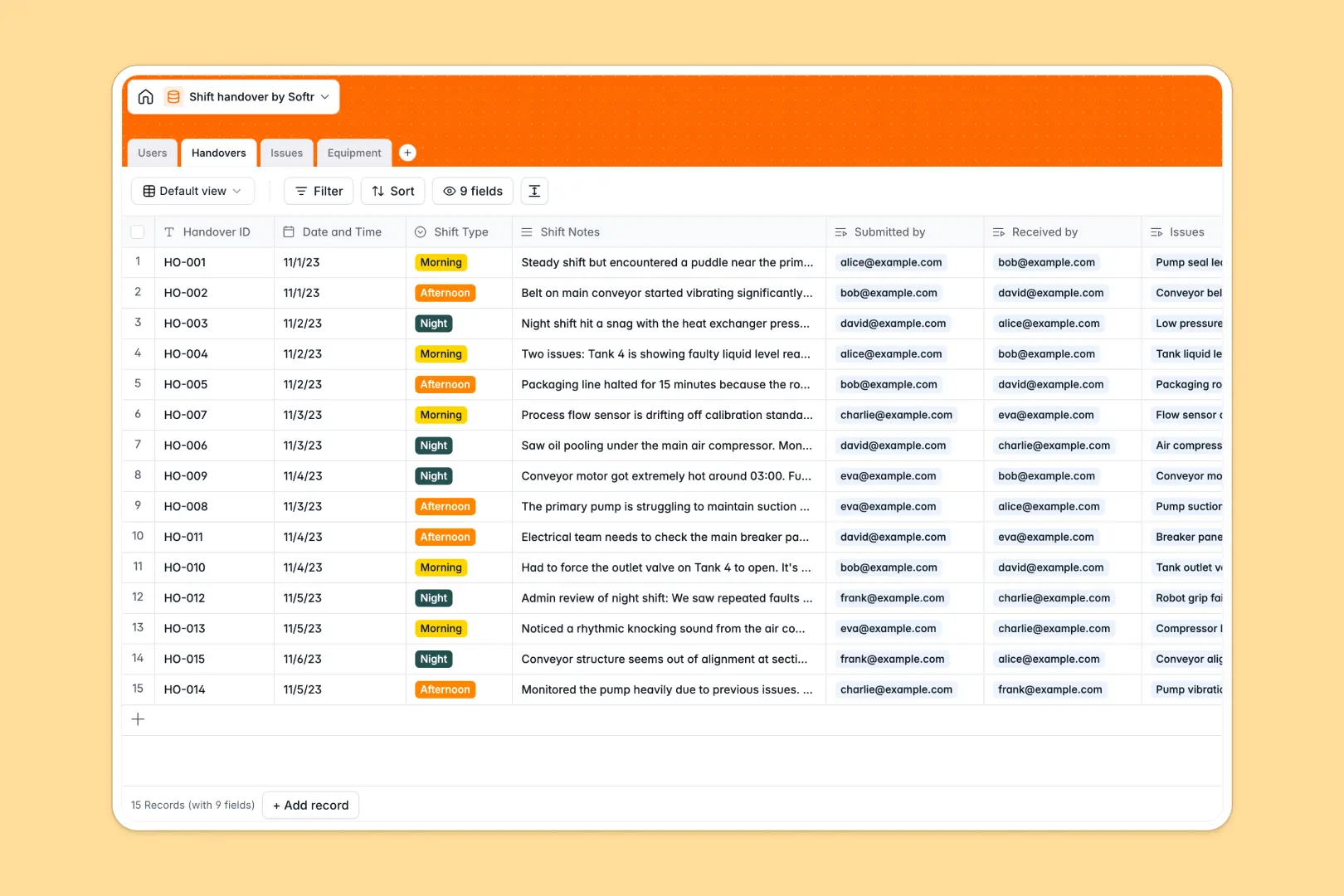
Your Shift Handover database at a glance
This intuitive template lets you track incoming and outgoing operators, log unresolved issues, and monitor equipment statuses predictably in one place. It prevents critical maintenance updates from falling through the cracks between shift changes.
Behind the scenes, the database seamlessly connects your daily handover logs directly to registered users, open maintenance tasks, and specific machinery. This native connection keeps the entire lifecycle of an operational issue visible until it gets resolved.
The database includes built-in AI fields that automatically summarize long shift notes into concise executive bullet points. As soon as an issue is logged, AI auto-categorizes safety or mechanical hazards and instantly searches the web for precise equipment specifications.
Why managing shift handovers in Excel gets messy
When essential shift logs live in spreadsheets, notes get overwritten, open issues get lost between tabs, and tracking equipment history becomes nearly impossible.
What a structured database changes
Instead of relying on fragile VLOOKUPs and isolated rows, a database keeps your daily operations strictly organized. An operational issue logged during the night shift natively links to the exact piece of machinery and stays visible to everyone until marked resolved.
This is exactly what Softr Databases are designed for. Every column has a clear, enforced purpose—dates stay dates, operators link flawlessly to their respective shifts, and data remains reliably intact as your facility scales.
What you can do with this template
You get a completely ready-to-use system to log morning, afternoon, and night transitions instantly. Supervisors can immediately spot priority maintenance requests directly from the central dashboard without digging through messy files.
By leveraging automated AI workflows, the template also handles the heavy lifting of administrative tasks natively. It automatically extracts critical summaries from rambling shift notes, ensuring the next team always knows exactly what to prioritize.
-
Users
Manage operators and supervisors with roles, contact info, and shift history
-
Handovers
Log shift transitions with shift notes and AI-generated executive summaries
-
Issues
Track shift problems and tasks using AI to auto-categorize technical domains
-
Equipment
Registry of assets using AI to research specs and maintenance information
Who is this Shift Handover database for
This structured foundational database helps continuous service teams maintain peak operational coordination.
- Plant Managers: Standardize operational reporting and maintain a reliable, centralized audit trail across all shifts.
- Shift Supervisors: Pass on open maintenance tickets and critical updates without relying on scattered emails.
- Maintenance Teams: Track recurring machinery faults instantly linked to specific equipment and clear timeframes.
How to take it further
You can easily customize this database to fit your exact operational environment. Modify the core shift types, add new operational equipment statuses, or tweak the priority levels to match your internal team terminology.
Bring in your historical shift logs and asset registries instantly. Use a simple CSV import to bulk upload your registered operators and existing machinery so your team can start logging right away.
When your operation is ready, you can transform this data foundation into a secure frontend shift portal. Connecting your database to a user interface allows technicians to log in from personal devices, view only their assigned issues, and submit shift notes organically.
Custom users and permissions ensure that plant admins see high-level performance metrics while operators stay focused strictly on their specific daily tasks. A structurally sound database makes building these tailored operational apps completely effortless.
-
1
-
2
-
3
-
4
Frequently asked questions
-
What is a shift handover database?
-
Why use a no-code database to manage shift handovers?
-
How can AI help manage data for shift handovers?
-
Can I build an app with this shift handover database?
-
Is this Shift Handover template free?
-
How is a shift handover database different from Excel?
Start building today. It's free!
Build and launch your first app in under 30 minutes.