


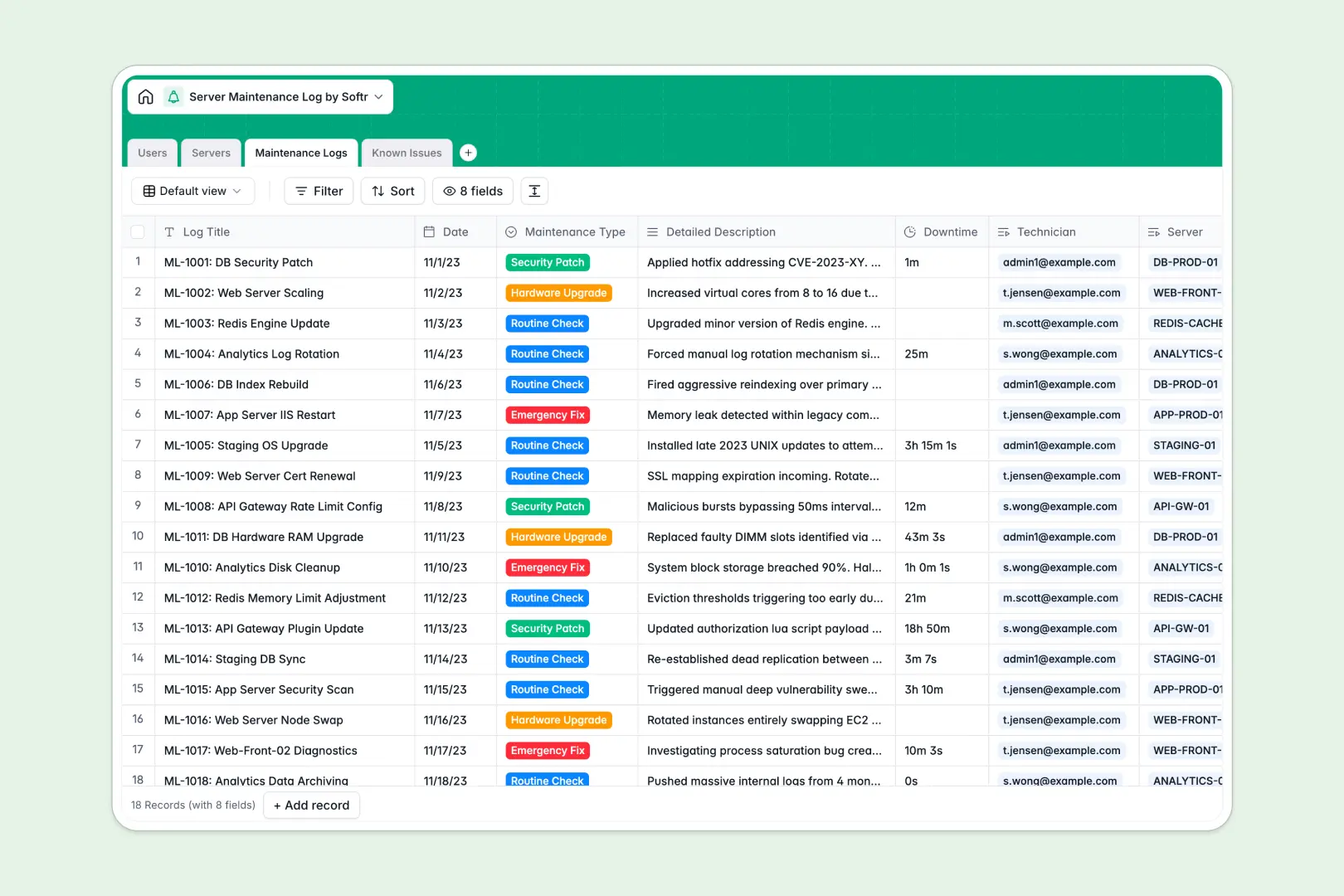
Your Server Maintenance Log database at a glance
This template replaces scattered spreadsheets with a centralized system for tracking server health, routine checks, and emergency fixes. It keeps your IT team aligned and your audit trails completely clear.
The database connects your active servers directly to maintenance logs, known issues, and assigned technicians. Updates on a server automatically reflect across all related troubleshooting records without manual copying.
Built-in AI fields automatically summarize complex maintenance descriptions for management. They also evaluate the severity of newly reported bugs instantly based on the issue title.
Why keeping server logs in Excel gets messy
Managing IP addresses, offline statuses, and patching histories across hundreds of spreadsheet rows quickly becomes a liability.
What a structured database changes
In an Excel file, a typo can break your formulas between server names and past incidents. A relational structure ensures that every security patch or hardware upgrade stays grouped under the correct system automatically.
This setup prevents mixed data types so your IP addresses, downtime durations, and resolution notes remain clean and searchable. This is exactly what Softr Databases are designed for.
What you can do with this template
You can instantly view a server's complete history, from known bugs to total maintenance operations, on a single unified record.
You can also use built-in Database AI agents to automatically categorize issue severity and generate concise management summaries. There is no need for external plugins or fragile automation scripts.
-
Users
Manage IT staff and system administrators with roles and link logs
-
Servers
Inventory hardware with status and AI-generated environment profiles
-
Maintenance Logs
Track maintenance activities using AI to summarize technical details
-
Known Issues
Track system bugs while using AI to determine critical severity levels
Who is this Server Maintenance Log database for
This ready-to-use template helps technical teams maintain clear oversight of IT infrastructure.
- System Administrators: Monitor offline servers, known bugs, and assigned technicians in one centralized view.
- IT Technicians: Log routine checks, security patches, and downtime durations without navigating complex spreadsheets.
- Compliance Auditors: Access a structured, immutable history of all emergency fixes and hardware upgrades instantly.
How to take it further
You can easily adapt this database to match your exact infrastructure requirements. Simply edit the operating system dropdowns or add new fields to track hardware warranties and vendor details.
Import your existing server inventory and legacy maintenance logs directly via CSV. You can also connect via API to sync real-time status updates from your network monitoring tools continuously.
When your IT team is ready to scale, you can use Softr's interface builder to create a dedicated internal portal. This allows technicians to log updates on mobile devices while out in the server room directly into the database.
You can also configure strict permissions so that third-party vendors only see the servers they are assigned to fix. Starting with a structured, reliable database makes building these custom internal tools effortless.
-
1
-
2
-
3
-
4
Frequently asked questions
-
What is a Server Maintenance Log database?
-
Why use a no-code database to build an IT maintenance system?
-
How can AI help managing data for server maintenance?
-
Can I build an app with this server maintenance database?
-
Is this Server Maintenance Log database free?
-
How is a server maintenance database different from Excel?
Start building today. It's free!
Build and launch your first app in under 30 minutes.