


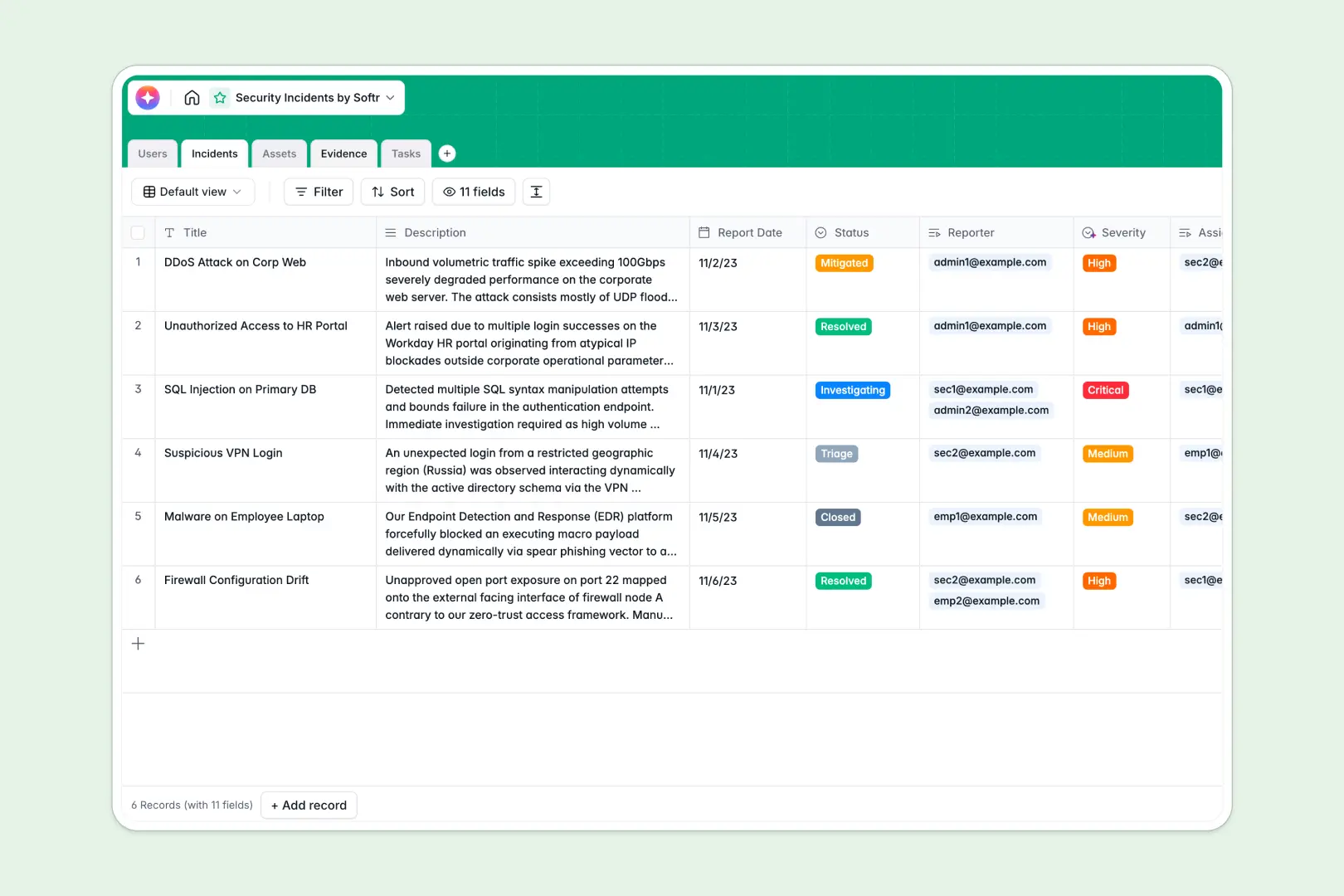
Your Security Incidents database at a glance
This template replaces fragile spreadsheets with a secure, centralized system for tracking vulnerabilities, breaches, and mitigation efforts. It gives your team immediate visibility into active threats so you can resolve them faster.
It works by cleanly connecting dedicated tables for Incidents, Assets, Evidence, and Tasks. When a team member reports a breach, you can instantly link it to the affected hardware or software and assign remediation tasks without duplicating data.
Built-in AI automatically classifies the severity of new reports and generates quick executive summaries. It can even search the live web to pull current vulnerabilities tied to your asset vendors.
Why tracking security incidents in Excel breaks down
When mitigating active threats, relying on rigid spreadsheets creates dangerous delays. Messy rows, detached evidence files, and broken formulas make it nearly impossible to hold an accurate post-mortem or coordinate a fast response.
What a structured database changes
A proper database enforces strict rules so your security data stays immaculate as your team works. A date remains a date, and critical status updates don't accidentally get overwritten when sharing files.
Instead of relying on fragile lookups, you can tie multiple evidence logs and tasks directly to a single incident. This is exactly what Softr Databases are designed for—seamlessly connecting items without messy workarounds.
What you can do with this template
You can immediately log hardware assets, upload crucial context like application logs, and assign remediation workflows in one secure environment. It provides a single source of truth from initial triage to final resolution.
You can also leverage Database AI agents to automate tedious cybersecurity research. The template accurately categorizes incident urgency based on the description and pulls real-time security bulletins for your vendors automatically.
-
Users
Manage security personnel and employees with roles and linked activity
-
Incidents
Track security breaches using AI to classify severity and summarize cases
-
Assets
Inventory hardware and software with AI-powered web-based vendor insights
-
Evidence
Store logs and screenshots as critical records linked to specific events
-
Tasks
Coordinate mitigation actions and due dates for incident resolution
Who is this Security Incidents database for
This system provides immediate value to teams responsible for safeguarding company data and infrastructure.
- Security Analysts: Centralize evidence, track affected assets, and manage daily remediation tasks easily.
- IT Administrators: Maintain an accurate inventory of server hardware while monitoring known vendor vulnerabilities.
- Compliance Officers: Keep a reliable, unalterable log of breaches, mitigation efforts, and executive summaries.
How to take it further
You can easily customize this database to match your exact security protocols and taxonomy. Add new incident status options, adjust asset types, or introduce custom tables for regulatory compliance in seconds.
If you currently track incidents in a spreadsheet, you can quickly import your historical data via CSV. You can also connect your external monitoring tools via API to automatically generate new records when alerts trigger.
When your team is ready, you can transform this tracker into a complete internal security portal. By using an interface builder, you can create a custom front-end where employees securely submit anomaly reports without ever seeing the backend.
Setting up robust users and permissions ensures only authorized security personnel can view sensitive evidence logs. Starting with a structured database dramatically reduces the friction of developing these specialized apps.
-
1
-
2
-
3
-
4
Frequently asked questions
-
What is a security incidents database?
-
Why use a no-code database to build a security incidents tracker?
-
How can AI help managing data for security incidents?
-
Can I build an app with this security incidents database?
-
Is this Security Incidents template free?
-
How is a security tracker different from Excel?
Start building today. It's free!
Build and launch your first app in under 30 minutes.