


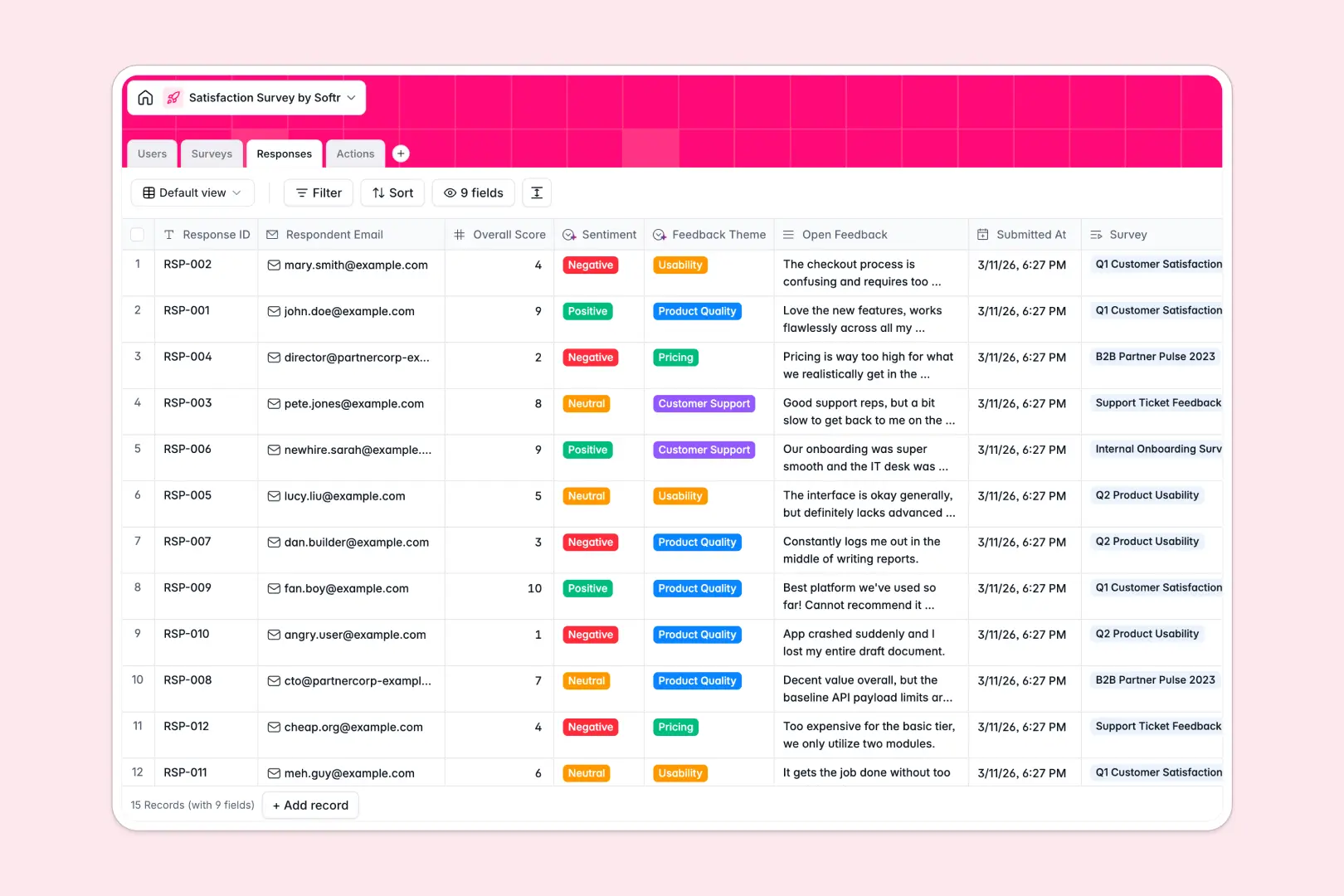
Your Satisfaction Survey database at a glance
This template captures survey responses, analyzes sentiment naturally, and organizes follow-up tasks in one unified workspace. It replaces scattered spreadsheets with a reliable system for understanding customer satisfaction.
Campaign summaries, individual responses, and action items are natively linked across clean tables. When a new response arrives, it connects perfectly to the original campaign and any subsequent tasks assigned to your team.
Built-in AI instantly categorizes feedback themes and drafts email replies as records are created. It reads open text and categorizes it into product quality or support issues automatically without any manual sorting.
Why managing survey feedback gets messy in Excel
Tracking satisfaction metrics in spreadsheets quickly becomes chaotic. Open-ended feedback piles up in unreadable cells, and tracking who is handling negative reviews requires endless copy-pasting.
What a structured database changes
A structured workspace naturally separates campaigns, responses, and follow-up tasks while keeping them cleanly connected. You can link a low satisfaction score directly to an action item without relying on fragile VLOOKUPs.
This robust structure is exactly what Softr Databases are specifically designed for. Every column is strictly formatted so plain text, sentiment scores, and due dates stay exactly where they belong natively.
What you can do with this template
Instantly see average scores and total responses rolled up by campaign without writing a single formula. You can seamlessly assign specific follow-up actions to team members with clear due dates and statuses.
You can also automatically synthesize executive summaries for entire campaigns from hundreds of responses. AI easily drafts empathetic email replies based on original feedback and resolution notes saving your team hours.
-
Users
Manage system staff with roles and handle assigned survey follow-up actions
-
Surveys
Deploy satisfaction campaigns with AI-generated executive summaries of sentiment
-
Responses
Track individual submissions with AI-powered sentiment and theme classification
-
Actions
Resolve feedback with tasks and AI-drafted email replies for respondents
Who is this Satisfaction Survey database for
This ready-to-use database helps teams process feedback and take operational action efficiently.
- Customer Success Teams: Track account sentiment and resolve negative feedback systematically.
- Product Managers: Categorize feature requests and identify usability trends accurately.
- HR Departments: Monitor internal employee satisfaction and handle sensitive concerns securely.
- Operations Leads: Keep track of B2B partner reviews and assign follow-up actions easily.
How to take it further
Customize the database completely to fit your specific feedback campaigns and operational needs. You can easily edit the dropdown choices for target audiences or add new feedback themes anytime.
Import your historical survey results using a simple CSV bulk upload. You can also use the API to automatically sync new ongoing responses from your existing external survey tools.
When your team needs a dedicated portal, you can build an app on top of this exact structure easily. Using the interface builder, you can create specific views tailored for different departments.
This means analysts only see the feedback metrics they need, while managers can oversee all campaign summaries. Granular users and permissions ensure that sensitive responses remain completely private.
-
1
-
2
-
3
-
4
Frequently asked questions
-
What is a satisfaction survey database?
-
Why use a no-code database to build a feedback management system?
-
How can AI help managing data for satisfaction surveys?
-
Can I build an app with this satisfaction survey database?
-
Is this Satisfaction Survey template free?
-
How is a satisfaction survey database different from Excel?
Start building today. It's free!
Build and launch your first app in under 30 minutes.