


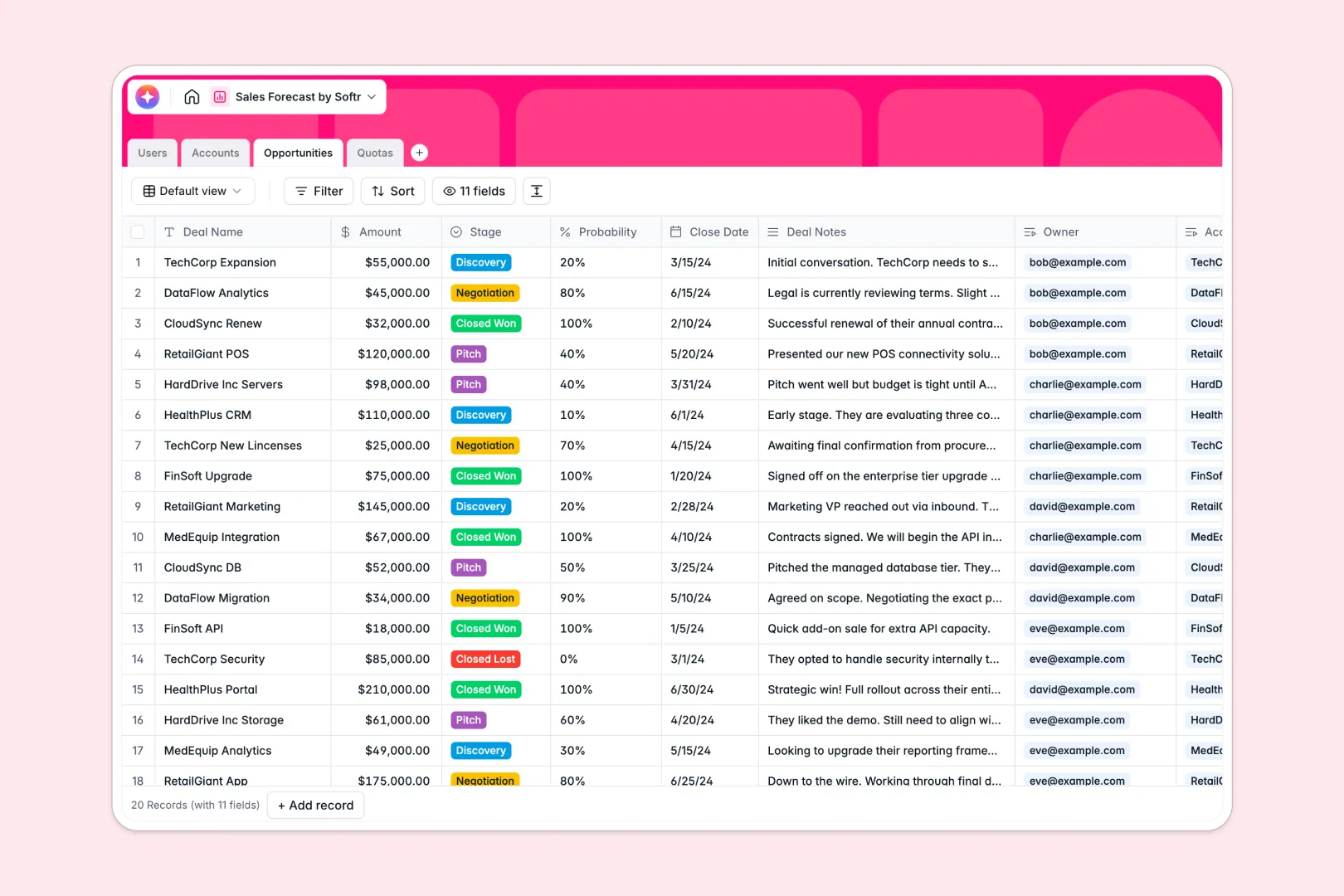
Your Sales Forecast database at a glance
This template gives you complete control over your sales pipeline, helping you set realistic targets and project revenue without manual spreadsheet headaches.
It organizes your data across four connected tables: Users (reps and managers), Accounts (customers), Opportunities (active deals with formulas to calculate expected revenue), and Quotas (sales targets associated with individual reps).
Built-in intelligence automatically researches prospective companies and generates action items from your raw meeting notes directly in your records.
Why sales forecast gets messy in Excel
Managing your pipeline in Excel quickly turns chaotic as deals move fast. Sales reps overwrite formulas by accident, multiple versions of the tracker float around Slack, and estimating true expected revenue becomes a guessing game.
What a structured database changes
Instead of unstructured grids where a date column easily gets mixed with random comments, a structured system locks down data types. Formulas calculating expected revenue remain intact, and relationships stay locked because you link Opportunities directly to Accounts and Quotas.
This level of structure keeps your information robust and clean. This is exactly what Softr Databases are designed for.
What you can do with this template
Because relationships are built directly into the system, you can use rollups to instantly calculate the total value of your pipeline against assigned quotas. Expected revenue calculates automatically by multiplying deal amounts by closed probabilities.
Additionally, integrated Database AI agents automatically write company descriptions using live web searches and analyze meeting notes to suggest high-impact next steps.
-
Users
Manage staff members with contact info, roles, and assigned quotas
-
Accounts
Manage prospective companies and use AI to generate research profiles
-
Opportunities
Track deals through stages with AI-generated next steps for reps
-
Quotas
Set revenue targets per quarter and track pipeline performance
Who is this Sales Forecast database for
This database is designed for modern commercial teams looking to transition from messy spreadsheets to structured data management.
- Sales ops managers: Standardize pipeline stages and keep forecasting clean as the team scales up.
- Sales representatives: Manage personal deals, view current targets, and draft automatic next steps easily.
- Leadership & founders: Accurately forecast revenue trends and monitor individual performance against quotas in real time.
How to take it further
1. Customize the database
Tailor the template immediately by updating choice fields like Opportunity stage or Account industry. You can add unique custom formulas or metrics in minutes to fit your precise sales cycle.
2. Import your existing data
Import your existing customer accounts and deal history directly into your database. You can do this securely with a CSV upload or by setting up automated API syncs.
3. Build a full app around it
When your team is ready, convert this backend database into a fully custom internal pipeline tool or rep portal. By using an interface builder, you can provide interactive dashboards and customized views.
This lets you configure granular users and permissions to control who sees sensitive account margins or individual deal values. A well-organized database serves as the ultimate starting point for complete team-wide workflow execution.
-
1
-
2
-
3
-
4
Frequently asked questions
-
What is a sales forecast database?
-
Why use a no-code database to build a sales forecast system?
-
How can AI help managing data for sales forecasting?
-
Can I build an app with my sales forecast database?
-
Is this Sales Forecast Database free?
-
How is a sales forecast database different from Excel?
Start building today. It's free!
Build and launch your first app in under 30 minutes.