


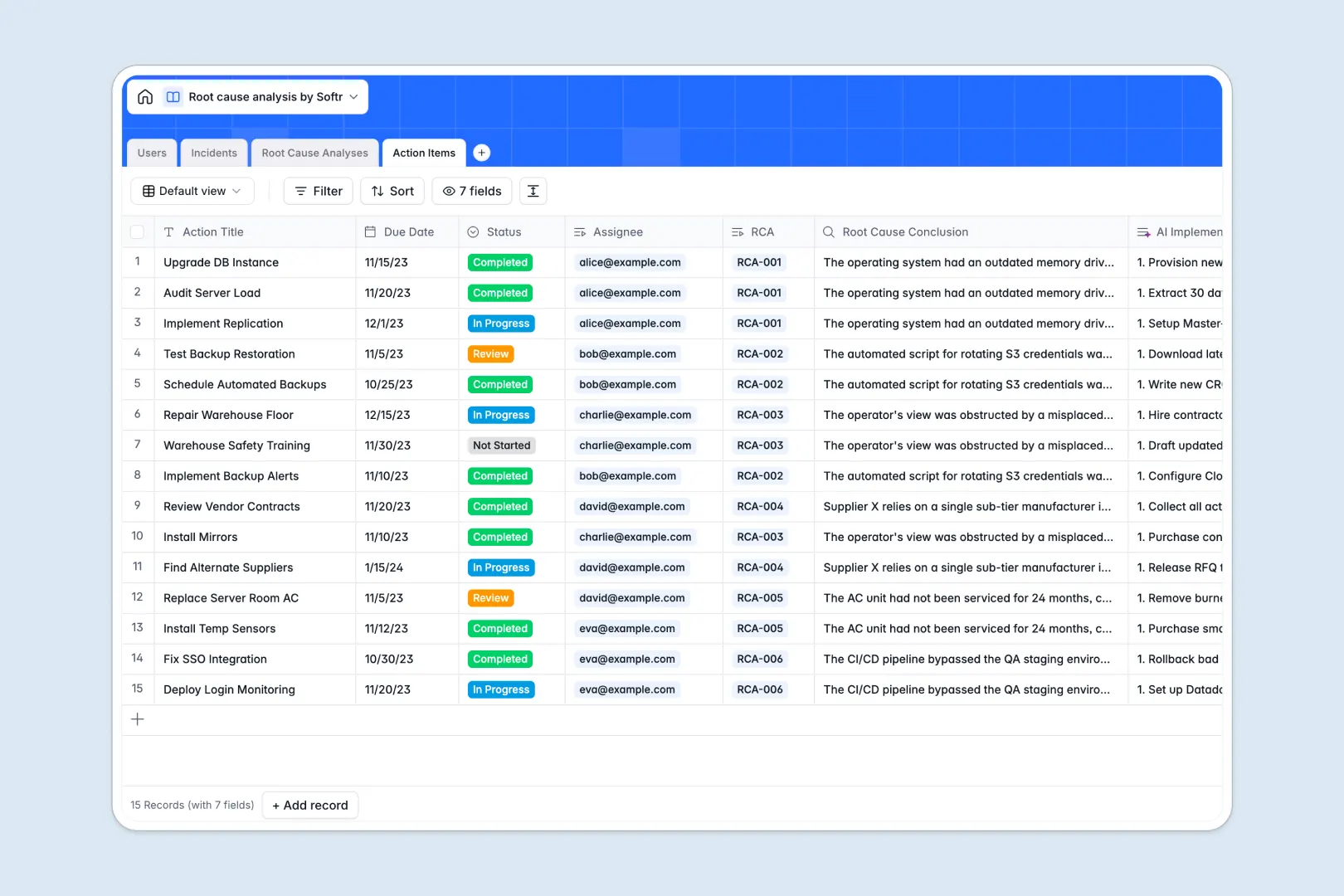
Your Root Cause Analysis database at a glance
This Root Cause Analysis template helps you systematically record incidents, investigate underlying problems, and track corrective action items in one place.
Unlike flat spreadsheets, it connects four distinct tables: Users, Incidents, Root Cause Analyses, and Action Items. When you log an incident, it automatically links to the assigned investigator and the resulting corrective tasks.
Best of all, built-in AI handles the heavy lifting by automatically drafting executive summaries, formal problem statements, and structured 5 Whys questionnaires the moment an investigation begins.
Why root cause analysis gets messy in Excel
Investigating complex incidents in a spreadsheet quickly turns into a chaotic mess of sprawling rows and disconnected tabs.
What a structured database changes
In standard spreadsheets, linking a breakdown to an investigation and its subsequent corrective actions requires fragile formulas. When a row gets accidentally deleted or sorted incorrectly, the entire history of an incident disappears.
A true database gives every piece of data a strict home. Incidents, analyses, and action tasks are treated as independent but deeply connected objects, so you never have to duplicate data entry. This is exactly what Softr Databases are designed for.
What you can do with this template
You can confidently log incidents with precise severity levels and instantly assign them to specific investigators. Every related step, from the initial failure to the final resolution plan, stays cleanly visually linked.
With native Database AI agents, you can automatically generate customized implementation checklists for every corrective action item. Just log the problem, and the system drafts the exact steps needed to prevent it from happening again.
-
Users
Manage system investigators and staff with roles and linked task assignments
-
Incidents
Log system issues with AI-generated executive summaries for quick overviews
-
Root Cause Analyses
Conduct deep-dive investigations using AI to automate the 5 Whys methodology
-
Action Items
Execute corrective tasks with detailed AI-generated implementation plans
Who is this Root Cause Analysis database for
This system is built for operations, compliance, and engineering teams who need a reliable way to fix recurring issues.
- Quality Assurance Managers: Track recurring product defects and ensure corrective actions are actually implemented.
- IT & Engineering Leads: Document system outages, run post-mortems, and assign preventive engineering tasks.
- Operations Directors: Standardize how the company investigates safety incidents or supply chain breakdowns.
- Compliance Officers: Maintain an immutable, audit-ready log of investigations and resolutions to meet regulatory standards.
How to take it further
You can easily mold this database to fit your internal company processes. Modify the incident severity levels, add custom status tags, or adjust the AI prompts to match your industry's specific problem-solving methodology.
To get off the ground quickly, bulk upload your historical incident logs and past investigations using a simple CSV file. Your previous data will instantly map into this new relational structure.
When your team is ready, you can transform this database into a secure internal application using Softr's interface builder. This allows you to give custom permissions to standard users to only report incidents, while restricting deep investigation tools to dedicated admins. A well-structured backend makes building these custom workflows effortless.
-
1
-
2
-
3
-
4
Frequently asked questions
-
What is a root cause analysis database?
-
Why use a no-code database to build a root cause analysis tool?
-
How can AI help managing data for root cause analysis?
-
Can I build an app with root cause analysis database?
-
Is this root cause analysis template free?
-
How is a root cause analysis template different from Excel?
Start building today. It's free!
Build and launch your first app in under 30 minutes.