


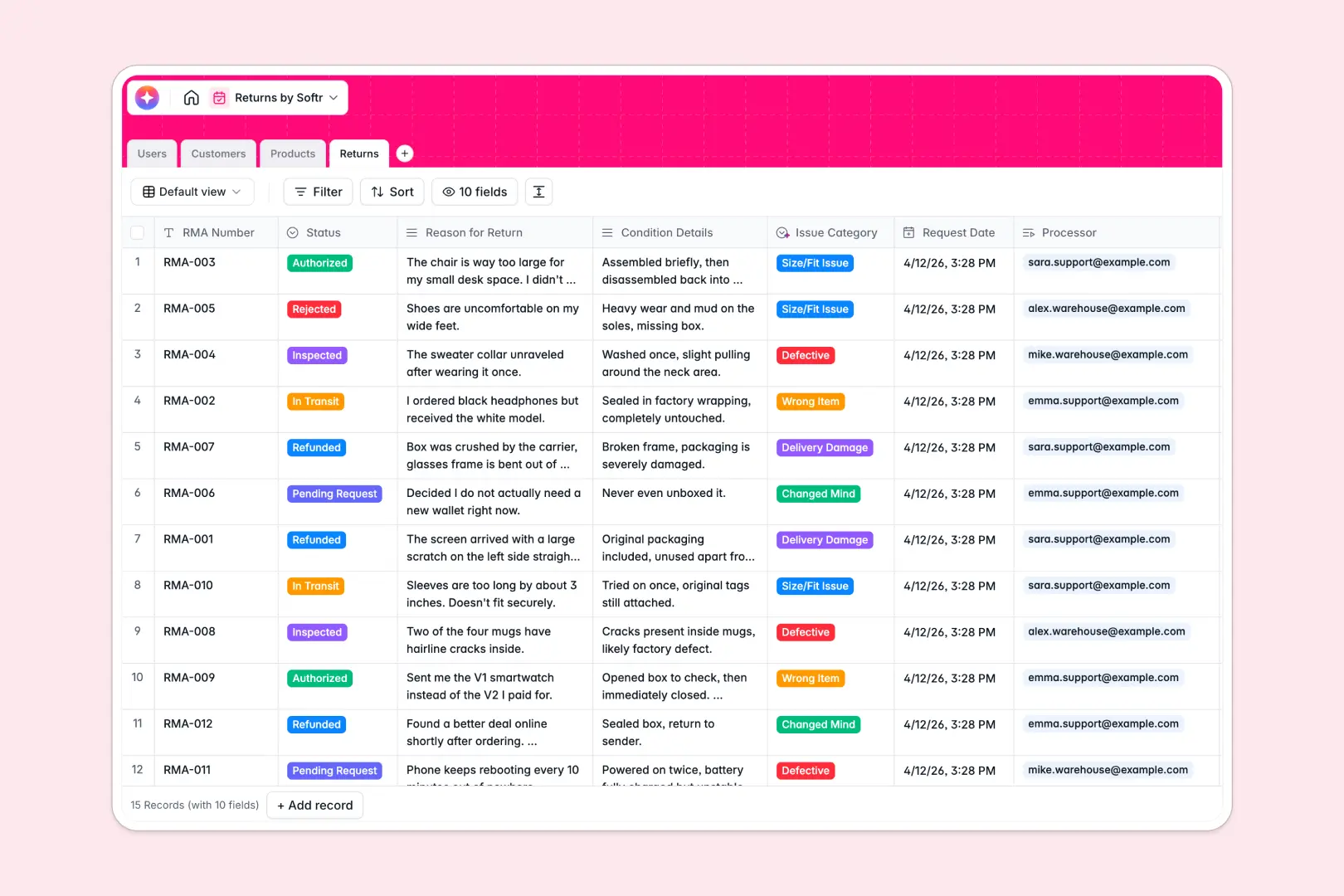
Your Returns Database at a glance
This Returns Database gives you a centralized system to manage RMA requests, track logistics, and resolve customer issues efficiently.
It natively links your Customers, Products, and Support Agents to individual return tickets. This means you can view exactly who is processing an item, its transit status, and the customer's purchase history in a single click.
Built-in Database AI agents automatically categorize the reason for each return and summarize complex condition details, saving your team from manual data entry.
Why tracking returns in Excel breaks down
Using a spreadsheet to govern a reverse logistics workflow gets messy quickly. As rows pile up, it becomes nearly impossible to track real-time RMA statuses, link specific agents to tickets, or attach damage photos without breaking your layout.
What a structured database changes
A structured system ensures every piece of data has a strict, reliable format. Dates remain dates, and linked records tie a customer profile directly to their return history without fragile VLOOKUPs.
This is exactly what Softr Databases are designed for. Instead of scrolling through infinite rows, you get a clean architecture where every return ticket acts as a single entity connected immediately to your product catalog.
What you can do with this template
Track the exact status of any item—from Pending Request to Refunded—while assigning tasks directly to specific warehouse crew members or support agents.
Automatically standardize your data securely using AI workflows. The system instantly groups return tickets into categories like "Defective" or "Wrong Item" based directly on the customer's explanation.
-
Users
Manage system staff roles, contact info, and return processing history
-
Customers
Store client profiles with contact details and return frequency metrics
-
Products
Manage catalog items with AI-generated descriptions to enhance listings
-
Returns
Track RMA status using AI for issue classification and case summaries
Who is this Returns Database for
This template provides a reliable foundation for teams handling e-commerce and retail operations.
- Customer Support Agents: View complete return histories, assess AI-summarized condition details, and authorize refunds faster.
- Warehouse Teams: Manage incoming inventory by tracking products from "In Transit" to fully "Inspected."
- Operations Managers: Monitor recurring issue categories like "Size/Fit" or "Defective" to identify manufacturing problems early.
How to take it further
Start by customizing the database to match your exact operational processes. You can easily adjust the return status options or add new product category tags directly within the tables.
Next, import your existing inventory and customer data. Upload a CSV file or use an API to instantly populate your product catalog and user profiles in bulk.
When you are ready to scale, use the interface builder to turn this database into a full team portal. Custom permissions ensure that warehouse staff only see the items they need to inspect.
A well-organized table structure makes building these apps completely seamless. Support agents can manage critical authorizations safely without altering core table logic.
-
1
-
2
-
3
-
4
Frequently asked questions
-
What is a returns database?
-
Why use a no-code database to build a returns management system?
-
How can AI help managing data for returns?
-
Can I build an app with this returns database?
-
Is this returns database free?
-
How is a returns database different from Excel?
Start building today. It's free!
Build and launch your first app in under 30 minutes.