


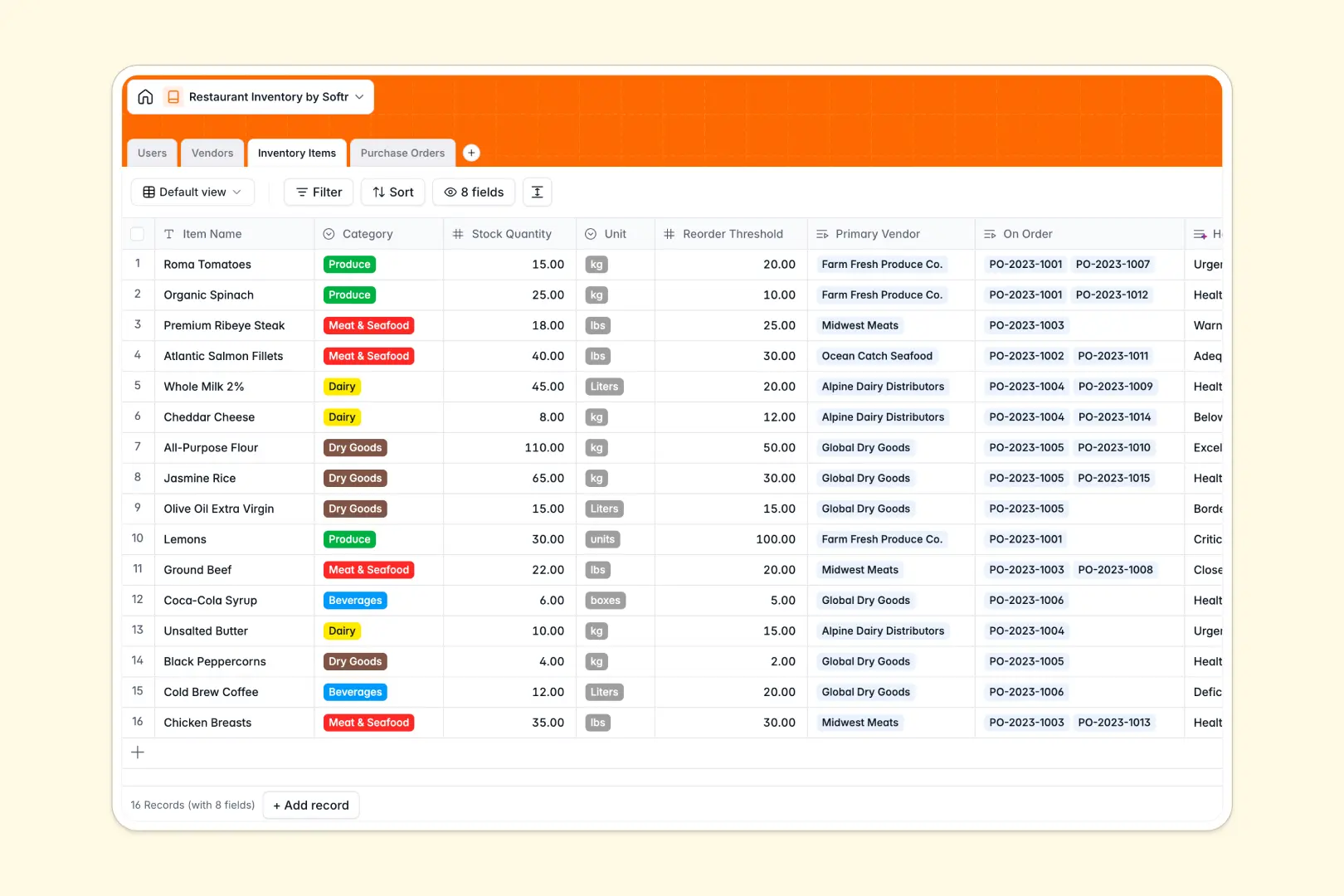
Your Restaurant Inventory database at a glance
This template gives you complete control over your ingredients, beverages, and supplies in one place. You can easily track stock levels and prevent costly shortages.
Everything connects seamlessly. Link Inventory Items directly to Vendors, and automatically track which supplies are currently tied to your Purchase Orders.
Best of all, native AI agents do the heavy lifting. They safely browse vendor websites to write supplier descriptions, and instantly analyze your stock numbers to generate an accurate health summary of what needs reordering.
Why restaurant inventory gets messy in Excel
Managing a busy kitchen is stressful enough without fighting broken spreadsheets. When stock levels, supplier details, and order histories are scattered across different Excel tabs, mistakes happen and ingredients run out.
What a structured database changes
A proper database keeps your data strictly organized. Instead of relying on fragile VLOOKUPs, you can naturally link a purchase order directly to the exact vendor who supplied it.
This structure ensures your unit numbers stay as numbers, and your order statuses stay exceptionally clean. This is exactly what Softr Databases are designed for, keeping everything completely stable as your restaurant scales.
What you can do with this template
You can immediately log suppliers and track your exact stock quantities against required reorder thresholds. The system instantly visualizes what is currently on order and what is running dangerously low.
Powered by Database AI agents, the template even assesses your inventory health continuously. It automatically compares current stock to thresholds and highlights urgent purchasing needs without requiring any manual math.
-
Users
Manage restaurant staff profiles with contact info and system access roles
-
Vendors
Store supplier details with AI-generated descriptions of their primary goods
-
Inventory Items
Monitor stock levels with AI-powered health assessments and replenishment needs
-
Purchase Orders
Log replenishment orders with status tracking, costs, and receipt records
Who is this Restaurant Inventory database for
This template is built for hospitality teams that need accurate, real-time stock control.
- Kitchen Managers: Monitor ingredient counts and get alerted before crucial items run out.
- Restaurant Owners: Track spending on purchase orders and manage vendor relationships in one view.
- Procurement Staff: Generate new orders easily and track delivery statuses from draft to received.
- Shift Supervisors: Quickly log new deliveries and update current stock levels during busy services.
How to take it further
Customize the database. You can easily tweak this template to fit your exact kitchen operations. Rename ingredient categories or adjust unit types to match how you actually order.
Import your existing data. Drop your current Excel inventory lists directly into the system via secure CSV import. You will immediately see which items are low and need quick replenishment.
Build a full app around it. When your team is ready, you can transform this database into a complete internal tool using Softr's interface builder. Kitchen staff could log in from their phones in the walk-in fridge to quickly update counts on the fly.
By configuring users and permissions, you can ensure that only authorized managers can approve high-value purchase orders. A well-structured database makes building this kind of reliable custom app completely effortless.
-
1
-
2
-
3
-
4
Frequently asked questions
-
What is a restaurant inventory database?
-
Why use a no-code database to build a restaurant inventory tool?
-
How can AI help managing data for restaurant inventory?
-
Can I build an app with this restaurant inventory database?
-
Is this Restaurant Inventory database free?
-
How is a restaurant inventory database different from Excel?
Start building today. It's free!
Build and launch your first app in under 30 minutes.