


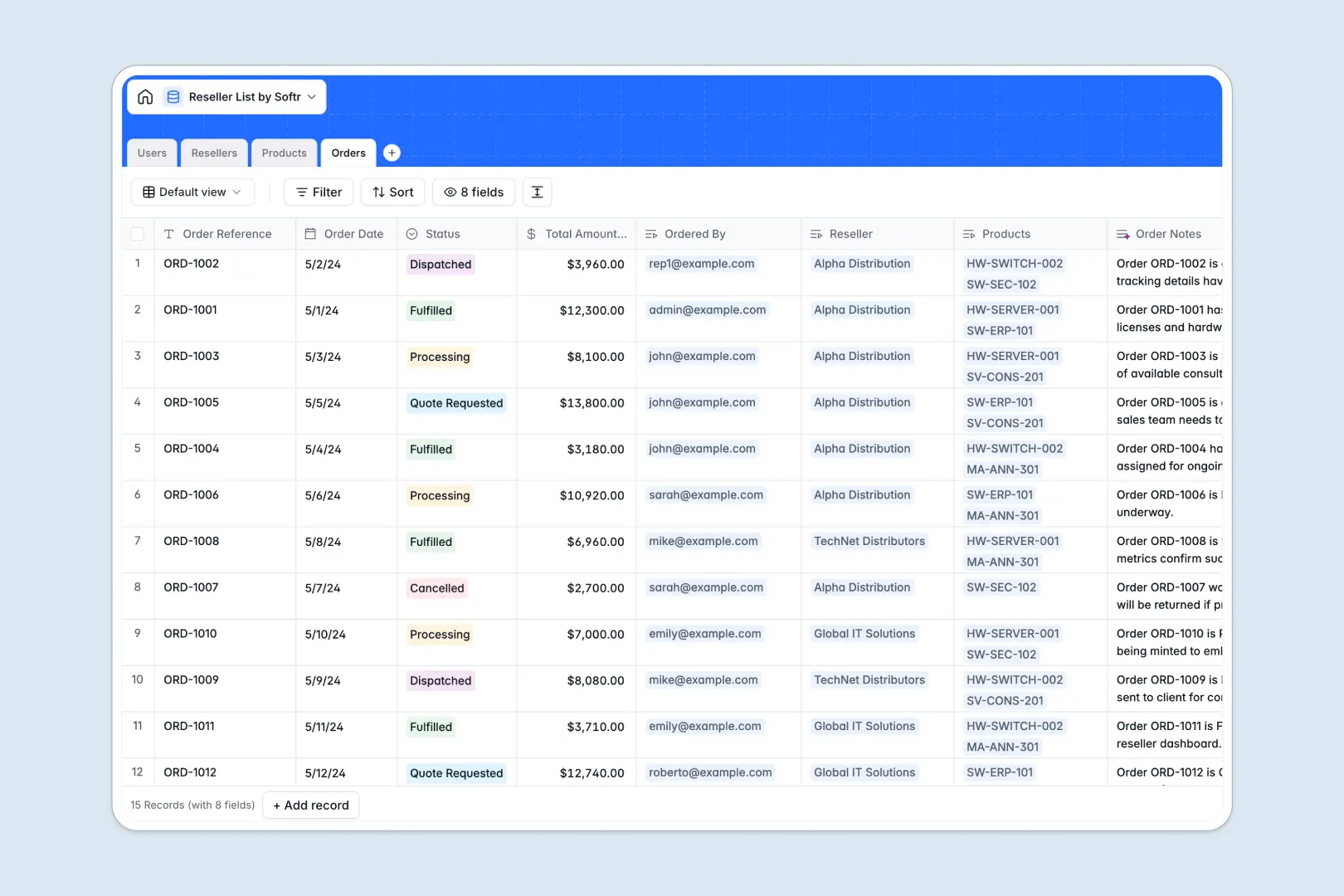
Your Reseller List database at a glance
This template replaces scattered spreadsheets with a structured system to track your entire partner network. It organizes authorized distributors, their specific discount tiers, and past orders in a single, clean workspace.
Information flows logically across four connecting tables for resellers, users, products, and incoming orders. When a reseller logs a new purchase, the system links the exact staff member, SKU, and discount tier automatically.
Instead of manually writing partner profiles, the native AI automatically researches and summarizes company backgrounds using just their website link. It also updates order logs and writes product taglines on the fly.
Why managing reseller lists gets messy in Excel
Tracking varied discount tiers, multiple rep contacts, and ongoing product orders in a flat spreadsheet quickly turns into a copy-pasting nightmare. Vital partner data gets buried in endless rows, and fragile VLOOKUPs break when you try connecting an order to a specific reseller.
What a structured database changes
A proper system enforces strict rules so an order date is always a date and a discount tier remains a predefined selection. You can easily link multiple internal reps and orders directly to a single parent company without duplicating data across tabs.
This is exactly what Softr Databases are designed for. They keep your reseller data structurally sound, ensuring your catalog, contact details, and order histories scale gracefully.
What you can do with this template
You can immediately categorize partners by status and auto-calculate total order volumes using built-in rollups. The catalog allows you to store detailed SKUs and categorize offerings effortlessly.
With built-in Database AI agents, your directory practically maintains itself. The system will enrich new partner records with web-searched company info and instantly generate accurate status logs the moment an order advances from processing to dispatched.
-
Users
Manage internal staff and reseller staff with access roles and contact info
-
Resellers
Organize authorized partners with discount tiers and AI-powered company research
-
Products
Catalog available items and use AI to generate marketing taglines for each SKU
-
Orders
Track purchase cycles and use AI to generate concise summary logs of order status
Who is this Reseller List database for
This template provides immediate structure for teams managing B2B distributions and channel partners.
- Channel Managers: Track authorized distributors, pending reviews, and varying discount tiers instantly.
- Sales Directors: Monitor total order volumes per partner and oversee complete histories accurately.
- Operations Teams: Catalog available services and keep product SKUs clearly defined for fast fulfillment.
- Account Executives: Keep internal reps visually linked to the exact resellers they manage.
How to take it further
Make this database your own by tweaking the predefined select fields. You can easily rename the discount tiers or adjust order statuses to match your unique fulfillment process.
Bring your current partner network online instantly by importing existing CSV records. Map your old spreadsheet columns to the new structure and watch your messy data transform into a clean, searchable directory.
When you are ready, use the interface builder to turn this database into a secure B2B partner portal. By leveraging users and permissions, you can allow resellers to log in, view only their specific invoices, and place new orders based on their designated pricing tier. Having a well-structured database means building this kind of custom app takes minutes, not months.
-
1
-
2
-
3
-
4
Frequently asked questions
-
What is a reseller list database?
-
Why use a no-code database to build a partner management tool?
-
How can AI help managing data for reseller lists?
-
Can I build an app with this reseller list database?
-
Is this Reseller List database free?
-
How is a reseller list database different from Excel?
Start building today. It's free!
Build and launch your first app in under 30 minutes.