


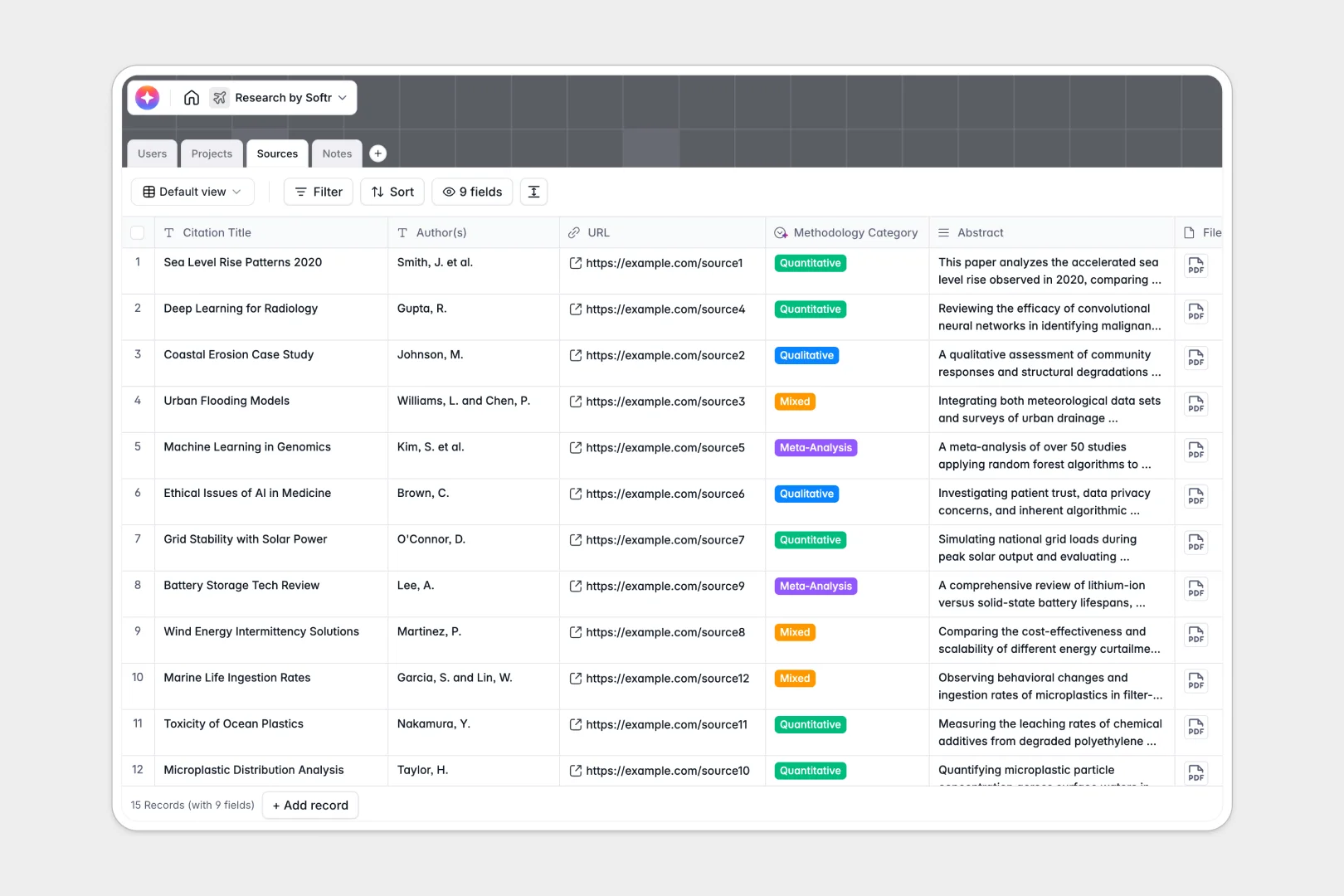
Your Research Database at a glance
This template replaces scattered spreadsheets with a unified system to manage your proposals, literature, and notes.
Keep track of every facet of your work by natively linking your projects directly to their sources and field notes. Assign researchers and cleanly track status from proposal to peer review without ever duplicating data.
Built-in AI fields do the heavy lifting by automatically summarizing source abstracts, classifying methodologies, and generating actionable next steps directly from your written notes.
Why managing research in Excel breaks down
Tracking citations, long-form abstracts, and project timelines in Excel quickly becomes an unreadable, chaotic mess.
What a structured database changes
Spreadsheets aren't built for long text formats or connecting disparate pieces of data seamlessly. When you try to link a research note to a specific citation using formulas, your sheets become fragile and frustrating to navigate.
In a structured system, every note, project, and source lives in its own dedicated table. You can naturally link a dozen notes to a single publication without ever copying and pasting titles.
This is exactly what Softr Databases are designed for to keep complex information perfectly aligned.
What you can do with this template
Instantly connect researchers to their assigned projects and track completion percentages natively without relying on complex math.
Filter your entire library of sources by methodology or watch AI automatically summarize abstracts as soon as they are added.
Stop fighting formatting issues and focus purely on finding and synthesizing insights.
-
Users
Manage research staff profiles, roles, and their project assignments
-
Projects
Monitor research studies from proposal to completion with progress tracking
-
Sources
Store reference materials with AI-generated summaries and methodology tagging
-
Notes
Log detailed findings and use AI to generate actionable research next steps
Who is this Research Database for
This template is designed for teams managing complex, data-heavy investigations that need structure and scale.
- Academic Labs: Track grants, proposals, and peer-review statuses in one unified view.
- Corporate R&D Teams: Link product notes directly to competitor research and sources.
- Market Researchers: Categorize qualitative and quantitative sources automatically.
- Think Tanks: Collaborate on policy investigations and share findings securely.
How to take it further
Customize your tables in minutes to match your specific investigation. Tailor the methodology categories, adjust project statuses to fit your workflow, and modify the AI prompts for your custom note summaries.
It is incredibly easy to import your existing data. Simply upload your historic citations, current project lists, and past notes via CSV to start querying your data immediately.
When you need to securely share findings, you can build a full app directly on top of this structured data. Create dedicated research portals where assistants log new citations, but only lead researchers can edit project scopes.
By setting up proper users and permissions, your team gets custom, tailored access to the data without ever risking accidental deletions.
-
1
-
2
-
3
-
4
Frequently asked questions
-
What is a research database?
-
Why use a no-code database to build a research system?
-
How can AI help managing data for research?
-
Can I build an app with this research database?
-
Is this research template free?
-
How is this template different from Excel?
Start building today. It's free!
Build and launch your first app in under 30 minutes.