


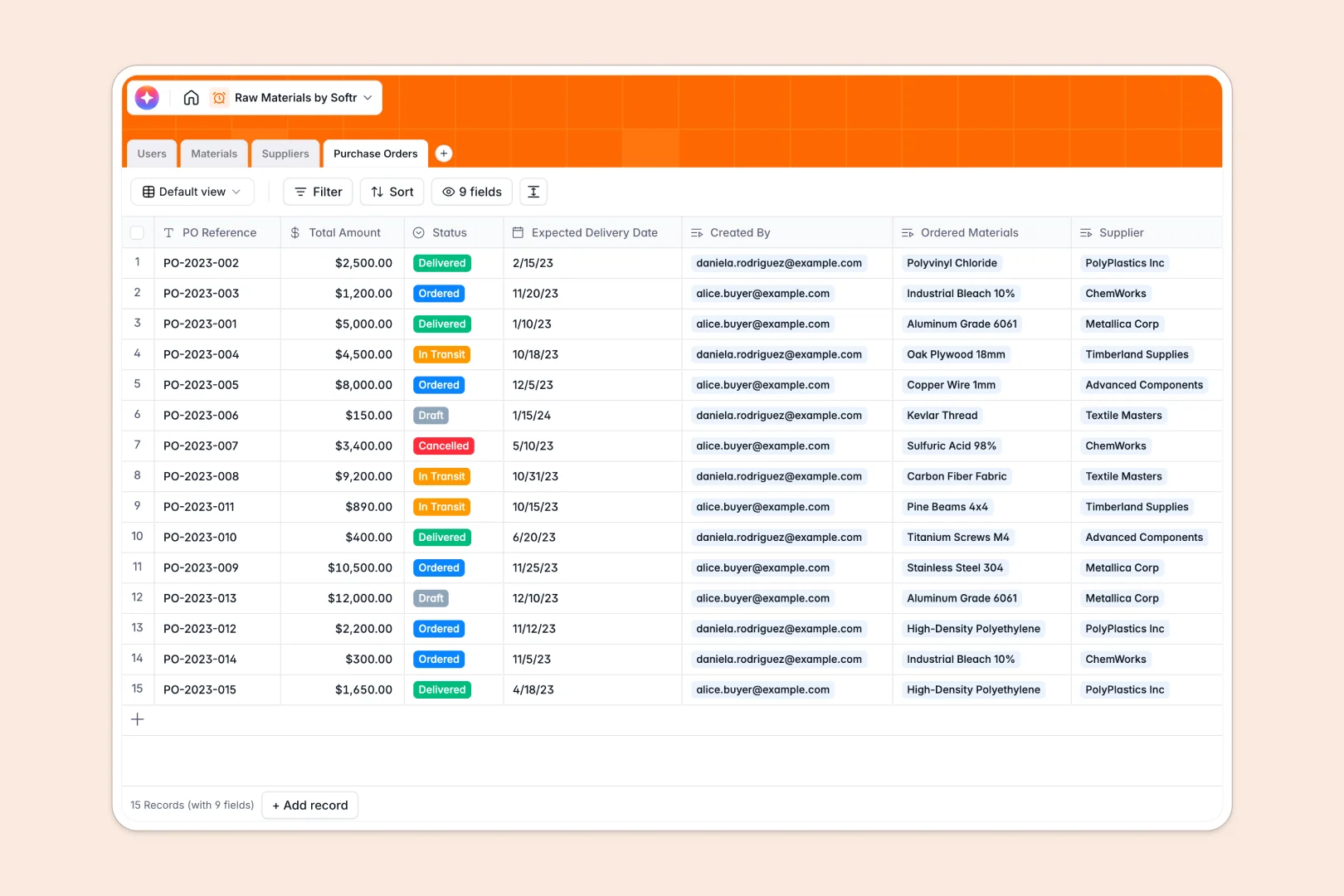
Your Raw Materials Database at a glance
This template helps you track physical inventory levels, coordinate supplier details, and streamline purchase orders in one spot. Avoid production bottlenecks and maintain accurate stock limits natively.
It features dedicated, connected tables for Materials, Suppliers, and Purchase Orders to keep your team aligned. Track key details like "Status" and see who is managing specific resource categories.
Built-in AI fields automatically research supplier websites, draft detailed material specs, and summarize order logs—saving you from hours of keyboard work.
Why tracking raw materials in Excel gets messy
Managing dynamic physical supply chains in a spreadsheet quickly falls apart. You wind up with duplicate file versions, mixed-up columns, and no clean way to track related purchase orders.
What a structured database changes
Unlike static spreadsheets, a database enforces rigid row types so dates, categories, and quantities stay completely normalized. Tables link together natively, meaning a manufacturer item connects right to its specific vendor catalog.
This means you never have to double-enter lines or fix broken calculation ranges. This is exactly what Softr Databases are designed for.
Avoid supply chain delays with automated data
This template keeps you ahead of low inventories by listing manager assignments alongside active supplier pipelines. You can utilize intelligent Database AI agents directly inside your tables to update supplier details on autopilot.
Work with a production-ready template that organizes your storage floor and procurement workflows in a single click.
-
Users
Manage system accounts, assign procurement roles and link staff to material logs
-
Materials
Track stock levels with AI-generated technical specifications and descriptions
-
Suppliers
Manage vendor profiles using AI to research and write professional descriptions
-
Purchase Orders
Handle replenishment workflows with AI-powered summaries of order status and items
Who is this Raw Materials database for
This template is built specifically for growing businesses that have outgrown manual file tracking.
- Inventory Managers: Maintain accurate unit counts, categorize incoming stock, and assign managers to prevent unexpected shortages.
- Procurement Teams: Link items directly to primary supplier info, draft reference lines, and streamline currency-tracked purchase logs.
- Operations Leads: Keep real-time eyes on material specs and order statuses from in-transit to delivery.
How to take it further
Customize your new database structure in seconds to fit your hardware or production pipeline. You can modify categorical choices, map physical warehouses, or add custom fields for dimensions without technical help.
Skip the manual transition work and upload your active catalogs instantly. Easily pull existing data out of worksheets via CSV import or use the secure native API to sync in bulk.
When your team is ready, go further and use the intuitive interface builder to turn these tables into a live operational app. Create safe, custom screens where field technicians can log stock levels straight from their phones.
Set granular permissions to ensure warehouse agents only see relevant stock tools, while directors manage procurement budgets securely. A beautifully structured database guarantees building simple workflows remains painless.
-
1
-
2
-
3
-
4
Frequently asked questions
-
What is a raw materials database?
-
Why use a no-code database to build a raw materials tracking system?
-
How can AI help managing data for raw materials?
-
Can I build an app with raw materials database?
-
Is this Raw Materials template free?
-
How does this raw materials tracker compare to Excel?
Start building today. It's free!
Build and launch your first app in under 30 minutes.