


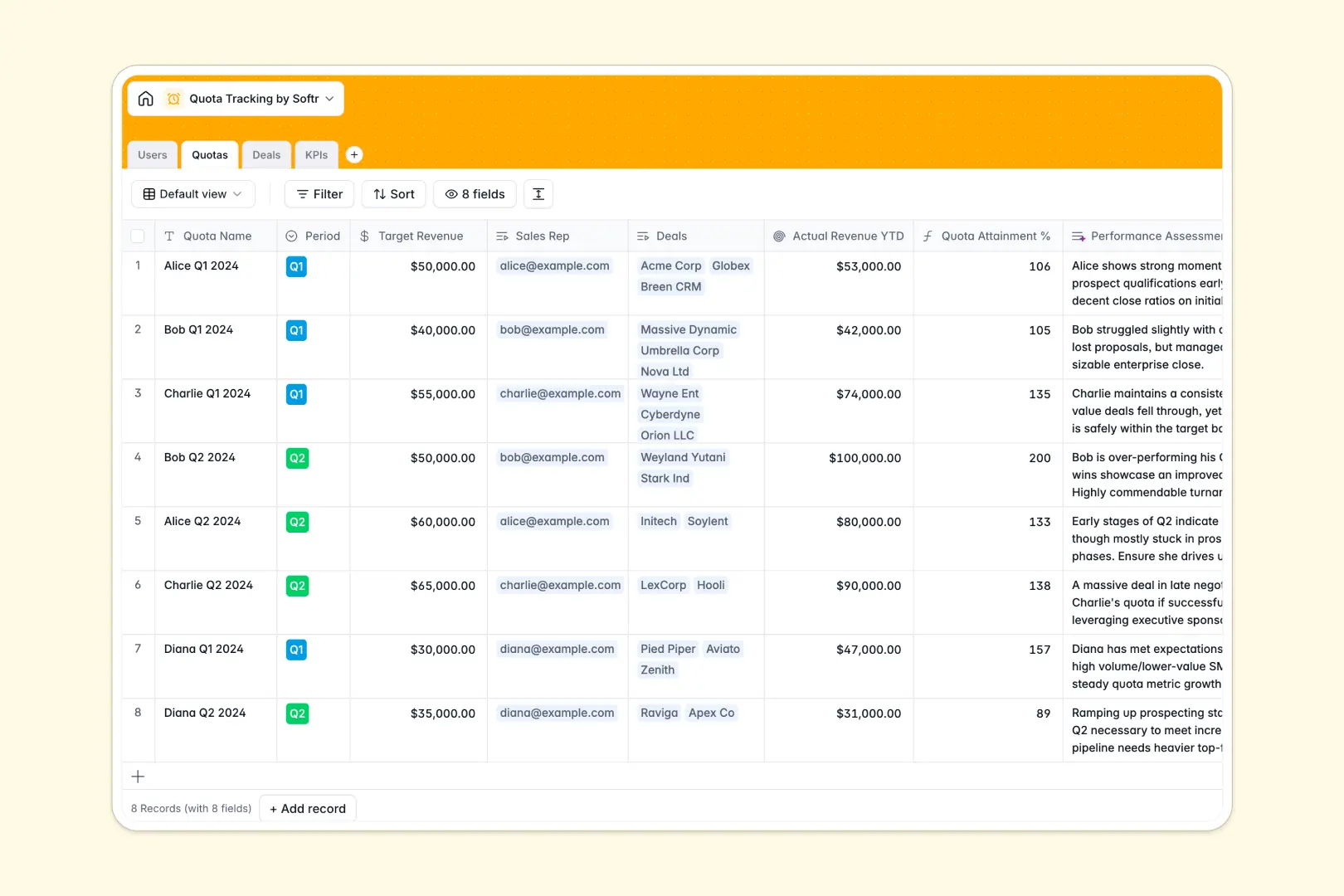
Your Quota Tracking Database at a glance
This template provides a centralized system to track sales representative targets, active deals, and daily performance metrics. It connects everything naturally, so you always know exactly where your team stands against their goals.
The database links your sales reps directly to their assigned quotas, individual pipeline deals, and daily KPIs like cold calls or booked demos. When a deal is marked as closed won, the revenue automatically rolls up to update the rep's quota attainment instantly.
Built-in AI features automatically evaluate rep performance, summarize deal details, and classify KPI progress as "On Track" or "At Risk." This automation keeps your sales managers informed without requiring manual data analysis.
Why tracking sales quotas gets messy in Excel
Managing sales performance in Excel quickly breaks down as your team grows. Formulas break, data gets accidentally deleted, and tying individual opportunities to quarterly targets requires fragile VLOOKUPs that slow you down.
What a structured database changes
A real database enforces strict column types, meaning currency stays currency, and dates remain dates. You can link a closed deal directly to a specific rep and their Q1 quota without copying and pasting across multiple sheets.
Because tables are relationally connected, data updates perfectly as your pipeline shifts. This error-free reliability is exactly what Softr Databases are designed for, keeping your revenue metrics accurate as you scale.
What you can do with this template
You can instantly assign quarterly or annual revenue targets to specific reps and track their exact attainment percentage in real-time. Native rollups automatically sum up closed-won deals to calculate year-to-date revenue without any manual math.
Additionally, native Database AI agents analyze pipeline data on the fly. As deals progress or KPI targets are updated, the database automatically generates performance assessments and summaries directly within your records.
-
Users
Manage sales personnel profiles and track their linked quotas and performance
-
Quotas
Monitor revenue targets with AI-powered performance assessments and attainment records
-
Deals
Track sales opportunities using AI to generate concise deal overviews and summaries
-
KPIs
Measure activity goals with AI classifying progress status based on achieved metrics
Who is this Quota Tracking Database for
This fully functional database gives revenue teams a reliable foundation for monitoring accurate targets.
- Sales Managers: Track individual rep attainment, pipeline progress, and outbound metrics in one connected view.
- Revenue Operations: Standardize how quotas, KPIs, and deals are recorded without worrying about broken formulas.
- Business Owners: Monitor complete team performance, opportunity stages, and revenue forecasts automatically.
How to take it further
Your database is fully customizable from day one. You can rename deal stages, add new KPI metric types like "LinkedIn Messages," or tweak the AI prompts to match your specific performance evaluation criteria.
Importing existing target data is seamless. You can easily upload a CSV file of your current reps, pipelines, and historical quotas to populate the tables and start tracking immediately.
When your team is ready, you can transform this database into a complete sales portal. By using the interface builder, you can create custom dashboards where reps log in to view only their own deals and reporting.
Softr's robust users and permissions ensure tracking stays secure. Sales reps will only see their personal quota attainment, while managers can access the entire team's pipeline and performance metrics.
-
1
-
2
-
3
-
4
Frequently asked questions
-
What is a quota tracking database?
-
Why use a no-code database to build a quota tracking tool?
-
How can AI help managing data for quota tracking?
-
Can I build an app with a quota tracking database?
-
Is this Quota Tracking database free?
-
How is a quota tracking database different from Excel?
Start building today. It's free!
Build and launch your first app in under 30 minutes.