


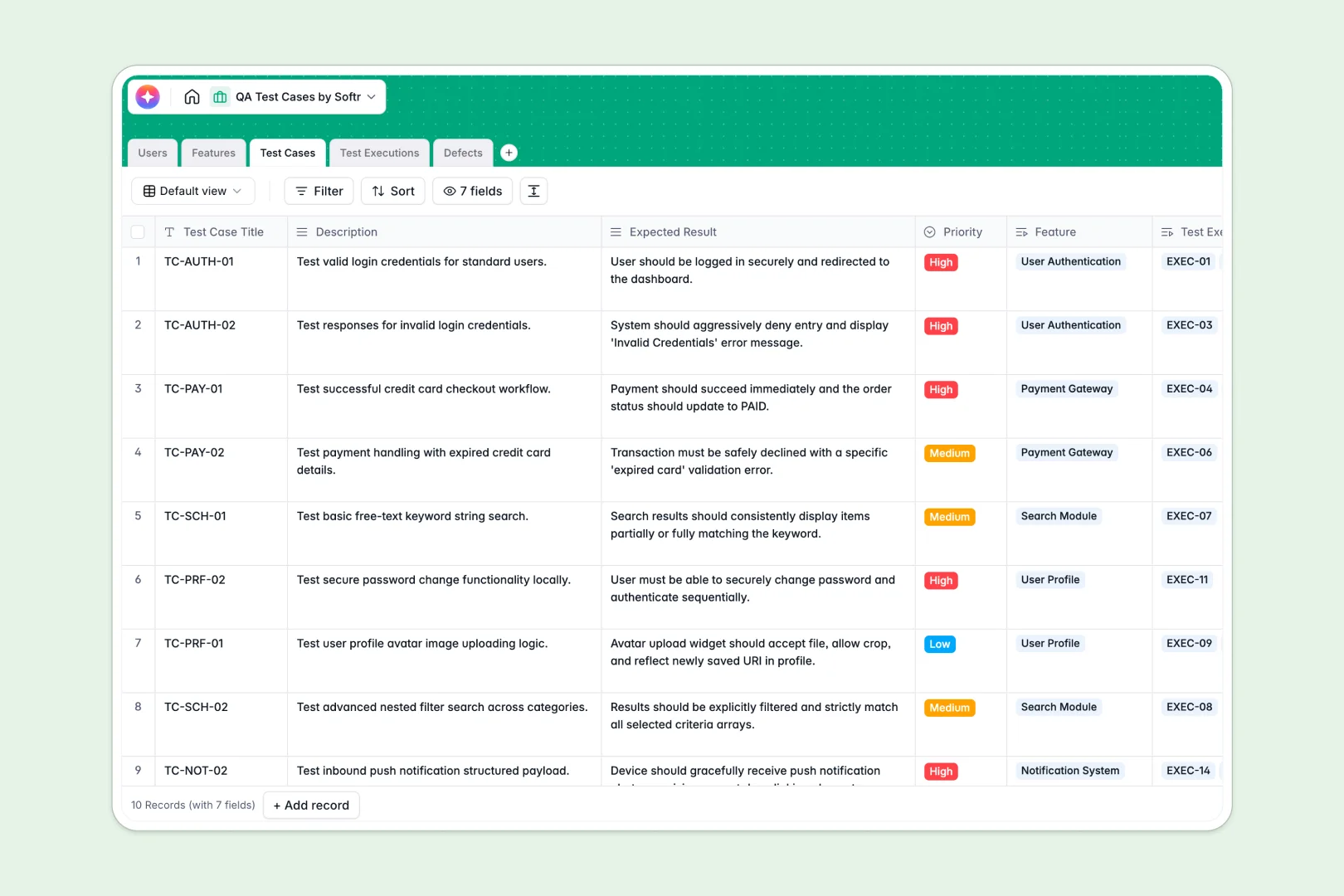
Your QA Test Cases database at a glance
This template provides a centralized system to organize testing suites, track executions, and manage defects across your development lifecycle.
Everything is connected out of the box: Features link directly to Test Cases, which log into individual Test Executions and feed into an actionable Defects registry.
Built-in AI fields automatically draft granular test steps from descriptions, compare actual versus expected outcomes, and categorize bug severity instantly.
When a QA tracking sheet breaks under real testing cycles
Google Sheets is great for quick lists, but using it as a QA management system creates chaos when multiple testers log executions simultaneously, overwrite shared rows, and break cross-tab lookups.
What a structured database changes
In a structured database, data integrity is strictly enforced so that execution statuses, timestamps, and bug severities never get corrupted by accidental edits.
Relational tables allow you to link a defect directly to its specific test run and assign developer ownership without copying text across tabs. This is exactly what Softr Databases are designed for.
While Softr can connect an existing Google Sheet as an external data source, a native database gives your team the rigid structure and relational power required for reliable software quality assurance.
What you can do with this template
Run consistent test cycles with typed fields for test priority, pass/fail status, and structured reproduction notes.
Accelerate repetitive QA workflows using native Database AI agents that generate detailed testing steps and classify defect severity based on bug descriptions.
Give developers and QA leads full traceability from high-level features down to individual bug fixes in one place.
-
Users
Manage QA testers, developers, and team roles for testing workflows
-
Features
Track high-level product modules, readiness statuses, and test coverage
-
Test Cases
Organize test scenarios and generate detailed test steps using AI
-
Test Executions
Record test run outcomes with AI-powered discrepancy analysis
-
Defects
Track bugs and classify severity levels automatically using AI analysis
Who is this QA Test Cases database for
This template is designed for product and engineering teams that need structured, repeatable software verification:
- QA Engineers: Track test execution runs, document reproducible bugs, and maintain clear coverage across features.
- Engineering Leads: Monitor release readiness, track critical defect resolution, and review test execution velocity.
- Product Managers: Verify acceptance criteria across feature releases and ensure bug-free deployments.
- Development Agencies: Provide clients with transparent test logs and structured defect reports during QA cycles.
How to take it further
Customize your testing schema in seconds by adding custom test types, adjusting severity options, or creating specific environments like Staging and Production.
Import your existing test suites using built-in CSV upload or sync automated test run logs directly via API.
When your team is ready, generate an app with AI on top of this database. In one prompt, Softr generates a tailored QA portal with custom forms for bug reporting, execution dashboards, and filtered views based on users and permissions so testers and developers each see what matters to them.
-
1
-
2
-
3
-
4
Frequently asked questions
-
What is a QA test cases database?
-
Why use a no-code database to build a QA test management tool?
-
How can AI help managing data for QA test cases?
-
Can I build an app with this QA test cases database?
-
Is this QA Test Cases template free?
-
How is a QA test cases database different from Google Sheets?
Start building today. It's free!
Build and launch your first app in under 30 minutes.