


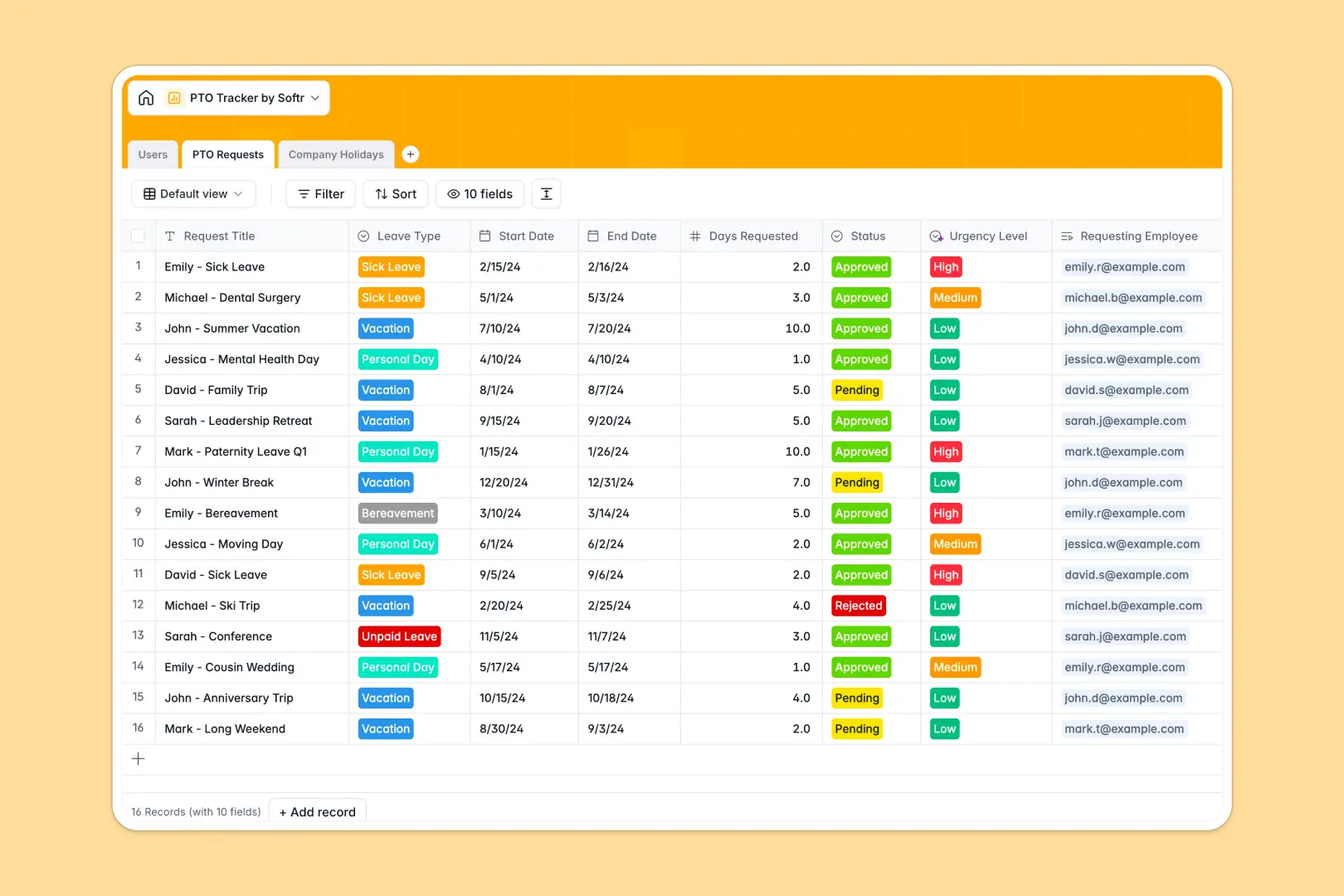
Your PTO Tracker database at a glance
This PTO Tracker database helps you manage employee leave requests, approve time off, and automatically calculate remaining allowances natively. It completely eliminates the manual math and back-and-forth emails that slow down HR teams.
The template structures your data into directly connected tables for Users, PTO Requests, and Company Holidays. When an employee requests leave, the system seamlessly links it to their profile and updates their remaining balance automatically.
Built-in AI automatically evaluates the urgency of every request and generates a one-line digest for quick managerial review. It also researches and populates origin details for company public holidays as records are added.
Why tracking PTO in Excel gets messy
Managing paid time off in Excel quickly turns into a nightmare of broken formulas, copy-pasting errors, and outdated balances across duplicate files.
What a structured database changes
A structured database enforces strict column types, meaning dates stay as dates and approval status fields remain perfectly consistent. Instead of using fragile VLOOKUPs to match an employee to a leave request, tables connect natively.
This ensures that when a manager approves vacation time, the employee's total allowance updates accurately and securely without breaking. This is exactly what Softr Databases are designed for.
What you can do with this template
You can instantly organize your company's entire leave policy, track standard allowances natively, and keep a clean log of historical absences. Everything is ready to use immediately without a steep learning curve.
Thanks to built-in AI capabilities, you can automatically classify request urgency to ensure high-priority leaves are reviewed first. This smart automation keeps operations moving fast while guaranteeing accurate data.
-
Users
Manage employee profiles, reporting lines, and track annual leave balances
-
PTO Requests
Track leave requests with AI-generated summaries and urgency assessments
-
Company Holidays
Store official holidays with AI-powered insights into their significance
Who is this PTO Tracker database for
This template provides a reliable foundation for any business or team struggling to coordinate time off systematically.
- HR Professionals: Maintain accurate employee leave records and ensure compliance without manual data entry.
- Department Managers: Read instant summaries of leave requests and approve time off confidently.
- Operations Leads: Track company-wide absences seamlessly to maintain adequate staffing overall.
- Finance Teams: Keep precise records of unpaid leave and remaining vacation balances for payroll.
How to take it further
You can easily customize this database right out of the box to perfectly match your specific company policies. Modify the leave type dropdowns, adjust standard PTO allocations, or add new columns for specialized department tracking.
Import your existing spreadsheet records via CSV bulk upload to populate your employee directory instantly. You can also use an API to sync historical leave data automatically, ensuring immediate value without starting from scratch.
When your team is ready, you can transform this database into a complete internal employee portal. By using an interface builder, you can create simple dashboard pages where users securely submit their own requests.
A well-structured database makes it effortless to apply strict users and permissions rules. This ensures employees only see their own vacation history, while managers safely view and edit data for their entire department.
-
1
-
2
-
3
-
4
Frequently asked questions
-
What is a PTO tracker database?
-
Why use a no-code database to build a PTO tracking system?
-
How can AI help managing data for PTO tracking?
-
Can I build an app with this PTO tracker database?
-
Is this PTO Tracker database free?
-
How is a PTO tracker database different from Excel?
Start building today. It's free!
Build and launch your first app in under 30 minutes.