


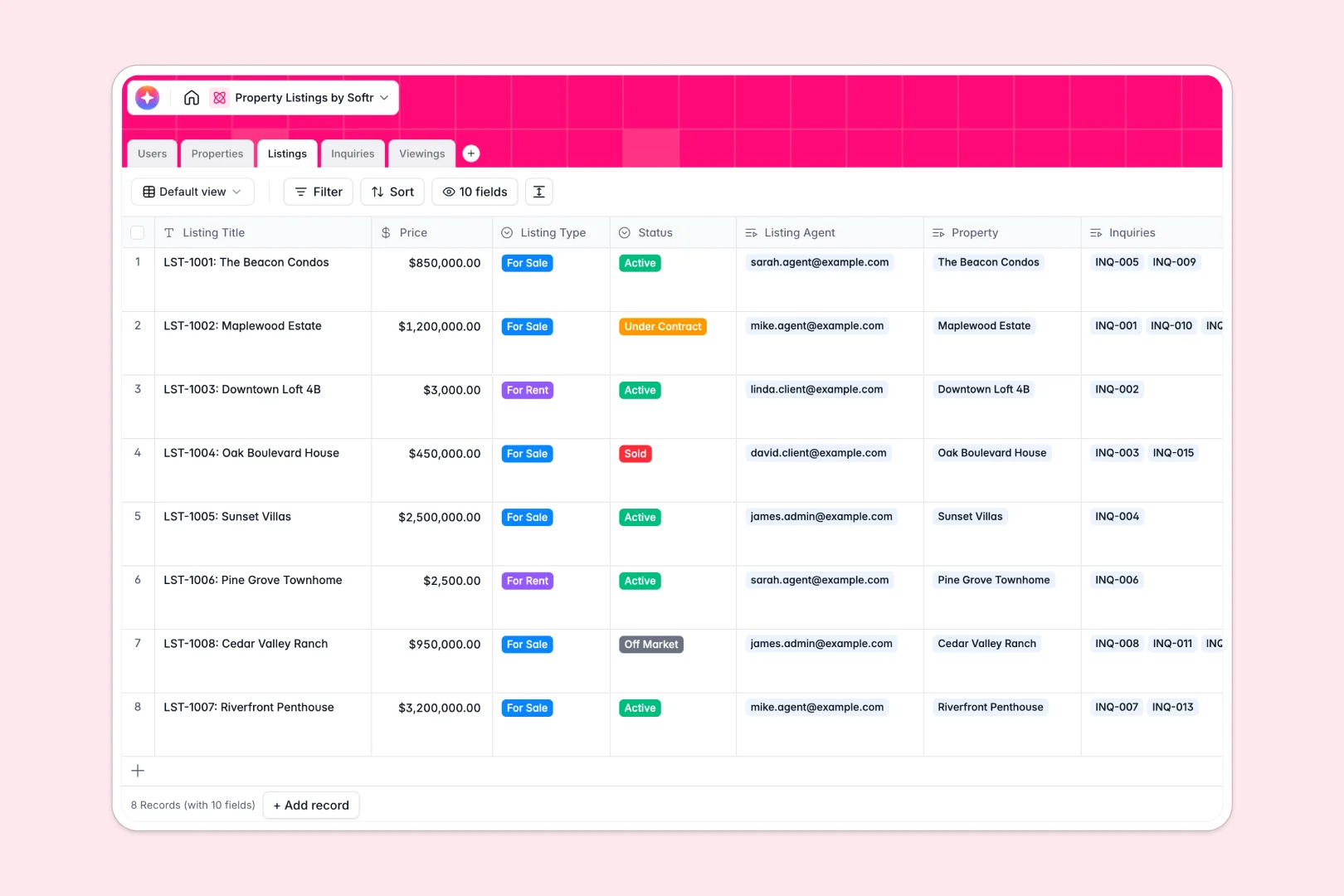
Your Property Listings Database at a glance
This ready-to-use template centralizes your entire real estate portfolio and tracks every market interaction. It ensures agents and clients stay perfectly aligned without messy manual updates.
The system connects physical property details seamlessly with active market listings, client inquiries, and scheduled viewings. Because every table connects natively, checking an active listing instantly reveals its viewing history and pending leads.
Built-in automations write compelling marketing descriptions and summarize viewing feedback instantly. Agents can also auto-generate neighborhood insights directly into the underlying property record.
Why property listings get messy in Excel
Tracking real estate portfolios in spreadsheets quickly leads to buried lead messages, formatting errors, and disconnected client communications.
What a structured database changes
In a spreadsheet, you cannot safely connect a buyer inquiry to an active property listing without using fragile formulas. Spreadsheets also force you to mix text updates, dates, and prices into columns that often break as your portfolio scales.
A structured database replaces this chaos with dedicated spaces for properties, active listings, inquiries, and scheduled viewings. This is exactly what Softr Databases are designed for.
When a client books a viewing, it automatically links to the exact listing and assigned agent natively. Say goodbye to copying and pasting context across multiple Excel tabs.
What you can do with this template
Track every active market listing alongside incoming client inquiries and scheduled viewings in one unified workspace. You can instantly categorize message urgency so agents know exactly who to follow up with first.
Leverage powerful Database AI agents to automatically research neighborhood overviews directly onto property records. They also draft professional marketing descriptions perfectly tailored to the asset's beds, baths, and features.
You remain in complete control of your real estate pipeline from newly added properties to closed deals. Say goodbye to scattered property profiles and missing viewing feedback forever.
-
Users
Manage agents, clients, and admins with contact details and role levels
-
Properties
Store real estate assets and use AI to research neighborhood insights
-
Listings
Track market availability and generate AI-powered marketing copy
-
Inquiries
Process client leads and use AI to classify message urgency levels
-
Viewings
Schedule property visits and extract AI summaries from visitor feedback
Who is this Property Listings database for
This pre-built system is tailored for real estate professionals who need to manage inventory and client interactions smoothly.
- Real Estate Agencies: Centralize agents, active market listings, and physical property assets in one trusted place.
- Independent Brokers: Track incoming client inquiries and scheduled viewings without losing critical context.
- Property Managers: Maintain a structured directory of physical properties and connect them to market statuses seamlessly.
How to take it further
You can easily adapt this template by adding new status choices to the viewings table or tweaking inquiry urgency fields. It requires zero coding, allowing you to shape the columns exactly how your agency works naturally.
Upload your current spreadsheets via CSV to populate your properties and market listings instantly. You can also connect via API to sync ongoing real estate data without missing a beat.
When your team grows, you can seamlessly turn this database into a complete real estate experience using Softr's interface builder. It easily scales from an internal inventory tool for real estate brokers to a modern external portal for property buyers to track their inquiries.
Because the data is strictly governed, setting up proper users and permissions is effortless. Admins can see the entire agency's performance pipeline, while clients only view updates on properties they specifically request. Ultimately, establishing a highly organized database first makes building these full-stack applications incredibly simple.
-
1
-
2
-
3
-
4
Frequently asked questions
-
What is a property listings database?
-
Why use a no-code database to build a property listings tool?
-
How can AI help managing data for property listings?
-
Can I build an app with this property listings database?
-
Is this Property Listings database free?
-
How is a property listings database better than Excel?
Start building today. It's free!
Build and launch your first app in under 30 minutes.