


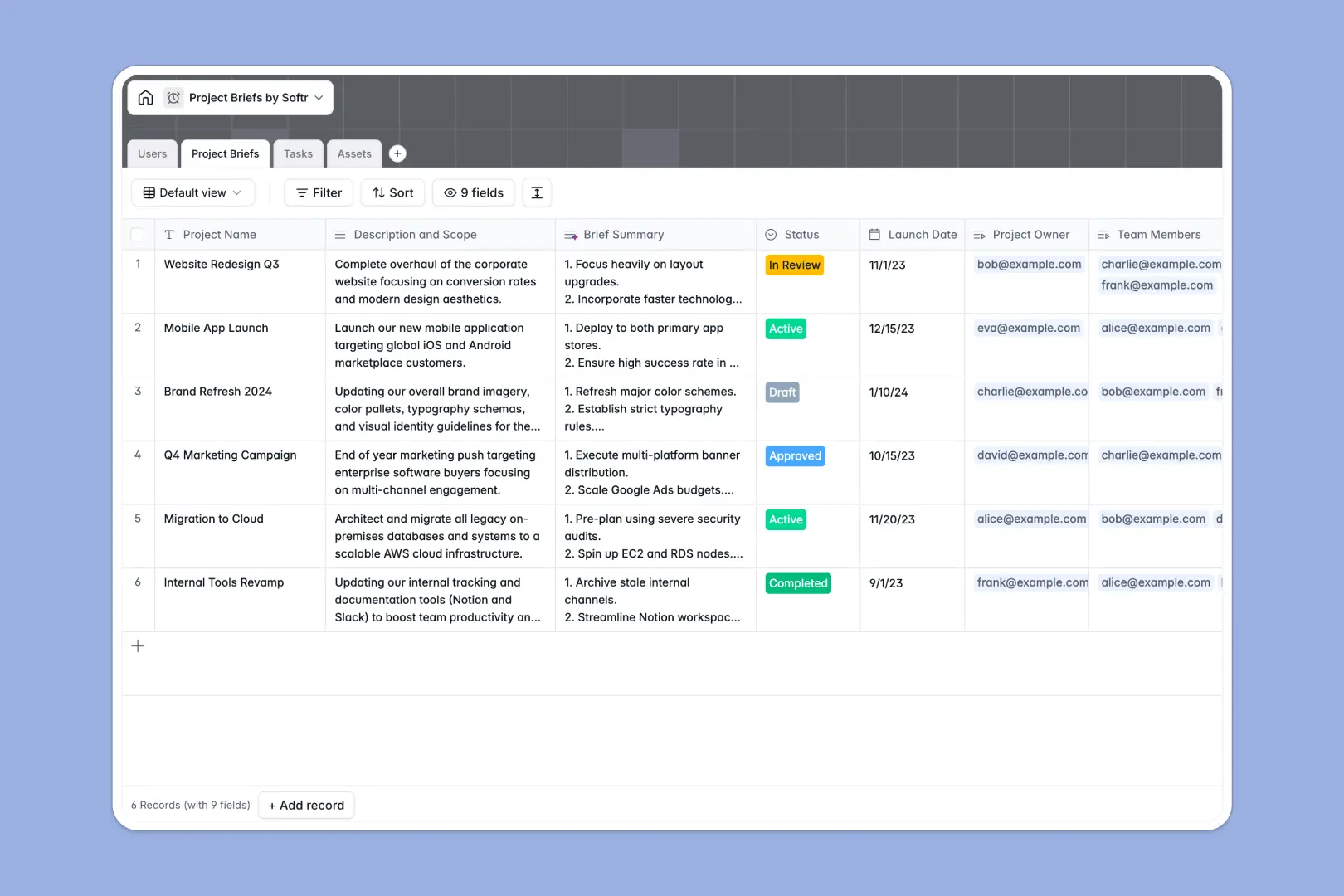
Your Project Briefs Database at a glance
This ready-to-use template centralizes your project planning, keeping scopes, timelines, and deliverables perfectly aligned. It replaces messy tracking setups with a single, clear source of truth for the whole team.
The database uses connected tables to link Project Briefs directly to actionable Tasks, shared Assets, and assigned Users. When you pull up a brief, you instantly see every task due date and project file associated with it.
Built-in AI automatically generates concise three-bullet summaries of your scopes to keep leadership informed. It also evaluates task descriptions to auto-assign priority levels, ensuring teams tackle urgent work first.
Why managing project briefs gets messy in Excel
Tracking complex projects in Excel quickly becomes a headache as teams grow. When scopes change, final files are added, and tasks get reassigned, a flat spreadsheet simply cannot handle the moving parts.
What a structured database changes
In a database, each element lives in its own dedicated space—tasks never get mixed up with high-level project goals or team details. You link a task directly to its parent project without relying on fragile VLOOKUPs.
This ensures data stays perfectly formatted as your team scales. This is exactly what Softr Databases are designed for, giving you a proper relational structure that doesn't break when someone sorts a column incorrectly.
What you can do with this template
You can immediately organize reference materials, documents, and final deliverables natively alongside the projects they support. File uploads happen right in the record, completely eliminating scattered email threads and lost links.
Because it features native Database AI agents, this template also works in the background to automatically summarize long project scopes and accurately assess task priorities for you.
-
Users
Manage administrative staff and team members with roles and project assignments
-
Project Briefs
Manage project scope and resourcing with AI-generated executive summaries
-
Tasks
Track project deliverables with deadlines and AI-automated priority assessment
-
Assets
Centralize reference materials, brand guidelines and media files for projects
Who is this Project Briefs database for
This template is built for teams that need to turn high-level ideas into organized, actionable workflows quickly.
- Project Managers: Keep a clear view of statuses, resource allocation, and deadlines across all active initiatives.
- Marketing Teams: Store branding guidelines, copy docs, and creative assets directly tied to campaign deliverables.
- Agency Owners: Standardize client requests and seamlessly break down broad project scopes into assignable tasks.
How to take it further
Customizing the database for your unique needs takes just minutes. You can easily adjust the project "Status" dropdown labels or add a new currency field to track estimated budgets.
If you have existing project data, simply import an Excel or CSV file. Your previous briefs and task lists will map directly into these highly organized tables so you don't lose any past information.
When you are ready to scale, you can build an app on top of this very data. You can easily transition from a backend tool to a custom project portal where team members log in to see only their assigned workloads.
Because Softr handles both users and permissions natively alongside your database, creating restricted external client portals or internal team dashboards is completely secure and seamless.
-
1
-
2
-
3
-
4
Frequently asked questions
-
What is a project brief database?
-
Why use a no-code database over Excel to manage projects?
-
How can AI help manage project briefs and tasks?
-
Can I build an app with this project briefs database?
-
Is this Project Briefs template free?
-
How does this template handle project assets differently than Excel?
Start building today. It's free!
Build and launch your first app in under 30 minutes.