


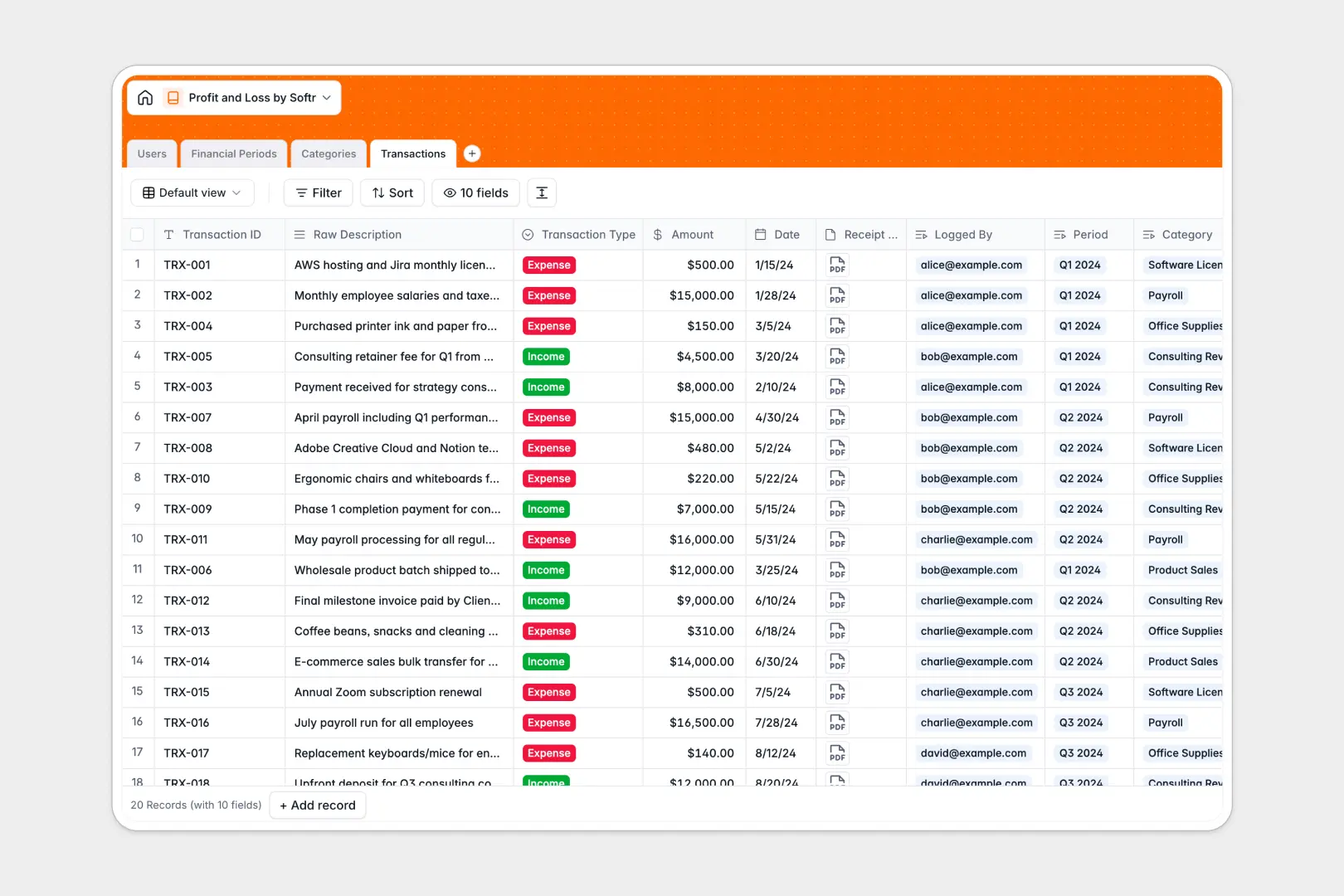
Your Profit and Loss database at a glance
This template tracks all income and expenses dynamically, calculating your net profit instantly without requiring manual data entry. It provides a reliable, centralized ledger for your team to understand the company's financial health at any time.
Individual transactions connect seamlessly to specific financial periods and chart categories. By organizing records into properly tied tables, you ensure every receipt is attached securely exactly where it belongs.
The built-in AI handles tedious bookkeeping formatting automatically. Messy bank descriptions are converted into clean transaction titles, and comprehensive executive summaries are generated for each reporting period based on your live totals.
Why profit and loss gets messy in Excel
Managing financials in spreadsheets inevitably leads to broken sum formulas, missing receipts, and unsynced files passing between team members.
What a structured database changes
A strictly enforced foundation ensures every amount acts as a proper currency type and dates stay properly formatted. Instead of relying on fragile copy-pasting, you can safely connect hundreds of individual expenses to one quarterly period.
This is exactly what Softr Databases are designed for. They keep your financial records secure, clean, and highly scalable, no matter how fast your transaction volume grows.
What you can do with this template
You can completely automate bookkeeping tasks using integrated Database AI agents. Have the database automatically standardize raw transaction names, and instantly draft executive summaries based on your real-time net profit.
Every transaction record also includes dedicated attachment fields for securing receipts and invoices. Your accounting team will never have to hunt through email threads for proof of purchase again.
-
Users
Manage financial staff with specific roles like Admin or Accountant
-
Financial Periods
Group profit and loss metrics with AI-generated executive summaries
-
Categories
Organize transactions into a chart of accounts for balanced reporting
-
Transactions
Log income and expenses using AI to standardize transaction titles
Who is this Profit and Loss database for
This template is perfect for teams needing an accurate, easily maintained financial tracking system.
- Founders: Monitor net margins and read automated executive summaries without waiting for end-of-month reconciliations.
- Accountants: Review securely categorized transactions, ensuring every expense has a properly attached receipt.
- Department Heads: Log operational expenses predictably against assigned budgets and standardized company categories.
How to take it further
To start customizing this database, you can immediately rename your chart of accounts like Payroll or Sales, and adjust financial period schedules. Modifying dropdown values natively ensures everyone standardizes data entry automatically.
You can easily upload your existing CSV exports directly from your bank or previous ledger. This populates your transaction history instantly, ensuring immediate visibility into historical profit and loss.
When your team grows, you can evolve this structured data into a complete financial software tool natively. Setting strict users and permissions allows you to control exactly who sees what data within your application.
By adding an administrative portal on top, accountants can approve and edit transactions, while stakeholders securely view high-level summaries without accessing sensitive granular data.
-
1
-
2
-
3
-
4
Frequently asked questions
-
What is a profit and loss database?
-
Why use a no-code database to build a financial tracking system?
-
How can AI help managing data for profit and loss?
-
Can I build an app with this profit and loss database?
-
Is this profit and loss template free?
-
How is a profit and loss database different from Excel?
Start building today. It's free!
Build and launch your first app in under 30 minutes.