


Overview
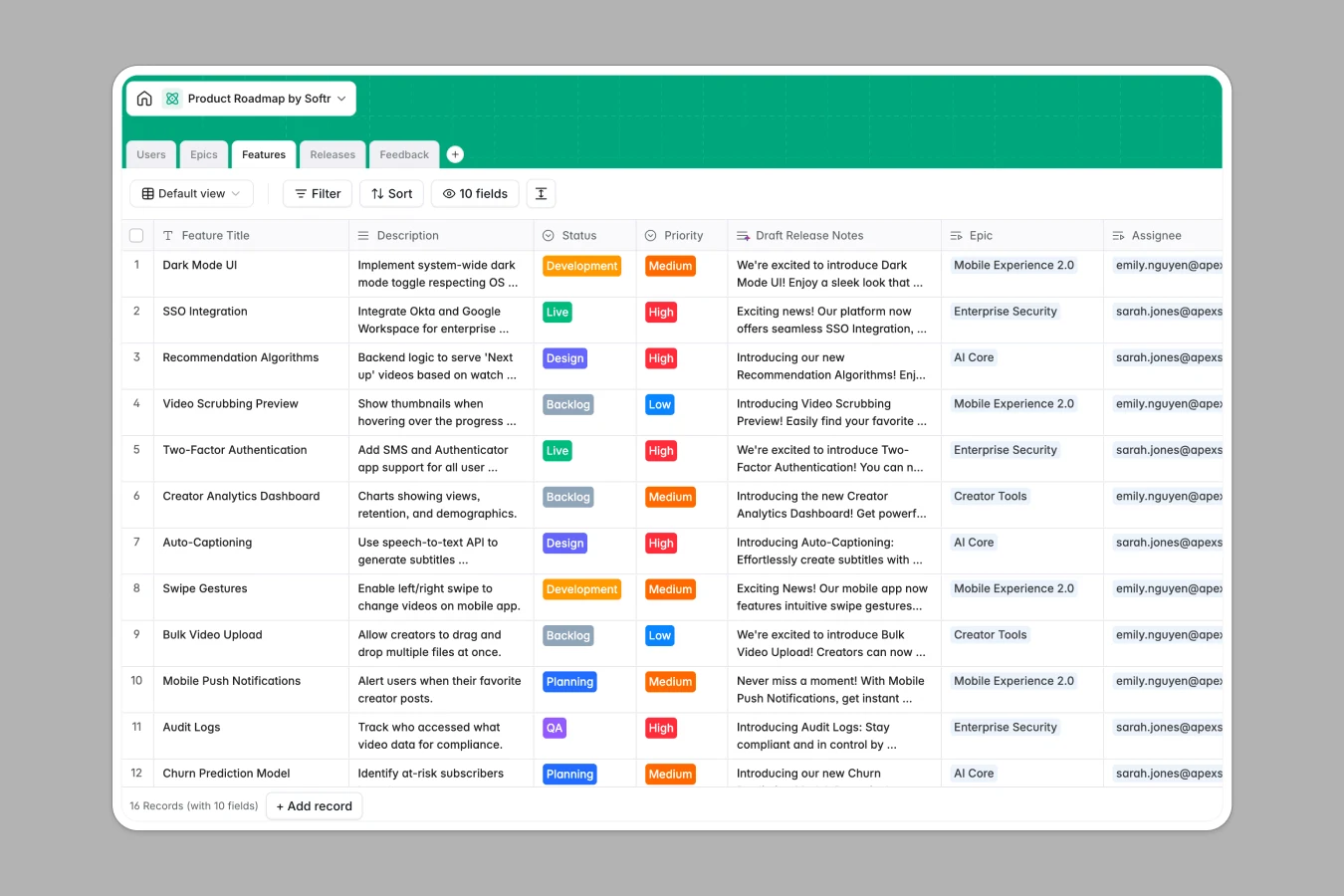
This template centralizes your entire product strategy by connecting five core tables: Users, Epics, Features, Releases, and Feedback. Instead of isolated lists, it creates a relational system where every Feature is linked to its parent Epic and scheduled Release, giving you a complete view of your development pipeline from high-level goals to shipping dates.
The database also closes the loop on customer insights by directly linking user Feedback to specific Features. It leverages powerful automation to handle manual tasks—automatically categorizing feedback sentiment, drafting release notes based on feature descriptions, and summarizing strategic goals for executives.
Why choose a Product Roadmap database over Excel
The power of Softr Databases
Excel and spreadsheets struggle with complex relationships, often forcing you to rely on fragile VLOOKUPs to connect feedback to features or features to releases. Softr Databases handle these connections natively, ensuring that when you move a feature's release date, that information updates everywhere instantly. By enforcing strict column types like dates, selects, and linked records, this database prevents the version control chaos and broken formulas typical of static spreadsheets.
Core features and functionality
This template goes beyond storage by acting as an intelligent assistant for your product team. Native Database AI agents automatically analyze incoming user feedback to tag sentiment (Frustrated, Neutral, Excited) and categorize requests (Bug, UX, Feature Request). Additionally, the database can browse the web to research tech stacks for new features and draft marketing-friendly release notes automatically, saving your PMs hours of manual work.
-
Users
Manage team members and stakeholders with associated roles and access
-
Epics
Define strategic goals using AI to generate executive summaries of themes
-
Features
Track roadmap items with AI-driven release notes and tech recommendations
-
Releases
Plan deployment versions and launch timelines for grouped feature sets
-
Feedback
Process user requests using AI for sentiment analysis and categorization
Who is this Product Roadmap for
This database is designed for product teams who need to tackle complexity without code:
- Product Managers: Prioritize backlog items and link direct customer feedback to features to justify roadmap decisions.
- Developers: Clear visibility on assigned features, priorities, and AI-suggested tech stacks without context switching.
- Stakeholders: View high-level progress on Epics and Releases in real-time without needing to ask for status updates.
- Customer Success: Submit user feedback directly into a central system that links to the actual development roadmap.
How to take it further
Customize the database
You can easily adapt the data structure to match your specific agile process. For example, you might modify the "Status" options in the Features table to include steps like "QA Review" or add a specialized field for Effort Points to help with sprint planning.
Import your existing data
If your current roadmap lives in Excel, Google Sheets, or Jira, you can quickly move it here. A simple CSV import allows you to upload all your existing Epics, Features, and Feedback into this structured database in seconds.
Build an app on top
The true power of this template is turning it into a collaborative tool using Softr's interface builder. You can build a public roadmap portal where users vote on features, or a secure internal dashboard where stakeholders track progress on Epics. By using users and permissions, you can ensure developers see technical details while executives see high-level summaries, all from the same live data.
-
1
-
2
-
3
-
4
Frequently asked questions
-
What is a product roadmap database?
-
Why use a no-code database to build a roadmap tool?
-
How can AI help managing data for product roadmaps?
-
Can I build an app with a roadmap database?
-
Is this Product Roadmap template free?
-
How is this different from managing a roadmap in Excel?
Start building today. It's free!
Build and launch your first app in under 30 minutes.