


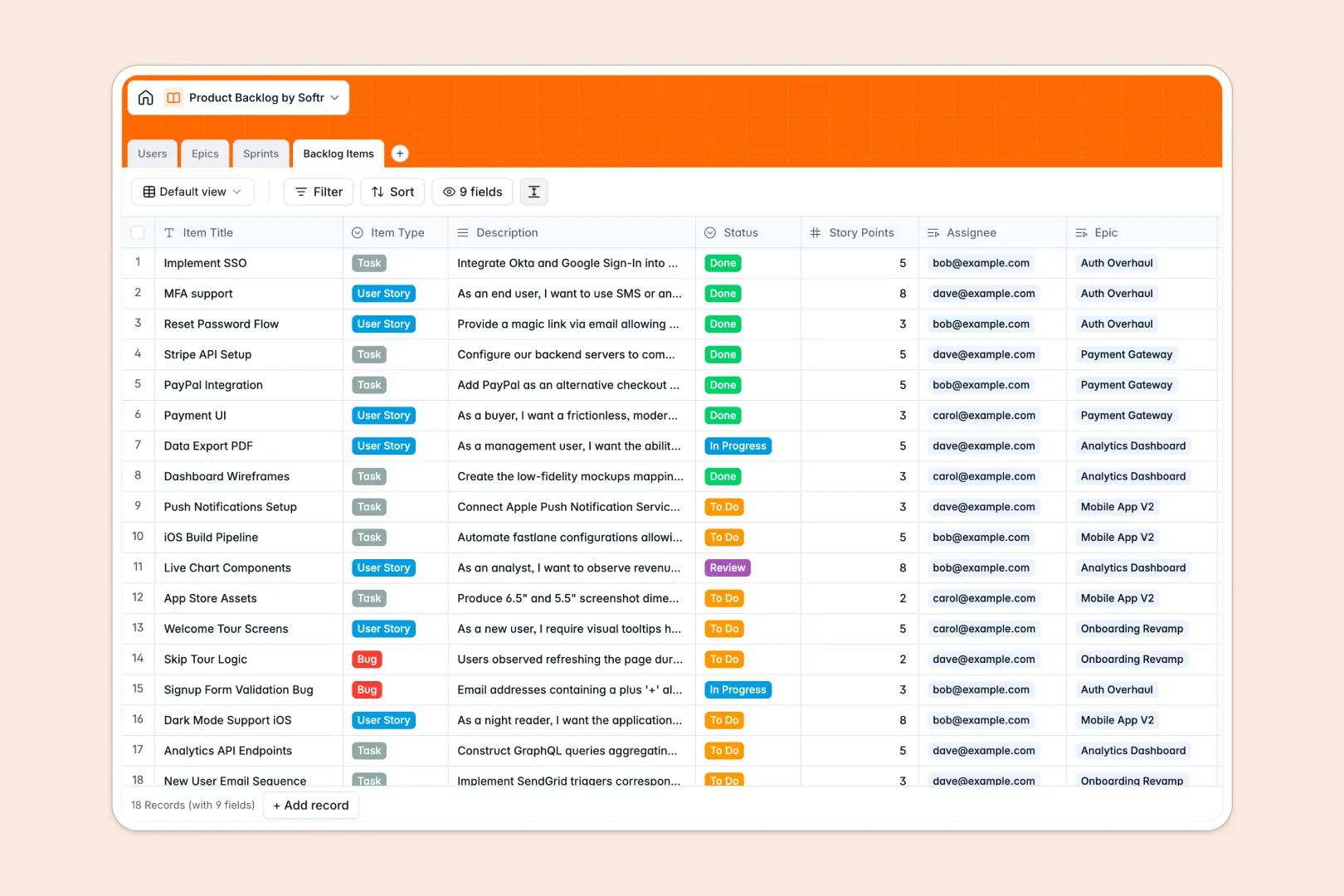
Your Product Backlog Database at a glance
This template replaces endless spreadsheet rows with an organized, highly visible product system. It gives your team a clear, reliable way to track user stories, developer tasks, and bugs from idea to final deployment.
Everything connects naturally so you can group backlog items into larger Epics and assign them directly to active Sprints. Team members manage their specific lists, while intuitive rollups automatically calculate total story points per sprint instantly.
Built-in AI auto-generates testable acceptance criteria as soon as you log a new story. It also writes quick, three-point summaries for massive Epics so your team can digest project scope in seconds.
Why a product backlog gets messy in Excel
Tracking agile sprints and feature requests in Excel usually leads to duplicated records, fragile VLOOKUP formulas, and team members overwriting each other's status updates.
What a structured database changes
A relational system ensures bugs, tasks, and users are separate records that securely connect to one another. Instead of copy-pasting an assignee's details into dozens of rows, you link them globally with a single click.
This completely prevents spelling errors, keeps formatting perfectly standardized, and maintains a single source of truth as your product rapidly scales. This is exactly what Softr Databases are designed for.
What you can do with this template
Map out complete release sprints, effortlessly calculate story points, and monitor item status transitions without ever building complex pivot tables.
Using built-in AI capabilities, the template natively drafts comprehensive acceptance criteria instantly based purely on your item titles and descriptions.
-
Users
Manage product team profiles, roles, and historical task assignments
-
Epics
Organize large initiatives and utilize AI to generate concise work summaries
-
Sprints
Track timeboxed development cycles with goals and point velocity metrics
-
Backlog Items
Manage user stories and bugs with AI-generated acceptance criteria for testing
Who is this Product Backlog database for
This completely customizable template is built specifically for growing teams looking to bring strict structure to their product development cycle.
- Product Managers: Plan agile sprints efficiently and maintain a clean, dynamically reprioritized backlog of feature requests.
- Engineering Leads: Track bug statuses, allocate sprint capacities accurately, and assign clear responsibilities across the entire team.
- Development Teams: View exactly what active tasks need attention next without endlessly scrolling through massive spreadsheets.
How to take it further
1. Customize the database
Start by perfectly adapting this database schema to your unique engineering workflows. You can effortlessly add new item dropdowns, tweak the predefined status choices, or attach design mockups directly to tasks.
2. Import your existing data
Skip the tedious manual entry phase by importing your existing product roadmap or historical bug logs via CSV. Immediate data integration lets your cross-functional team keep working quickly without skipping a beat.
3. Build a full app around it
When you're ready to evolve, you can safely transform your backlog into a dedicated product portal where external clients submit feature requests. Flexible, integrated users and permissions ensures developers only edit their assigned sprints while stakeholders simply view high-level epic summaries.
-
1
-
2
-
3
-
4
Frequently asked questions
-
What is a product backlog database?
-
Why use a no-code database to build a product backlog system?
-
How can AI help managing data for a product backlog?
-
Can I build an app with this product backlog database?
-
Is this Product Backlog Database free?
-
How is a backlog database inherently different from Excel spreadsheets?
Start building today. It's free!
Build and launch your first app in under 30 minutes.