


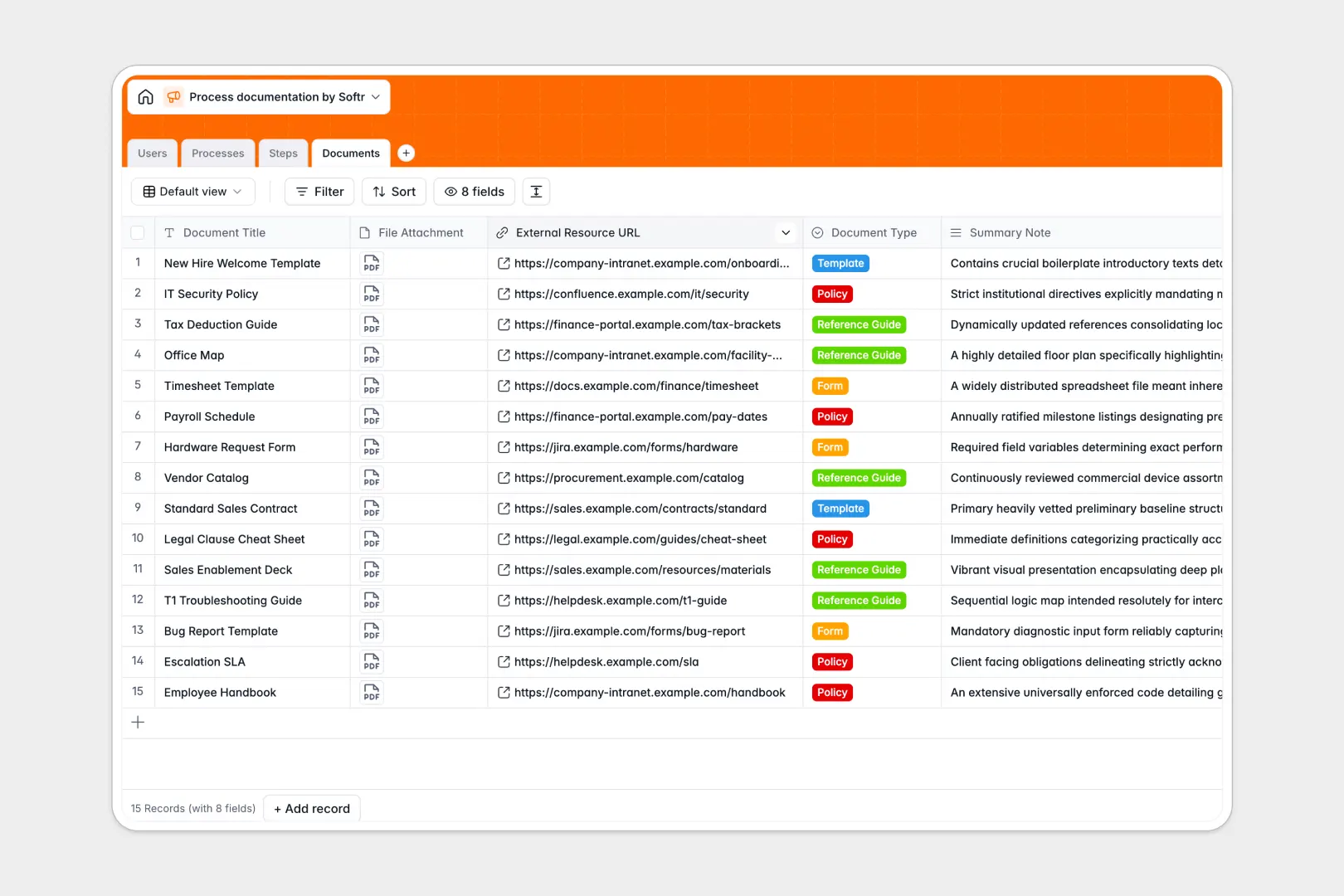
Your Process Documentation database at a glance
This template gives your standard operating procedures a permanent, organized home so teams never have to guess how a task is done. It replaces scattered files and messy grids with a single source of truth for all company knowledge.
Everything is completely connected by design. Each high-level operational process automatically links to sequential execution steps, the specific team members who own them, and the required reference documents safely attached in dedicated fields.
It also automatically writes and categorizes workflows for you. Built-in AI instantly synthesizes full process manuals from basic inputs, assigns categories accurately, and rewrites step descriptions for perfect clarity as you work.
Why process documentation gets messy in Excel
Tracking standard operating procedures in a spreadsheet quickly turns into a nightmare of broken links, outdated text blocks, and disconnected files. When you try to match sequential execution instructions with the exact document templates they require, rows get confusing and critical operational knowledge gets lost.
What a structured database changes
It enforces strict rules so your knowledge base stays inherently clean and scalable. Step descriptions remain neatly formatted, file attachments live securely in dedicated columns, and you never have to force distinct processes into a flat, confusing grid.
More importantly, tables connect seamlessly without fragile formulas or cell references. You can link a specific compliance step directly to a policy document and assign it to a department lead, which is exactly the kind of relational setup Softr Databases are specifically engineered for.
What you can do with this template
Create a complete hierarchy of company knowledge smoothly and safely. You can log overarching processes like onboarding or compliance, then break them down into individually assigned, estimated steps that are effortlessly easy to follow.
Let built-in AI models handle the heavy lifting of your technical writing. They will instantly summarize objectives, synthesize comprehensive drafts of your standard operating procedures, and refine your grammar so everything sounds brilliantly professional to your team.
-
Users
Manage team member profiles, roles, and process ownership within the organization
-
Processes
Index SOPs with AI-powered categorization and automated manual drafting features
-
Steps
Detail sequential instructions using AI to improve task clarity and tone formatting
-
Documents
Centralize templates and reference files linked to specific process requirements
Who is this Process Documentation database for
This system is built for growing teams that need standard, repeatable workflows to scale their output safely.
- Operations Managers: Centralize operational procedures and ensure every task step has a clear timeline and designated owner.
- HR Directors: Manage onboarding workflows, company policies, and compliance reference guides effectively across departments.
- Department Leads: Connect internal guidelines with the exact document templates needed to execute them accurately.
- Team Members: Find the exact step-by-step instructions and references needed to perform daily functions without delays.
How to take it further
Customizing this database fits your exact organizational structure right out of the box. You can easily modify the process categories to match your specific departments, add new document types to the library, or tweak the AI prompts to write manuals in your company's highly unique tone of voice.
When you are ready, bring your existing standard operating procedures in effortlessly. You can upload bulk process text via CSV, or securely connect an API to sync steps seamlessly from your current task managers or document storage drives.
The natural next step is turning this private database into an accessible, searchable employee intranet or company portal. Because every process, step, and document is already meticulously organized into objects, building a fully functional front-end application around it is incredibly fast.
Clean data instantly prepares you to apply strict users and permissions in minutes. You can ensure the sales team only sees sales policies, allow executives to edit standard operating procedures, and let everyone else safely view just the processes they need to do their jobs.
-
1
-
2
-
3
-
4
Frequently asked questions
-
What is a process documentation database?
-
Why use a no-code database to build a process documentation tool?
-
How can AI help manage data for process documentation?
-
Can I build an app with a process documentation database?
-
Is this Process Documentation database free?
-
How is a process documentation database different from Excel?
Start building today. It's free!
Build and launch your first app in under 30 minutes.