


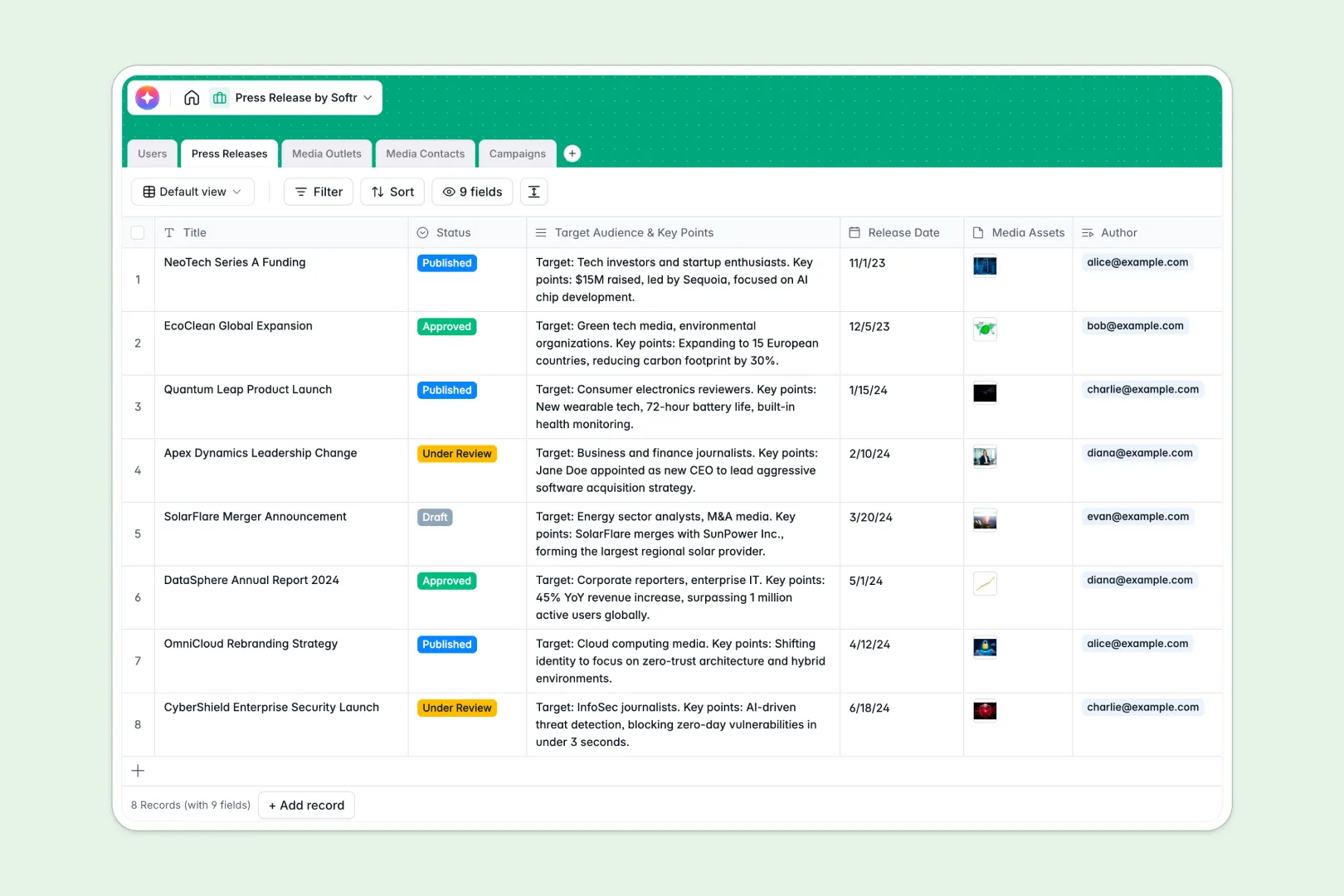
Your Press Release database at a glance
Set up and execute PR campaigns effortlessly using a unified structure designed for speed and clarity. This system helps you track everything from early drafts to final publication alongside the journalists covering them.
Centralize your workflow across interconnected tables for Campaigns, Media Outlets, Contacts, Users, and Press Releases. You can seamlessly link a specific journalist to their publication and tie them directly into an upcoming launch campaign.
Built-in AI tools do the heavy lifting by automatically drafting press releases from your basic bullet points and summarizing an outlet's focus straight from their URL. It instantly generates catchy email pitches natively within your tables, saving you hours of writing.
Why PR tracking gets messy in Excel
Public relations teams often rely on massive spreadsheets to map out their pitches and media contacts. Unfortunately, repeatedly copy-pasting emails and campaign statuses across different tabs eventually leads to costly outreach errors.
What a structured database changes
In a classic spreadsheet layout, keeping a publication's details synced with multiple individual journalist contacts requires fragile formulas that break easily. It becomes virtually impossible to attach press kits or maintain a clean view as your media list scales.
A relational structure connects these records properly. You can link a single journalist directly to multiple campaigns without replicating rows, duplicating data, or crossing your wires.
This is exactly what Softr Databases are designed for. Every column dictates a specific value—like dates, attachments, or single-select statuses—ensuring your release efforts remain organized and perfectly synced across the team.
What you can do with this template
Keep a single, reliable source of truth for your entire media list and distribution efforts. You can map out targeted outreach plans in minutes and monitor precisely who is managing which release.
Scale your outreach efficiently using Database AI agents right inside your tables. They can summarize full press releases into quick pitches and generate custom email subject lines the moment a new campaign is logged.
-
Users
Manage internal PR staff records with roles, contact info and assignments
-
Press Releases
Draft releases with AI-generated body content and concise executive summaries
-
Media Outlets
Catalog news organizations using web-powered AI to summarize publication focus
-
Media Contacts
Track journalists and influencers with AI-modeled pitching personas for outreach
-
Campaigns
Coordinate distribution using AI to craft catchy email subjects and pitch body
Who is this Press Release database for
This system is designed for teams that need to organize media relations without relying on cluttered spreadsheets.
- PR Agencies: Manage multiple client campaigns, segment media lists accurately, and track distinct launch workflows seamlessly.
- Marketing Teams: Keep internal writers aligned with managers and centralize product launch announcements in one hub.
- Startup Founders: Kickstart immediate targeted outreach by leveraging native AI to draft professional, well-formatted releases and pitches.
How to take it further
1. Customize the database
You can easily tailor this template by adding new status options for your releases or custom dropdown fields for specific industry niches. Because it functions as a native database, adjusting the structure to fit your exact PR workflow takes just a few clicks.
2. Import your existing data
Bring your existing media lists to life instantly without losing historical data. You can upload your current journalist roster via CSV directly into the contacts table so no important relationship gets left behind.
3. Build a full app around it
When your organization scales, you can naturally transition this foundation into a robust internal tool. You can securely build an app equipped with front-end dashboards where writers submit drafts and managers review them.
By leveraging granular permissions, you securely control exactly who sees overarching campaign strategies versus basic contact directories. A properly structured database makes deploying these advanced tools incredibly straightforward.
-
1
-
2
-
3
-
4
Frequently asked questions
-
What is a press release database?
-
Why use a no-code database to build a PR tracking tool?
-
How can AI help managing data for PR campaigns?
-
Can I build an app with this press release database?
-
Is this Press Release database free?
-
Why is tracking PR contacts difficult in Excel?
Start building today. It's free!
Build and launch your first app in under 30 minutes.