


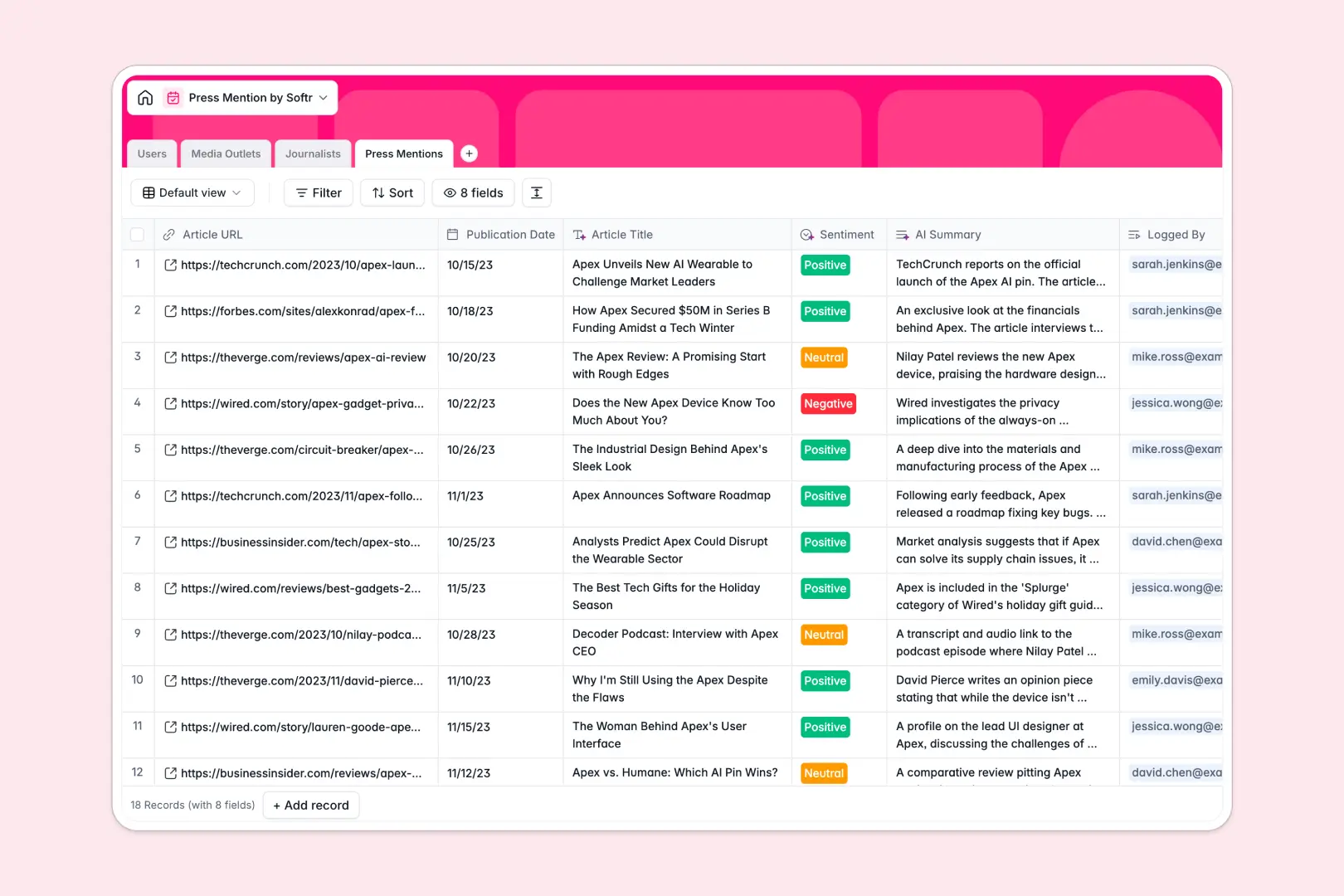
Your Press Mention Database at a glance
This template gives your team a centralized hub to track brand media coverage, analyze sentiment, and organize publication contacts. It transforms messy PR workflows into an automated monitoring system.
The database connects your Media Outlets, Journalists, and Press Mentions together automatically. You can view all articles written by a specific author or published by a single outlet without endlessly searching through folders.
Powerful built-in AI handles the heavy lifting of media tracking for you. It automatically extracts article titles from URLs, writes summaries, determines coverage sentiment, and even researches journalist bios.
Why tracking press mentions in Excel breaks down
Managing growing PR campaigns in spreadsheets quickly becomes a chaotic mess of broken links and outdated media lists.
What a structured database changes
In a spreadsheet, logging a new article often means copy-pasting the same journalist and outlet details over and over. Columns get mixed up, and tracking relationship history becomes impossible.
A structured system keeps your data clean by natively linking related records. You can attach a single journalist to multiple articles without ever duplicating their contact information.
This is exactly what Softr Databases are designed for. You get pure relational power that scales with your PR efforts, entirely eliminating the headache of fragile formulas.
What you can do with this template
Drop an article URL into your table and let native Database AI agents instantly handle the rest. They will automatically extract the title, write a three-paragraph summary, and classify the brand sentiment.
You can also easily view which internal team members own specific media relationships. Track overall media outlet reach and keep your entire press pipeline perfectly organized for your next campaign.
-
Users
Manage internal team members, PR roles, and their assigned journalists
-
Media Outlets
Catalog publications with AI-generated descriptions and industry tagging
-
Journalists
Organize writer contacts with professional bios enriched by AI research
-
Press Mentions
Track brand coverage with AI-powered summaries and sentiment analysis
Who is this Press Mention database for
This ready-to-use template helps teams monitor their brand presence and media relations efficiently.
- PR Managers: Track campaign success, analyze coverage sentiment, and ensure no media feature goes unnoticed.
- Marketing Teams: Keep a centralized hub of media outlets and automatically summarize industry news coverage.
- Communications Directors: Monitor which internal team members own relationships with key journalists and publications.
- Founders: Quickly see exactly who is writing about your startup without digging through unorganized search alerts.
How to take it further
You can easily customize this database to fit your exact PR strategy. Add new relationship statuses, adjust outlet categories, or add columns to track SEO metrics like domain authority.
It takes just a few clicks to import your existing press list. Upload your historical coverage via CSV and immediately watch the structure organize your raw data.
When your team is ready, you can use the interface builder to turn this database into a full PR dashboard. Create a portal where team members can log in and view only the journalists they actively manage.
By setting up proper users and permissions, you can confidently share coverage reports with external stakeholders while protecting your private media contacts. Building an app is simply much faster when your underlying data is strictly organized.
-
1
-
2
-
3
-
4
Frequently asked questions
-
What is a press mention database?
-
Why use a no-code database to build a PR tracking tool?
-
How can AI help managing data for press mentions?
-
Can I build an app with this press mention database?
-
Is this Press Mention database free?
-
Can I customize the fields in this template?
Start building today. It's free!
Build and launch your first app in under 30 minutes.