


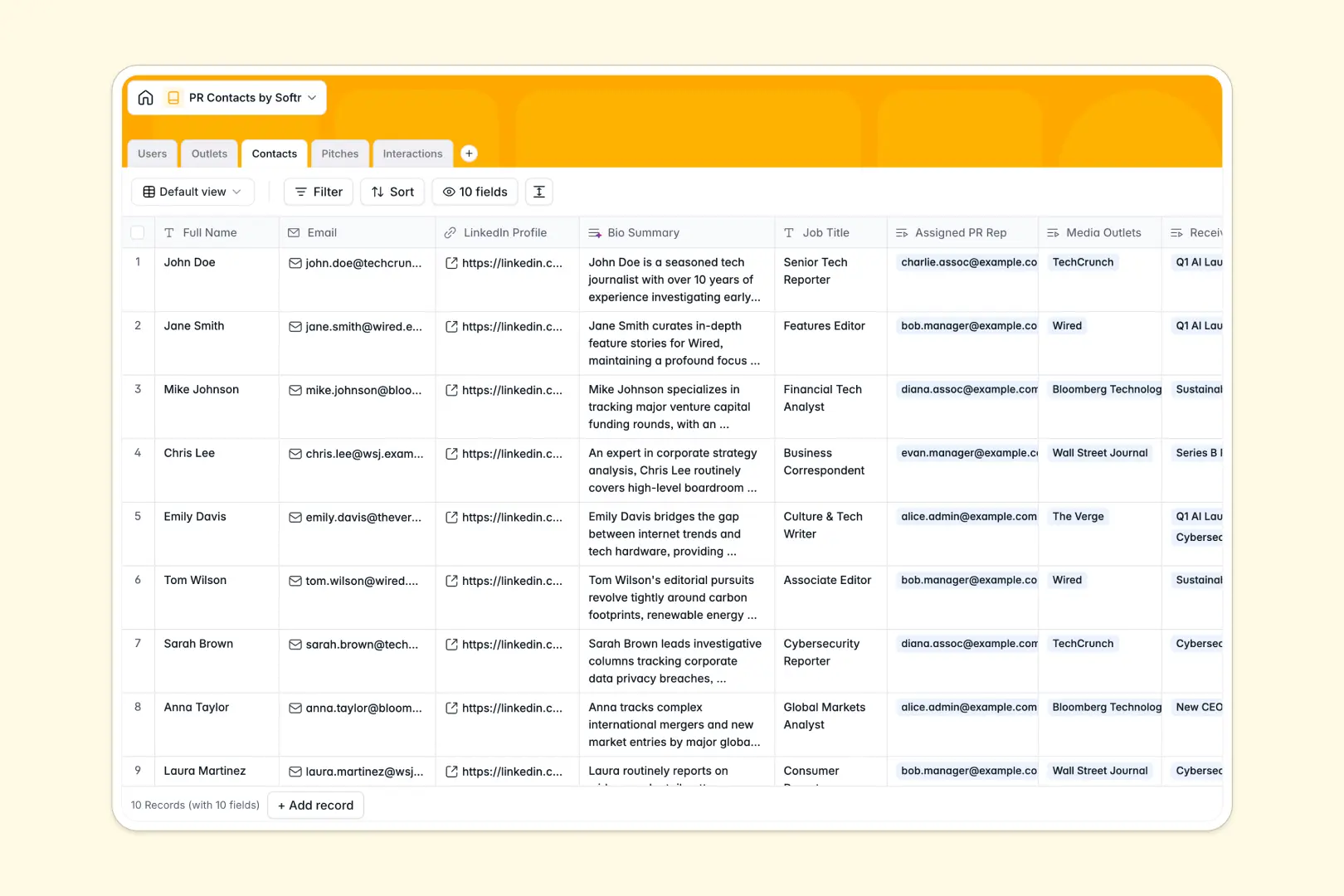
Your PR Contacts Database at a glance
This template gives your communications team a single source of truth for media relationships, ongoing pitches, and interaction history.
It tracks media outlets, individual contacts, and your specific pitches in connected tables. When a team member logs a call or email, it automatically links to both the journalist and the specific campaign.
Built-in AI automatically fetches journalist bios from LinkedIn and drafts personalized pitch emails based on your core message.
Why PR outreach gets messy in Excel
When your PR list lives in Excel, keeping track of who talked to whom quickly becomes a nightmare of duplicated rows and outdated notes.
What a structured database changes
In a spreadsheet, a journalist moving to a new publication means updating multiple tabs manually or risking a broken VLOOKUP formula.
With a relational structure, you link a contact to an outlet once, and that update ripples across your entire workflow instantly.
This is exactly what Softr Databases are designed for, giving you clean, connected records that scale smoothly over time.
What you can do with this template
You can see the complete history of interactions with any journalist instantly, ensuring your team never double-pitches a contact.
Using Database AI agents, you can automatically research outlet websites and analyze the sentiment of recent conversations.
The system even writes professional bios and drafts targeted pitch emails for you natively, saving hours of manual data entry.
-
Users
Manage internal PR team members, including roles and managed contacts
-
Outlets
Catalog media publications and use AI to generate professional overviews
-
Contacts
Store journalist details with AI-curated professional background bios
-
Pitches
Draft campaigns and use AI to generate engaging email bodies and subjects
-
Interactions
Log all communication history and use AI for sentiment analysis of notes
Who is this PR Contacts database for
This template is fully functioning for communications teams who need reliable, shared media networks.
- PR Agencies: Track multiple campaigns and prevent associates from pitching the same reporters repeatedly.
- Internal Comms: Maintain a clean, organized directory of industry analysts and key media influencers.
- Startup Founders: Manage early media outreach, organize pitch drafts, and log feedback systematically.
How to take it further
Customize your pipeline easily by adding new interaction types or modifying pitch statuses to fit your workflow. The table structure adapts to your exact process without writing a line of code.
Bring your historical records over smoothly by uploading a CSV of your existing media lists. You can map old columns directly to structured fields so no relationship context is lost.
When your PR operations grow, transform this foundation into a functioning application using an intuitive interface builder. Create a custom portal where external clients can log in to view the status of their media placements securely.
By configuring users and permissions, you easily control which reporters or pitches each team member can view or edit. A properly structured database guarantees your app runs flawlessly from the start.
-
1
-
2
-
3
-
4
Frequently asked questions
-
What is a PR contacts database?
-
Why use a no-code database to build a PR outreach system?
-
How can AI help managing data for PR contacts?
-
Can I build an app with this PR contacts database?
-
Is this PR Contacts Database free?
-
How is a PR database different from Excel?
Start building today. It's free!
Build and launch your first app in under 30 minutes.