


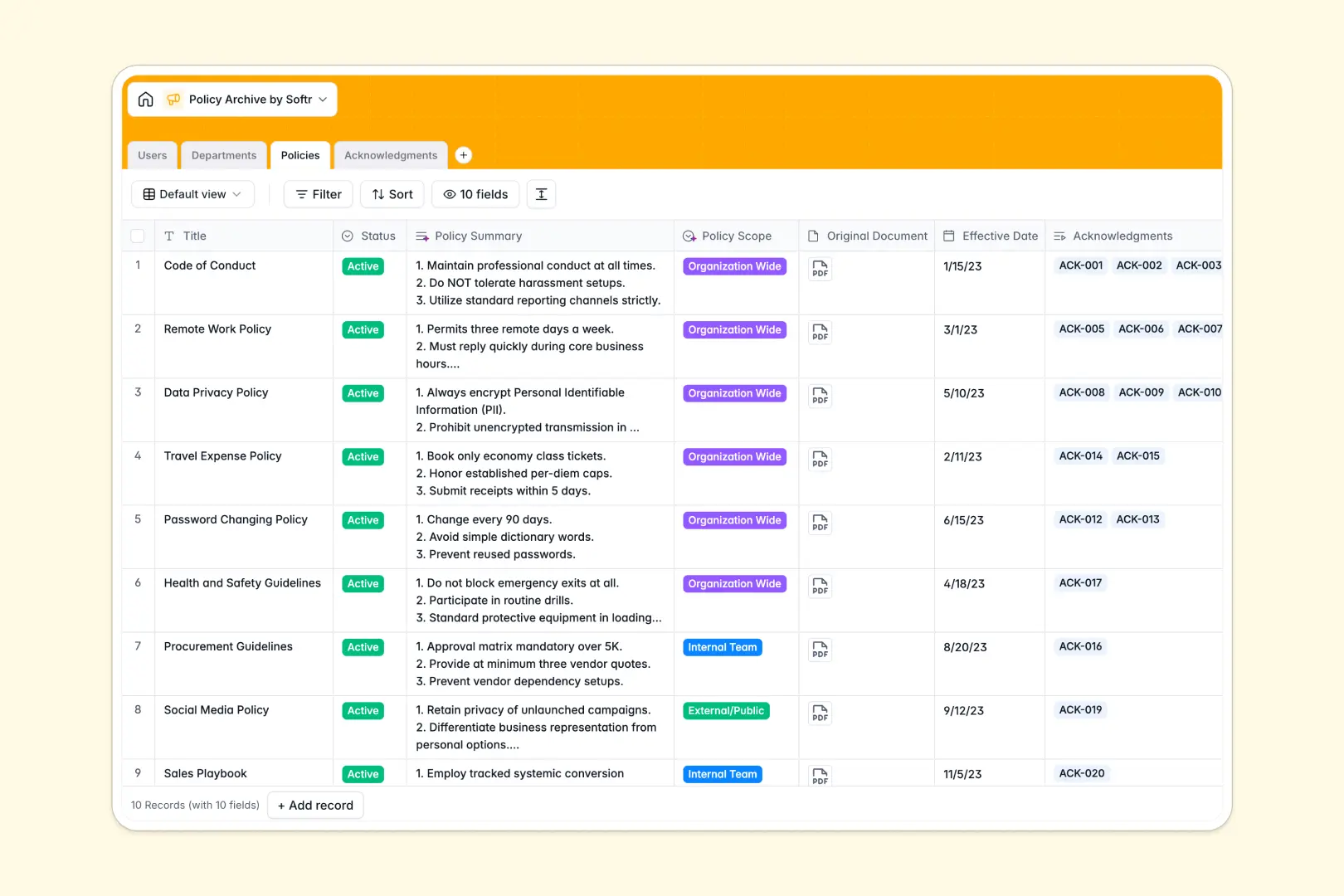
Your Policy Archive Database at a glance
This template offers a centralized home to securely store company guidelines, handbooks, and policies. It ensures teams always have access to the most up-to-date documentation.
The database seamlessly connects your active policy documents to specific departments and employees. You can easily track who has read and signed each document through connected acknowledgment records.
Built-in AI automatically summarizes long policy documents into quick bullet points and classifies their organizational scope. It even drafts personalized notification messages to remind employees about pending signatures.
Why tracking policies gets messy in Excel
Using a spreadsheet to manage critical company rules quickly becomes a compliance nightmare. Tracking which employees have signed which versions requires endless manual cross-referencing and brittle formulas.
What a structured database changes
In a true database format, every piece of information has a strict type that won't break when scaled. Documents stay securely attached as files, and dates reliably remain dates without formatting errors.
You can securely link a policy acknowledgment directly to an employee's profile without copy-pasting their details across multiple tabs. This is exactly what Softr Databases are specifically designed for.
What you can do with this template
Instantly see which documents are active, drafted, or archived across all departments. You can quickly filter records to find pending employee signatures before compliance deadlines hit.
With integrated Database AI agents, this template automatically generates urgent reminders for overdue signatures and writes quick summaries for new guidelines.
-
Users
Manage personnel records with specific roles, avatars, and policy engagement
-
Departments
Group organization units and oversee team leadership with policy alignment
-
Policies
Store company rules using AI to generate summaries and determine scope
-
Acknowledgments
Monitor legal compliance and utilize AI to craft custom reminder messages
Who is this Policy Archive database for
This template provides a reliable foundation for any team that needs to enforce compliance and distribute guidelines effortlessly.
- HR Managers: Track employee handbooks and ensure team members complete their required reading.
- Compliance Officers: Maintain a secure, auditable trail of active guidelines and signed acknowledgments.
- Department Heads: Organize specific operational procedures and easily assign them to relevant staff.
How to take it further
Customize the database
You can easily tweak the structure to fit your exact operational needs. Add new signature statuses or modify the select field values to change how policies are categorized.
Import your existing data
Pull in your current guidelines securely using a simple CSV upload. If your document logs live elsewhere, connect via API to sync them automatically without manual data entry.
Build a full app around it
When your compliance tracking outgrows a backend view, you can transform this database into a secure employee portal. Building full-stack web applications connects your data to a customizable user interface natively.
By leveraging robust users and permissions, you guarantee that external contractors only see public guidelines while managers access sensitive internal policies. Starting with a cleanly structured database makes app development entirely frictionless.
-
1
-
2
-
3
-
4
Frequently asked questions
-
What is a policy archive database?
-
Why use a no-code database to build a policy archive tool?
-
How can AI help managing data for a policy archive?
-
Can I build an app with this policy archive database?
-
Is this Policy Archive Database free?
-
How is a policy archive database different from Excel?
Start building today. It's free!
Build and launch your first app in under 30 minutes.