


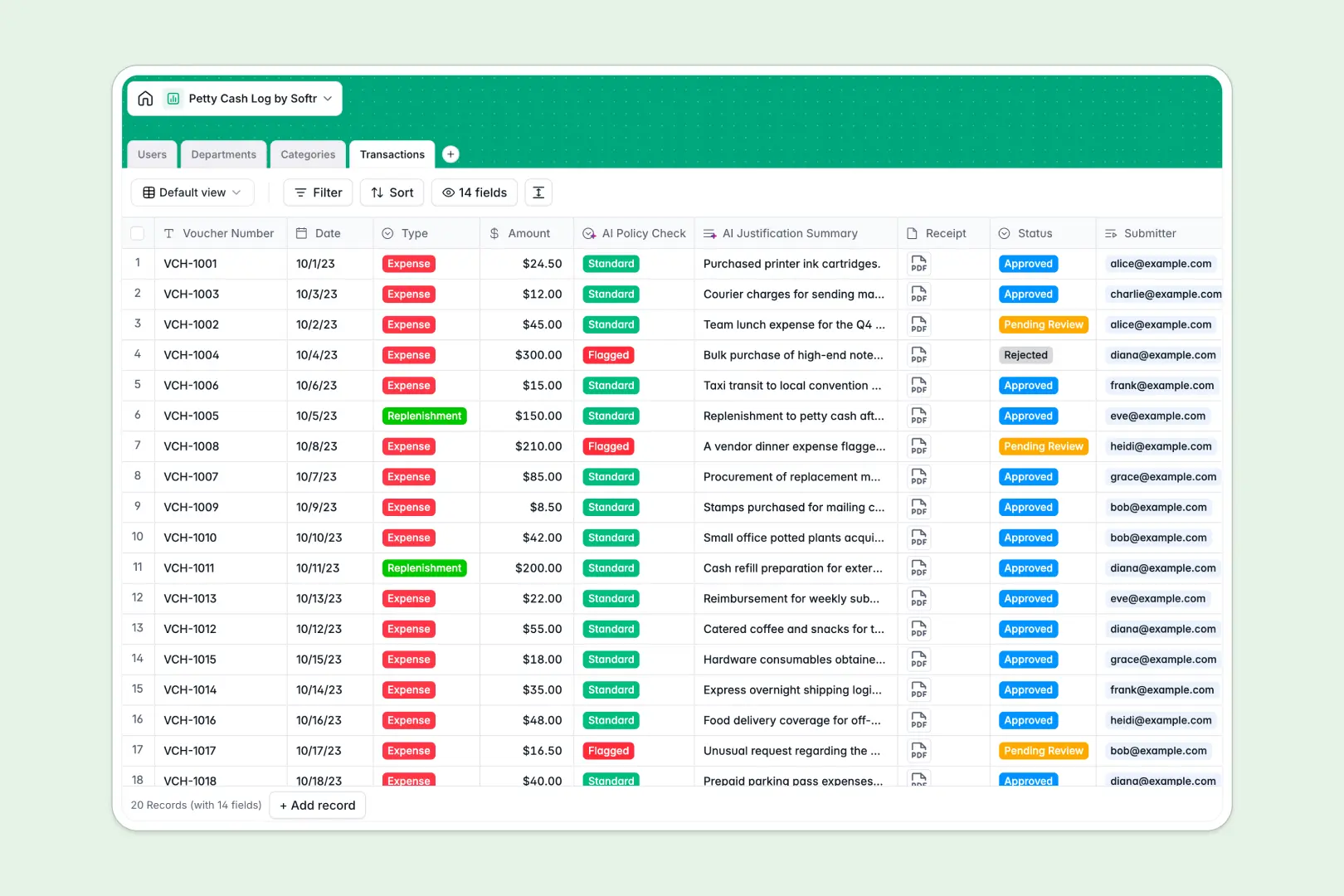
Your Petty Cash Log Database at a glance
This template gives you a centralized, secure way to track petty cash outlays and box replenishments. It replaces scattered spreadsheets with a reliable system where expense records, receipts, and approvals live together in one place.
Individual transaction logs link directly to specific users, expense categories, and department allocations. When a team member submits a voucher, it automatically rolls up against their department's monthly budget limit so you always know your exact spend.
Built-in AI automatically reviews transaction reasons and flags suspicious outlays against department budgets. It also condenses lengthy expense justifications into one-sentence summaries for rapid finance review.
Why a petty cash log gets messy in Excel
Tracking cash vouchers in Excel works until multiple people need access, receipts get lost, and formulas break. Spreadsheets simply aren't built to securely tie financial records to user permissions and policy rules.
What a structured database changes
A real database ensures every entry has a strict format, from required date fields to mandatory receipt attachments. You never have to worry about mixed data types or someone accidentally deleting a crucial budget formula.
Instead of relying on fragile VLOOKUPs, transactions connect natively to employees and departments. This is exactly what Softr Databases are designed for, keeping your financial records clean and scalable.
What you can do with this template
Instantly log expenses and capture receipt files in one secure place without jumping between folders. Department managers can view their remaining monthly budgets in real-time thanks to automated rollups.
You can also leverage AI to act as a first line of defense against policy breaches. The system categorizes risk levels and summarizes requests instantly, saving your finance team hours of manual review.
-
Users
Manage employee profiles, roles, and access for petty cash submissions
-
Departments
Track department budget limits and aggregate monthly cash usage patterns
-
Categories
Organize expenses by type to streamline accounting and financial reporting
-
Transactions
Log cash flows with AI-powered policy auditing and automated justification
Who is this Petty Cash Log database for
This template is designed for teams that need strict control over physical fund allocations without administrative bottlenecks.
- Finance Admins: Monitor total category spending and enforce monthly department budgets effortlessly.
- Office Managers: Process box replenishments and verify voucher receipts from one central dashboard.
- Department Heads: Track team outlays and approve or reject pending expenses seamlessly.
- Employees: Submit expenses cleanly with mandatory receipts and clear reasoning.
How to take it further
Easily customize this database to match your exact accounting standards. You can quickly edit expense category names, adjust department budget limits, or modify the AI policy thresholds to fit your rules.
If you already have historical expense data, simply import it via CSV for bulk uploads. You can also connect via API to sync transactions seamlessly with other financial tools.
When your team is ready, you can turn this database into a secure internal portal. This transforms your raw data into an interactive app for the whole company, ensuring everyone has the right access.
By applying advanced users and permissions, you ensure employees only see their own submitted transactions while finance admins access everything. A well-structured database makes building these custom portals incredibly simple.
-
1
-
2
-
3
-
4
Frequently asked questions
-
What is a petty cash log database?
-
Why use a no-code database to build a petty cash system?
-
How can AI help managing data for petty cash logs?
-
Can I build an app with this petty cash log database?
-
Is this Petty Cash Log Database free?
-
How is a petty cash log database different from Excel?
Start building today. It's free!
Build and launch your first app in under 30 minutes.