


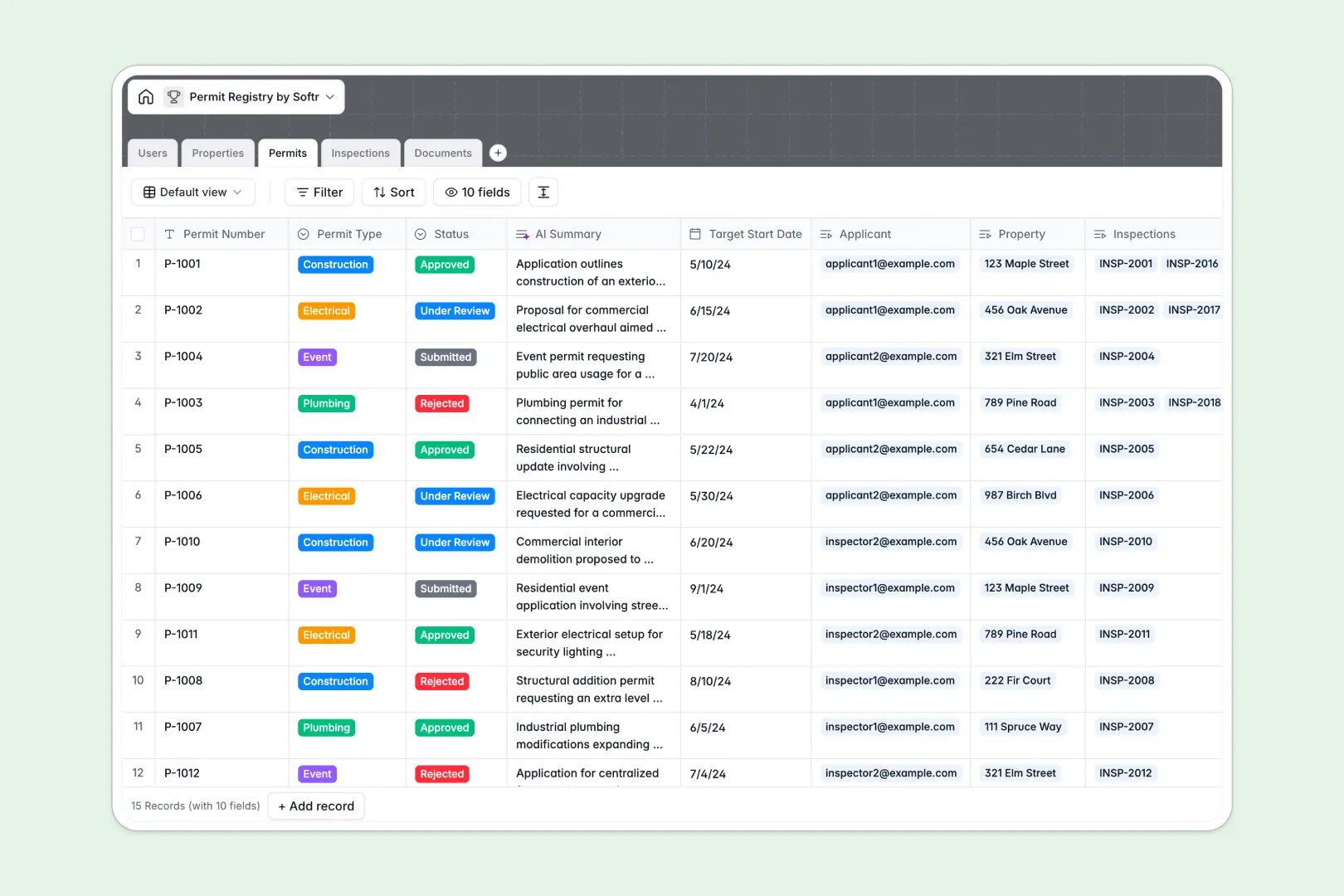
Your Permit Registry database at a glance
This template gives you a centralized system to track property permits, inspections, and documents from application to approval.
It securely links properties directly to applicants, connects active permits to inspection logs, and organizes blueprints so you always have the full picture in one place.
Built-in AI automatically researches local zoning rules for new addresses, summarizes complex permit requests, and extracts key safety findings straight from inspector notes.
Why permit tracking gets messy in Excel
When managing hundreds of construction, electrical, or event permits, spreadsheets quickly become chaotic. Uploading blueprints to a cell is awkward, and linking an inspector's notes to a specific property requires fragile formulas that easily break.
What a structured database changes
Instead of copying and pasting data across multiple tabs, you establish clear relationships immediately. Each property acts as a single record linked directly to its specific applicants, permits, and inspection outcomes.
Data types remain strict, meaning dates stay as dates and files actually attach to the relevant application seamlessly. This is exactly what Softr Databases are designed for.
What you can do with this template
You can instantly review construction approvals, schedule field inspections, and store essential safety certificates in one unified view.
To remove manual research, automated AI agents summarize neighborhood ordinances and highlight compliance issues the moment an inspector logs their notes.
-
Users
Manage stakeholders including applicants and inspectors with roles and contact info
-
Properties
Register property locations using AI to research zoning rules and land use data
-
Permits
Track permit applications with status updates and AI-generated scope summaries
-
Inspections
Log compliance audits using AI to extract key safety findings from field notes
-
Documents
Store blueprints and safety certificates linked to specific permit applications
Who is this Permit Registry database for
This system is built for teams managing complex municipal or construction compliance.
- City planning departments: Manage applicant submissions, track zoning rules, and dispatch inspectors efficiently.
- Construction firms: Centralize blueprints and monitor electrical or plumbing approvals across multiple job sites.
- Field inspectors: Log outcomes, notes, and safety violations directly to specific property records.
How to take it further
You can easily customize this database to fit your exact processes. Add new permit types, adjust the inspection outcomes, or modify the AI prompts to extract specific local regulations.
If you are migrating from spreadsheets, simply upload your CSV files to map your existing properties, users, and historical inspection logs instantly.
When you are ready to share this data, you can build a full applicant portal or inspector app on top of it. Using the interface builder, you can create custom views without writing any code.
With granular users and permissions, you can ensure external applicants only see their own submitted permits, while giving internal admins full control over approvals.
-
1
-
2
-
3
-
4
Frequently asked questions
-
What is a permit registry database?
-
Why use a no-code database to build a permit tracking system?
-
How can AI help managing data for permit applications?
-
Can I build an app with this permit registry database?
-
Is this Permit Registry database free?
-
Why is an Excel alternative better for tracking property permits?
Start building today. It's free!
Build and launch your first app in under 30 minutes.