


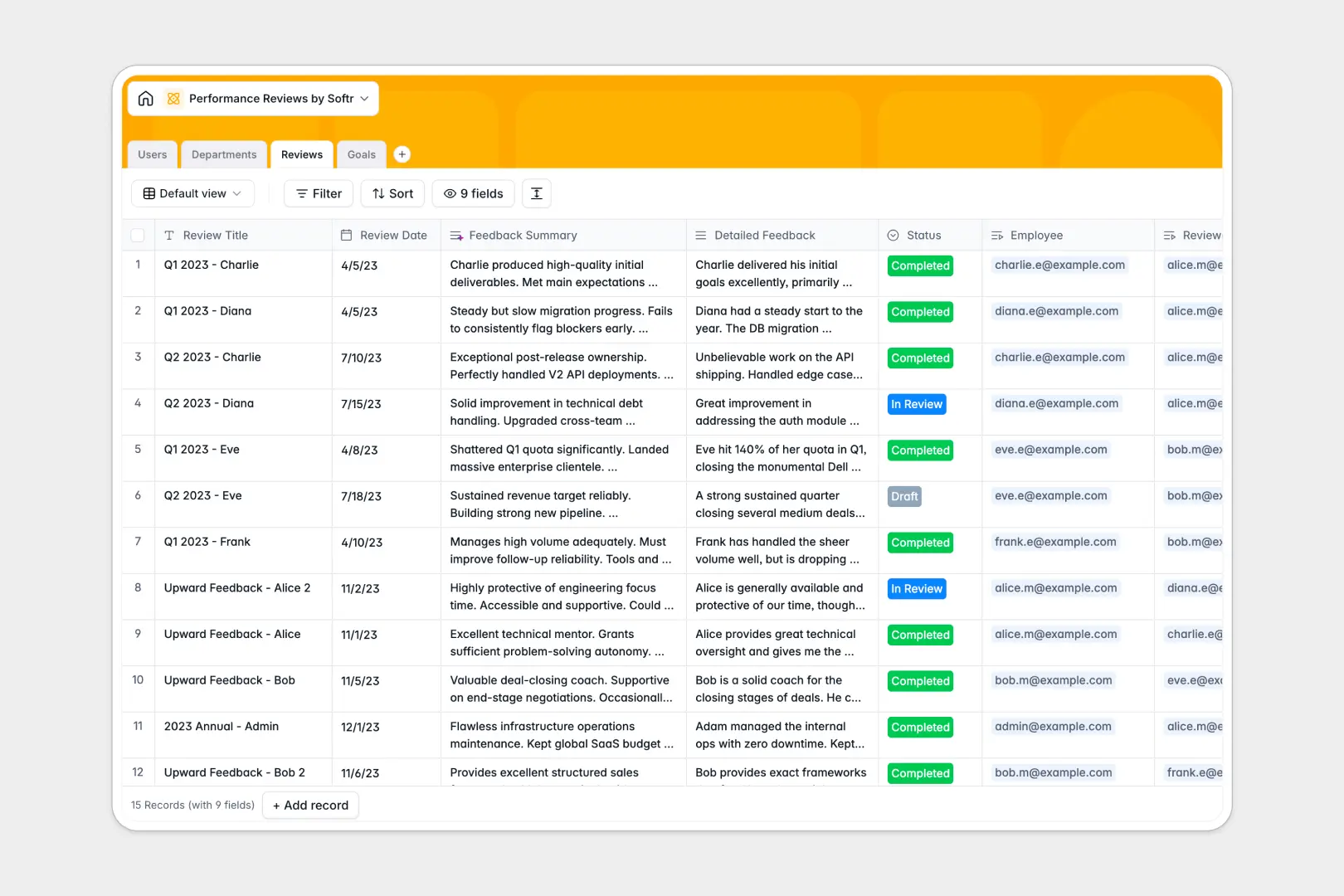
Your Performance Reviews Database at a glance
Structure your performance review cycles, track employee goals, and maintain a secure history of evaluations in one centralized place.
This template connects functional tables for Users, Departments, Reviews, and Goals natively. You can link an employee directly to their specific review scores and target goals securely, ensuring nothing gets lost.
Built-in AI automatically summarizes lengthy review feedback into clear bullet points and estimates goal complexity levels instantly, saving managers hours of manual work.
Why performance reviews get messy in Excel
Managing sensitive employee evaluations across disconnected Excel files quickly leads to broken formulas, exposed confidential data, and lost historical context.
What a structured database changes
Instead of copying and pasting performance scores across multiple tabs, a well-structured system keeps data strictly organized by its type. Employee records naturally link to their specific reviews, departments, and goals securely and accurately.
This is exactly what Softr Databases are designed for. You eliminate the risk of deleted rows, fragile referencing formulas, and mixed column data.
Managers and HR teams always have a clean, reliable source of truth as the company scales.
What you can do with this template
Instantly log review scores, track goal progress statuses, and manage promotion eligibility securely per employee.
With native Database AI agents, the system instantly reads detailed managerial feedback and automatically extracts a 3-bullet summary. It effortlessly keeps your HR records perfectly formatted and easy to scan at a glance.
-
Users
Manage employee profiles, organizational roles, and department links
-
Departments
Organize company structure by grouping employees into functional units
-
Reviews
Evaluate staff with AI-powered feedback summaries and rating scores
-
Goals
Track performance targets with AI-determined goal complexity levels
Who is this Performance Reviews database for
This template provides a clean, secure foundation for any team needing to standardize their employee evaluation cycles.
- HR Managers: Maintain accurate, historical records of employee performance and promotion eligibility across all departments securely.
- Team Leads: Track individual goals, monitor progress, and draft structured reviews without touching chaotic spreadsheets.
- Department Heads: Easily monitor overarching headcount and employee performance trends within their organizational unit.
How to take it further
Customize the database
Easily adapt the system to match your specific HR workflows. Add new organizational departments, modify the target goal statuses, or adjust rating score scales with zero complex configuration.
Import your existing data
Bring your historical evaluations over instantly without starting from scratch. You can import your specific employee directory and past review scores via a simple CSV upload to hit the ground running.
Build a full app around it
When you're ready to share this securely, use Softr's interface builder to create a custom employee portal. Connect the database to an app where employees log in to see only their personal goals and finalized reviews.
By configuring strict users and permissions, you ensure managers can only draft reviews for their direct reports while HR sees the complete picture. A well-structured database makes building these secure, full-stack HR tools incredibly simple and fast.
-
1
-
2
-
3
-
4
Frequently asked questions
-
What is a performance reviews database?
-
Why use a no-code database to build a performance review system?
-
How can AI help managing data for performance reviews?
-
Can I build an app with this performance reviews database?
-
Is this Performance Reviews template free?
-
How is this database different from tracking reviews in Excel?
Start building today. It's free!
Build and launch your first app in under 30 minutes.