


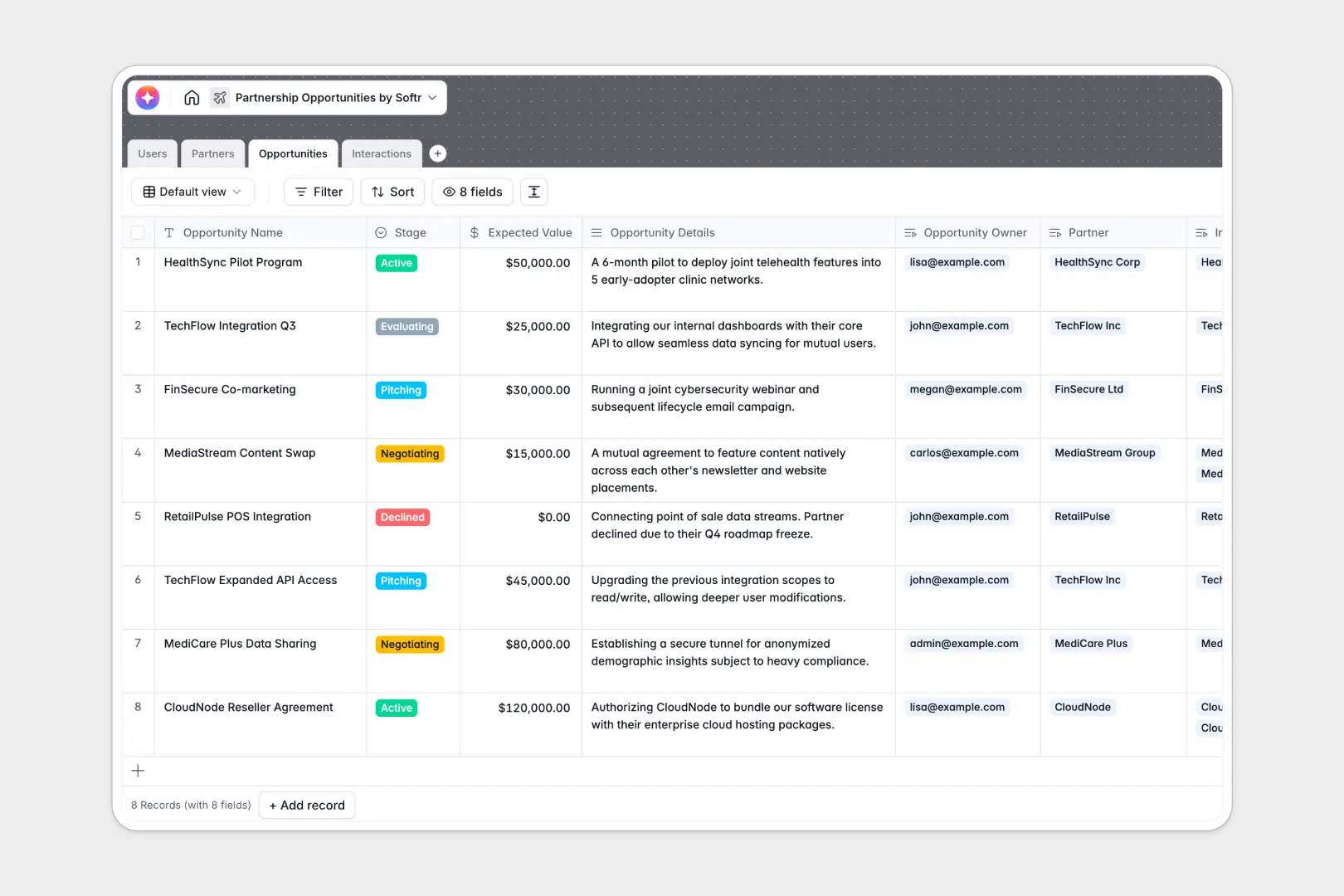
Your Partnership Opportunities database at a glance
This template gives you a clear, centralized view of your entire partner ecosystem. It tracks everything from early-stage evaluations to active collaborations so nothing falls through the cracks.
The system natively connects four straightforward tables: Users, Partners, Opportunities, and Interactions. When you log a new meeting, it automatically links to both the relevant partner and the specific deal you're negotiating, keeping everything perfectly organized.
Built-in AI makes research and follow-ups inherently effortless. The database can automatically generate executive pitches, search the live web to summarize a partner's core mission, and extract action items directly from your raw meeting notes.
Why partnership opportunities get messy in Excel
When you manage external relationships in spreadsheets, data quickly becomes a scattered mess of broken formulas and buried call notes.
What a structured database changes
A structured database ensures every piece of information has a designated, connected place. You can link a pitch meeting directly to a partner record without tedious copy-pasting across multiple tabs.
This means dates stay structured as dates, expected values remain consistent currencies, and your deal stages are restricted to reliable dropdowns. This is exactly what Softr Databases are designed for.
What you can do with this template
You can instantly organize your pipeline, monitor expected deal values, and assign ownership to specific account managers. Every past email or call is logged exactly where it belongs for easy historical context.
Thanks to Database AI agents, you also get automated intelligence working in the background. Simply drop in a partner's website URL, and the system automatically researches their company mission and extracts next steps from every logged meeting.
-
Users
Manage internal managers and administrators overseeing partner accounts
-
Partners
Store external organizations with AI-enriched mission and value summaries
-
Opportunities
Track deal stages and value with AI-generated bulleted executive pitches
-
Interactions
Log communications and extract key action items using AI-powered analysis
Who is this Partnership Opportunities database for
This template is built for teams that need to scale their external relationships without relying on messy spreadsheets.
- Partnership Managers: Track active deals, monitor expected values, and precisely manage the partnership pipeline.
- Business Development Leads: Easily view all logged interactions and review automatically generated executive pitches.
- Account Executives: Know exactly when your last follow-up happened and never miss an AI-extracted action item.
How to take it further
Customize this database effortlessly to fit your exact workflow. You can easily rename deal stages, add new industry categories, or adjust the currency fields to match your global markets.
Transitioning from Excel is incredibly fast and straightforward. Use the native CSV upload to flawlessly import all your existing partners and historical deal data in minutes.
When your team is ready, you can build an app directly on top of this structured data. This allows you to create a secure internal dashboard or even an external partner portal without writing any code at all.
By applying granular users and permissions, you can ensure account managers only view and edit the deals they own. Starting with a properly structured database makes developing these apps seamless.
-
1
-
2
-
3
-
4
Frequently asked questions
-
What is a partnership opportunities database?
-
Why use a no-code database to build a partnership tool?
-
How can AI help managing data for partnership opportunities?
-
Can I build an app with this partnership opportunities database?
-
Is this Partnership Opportunities database free?
-
How is this database different from Excel for tracking partnerships?
Start building today. It's free!
Build and launch your first app in under 30 minutes.