


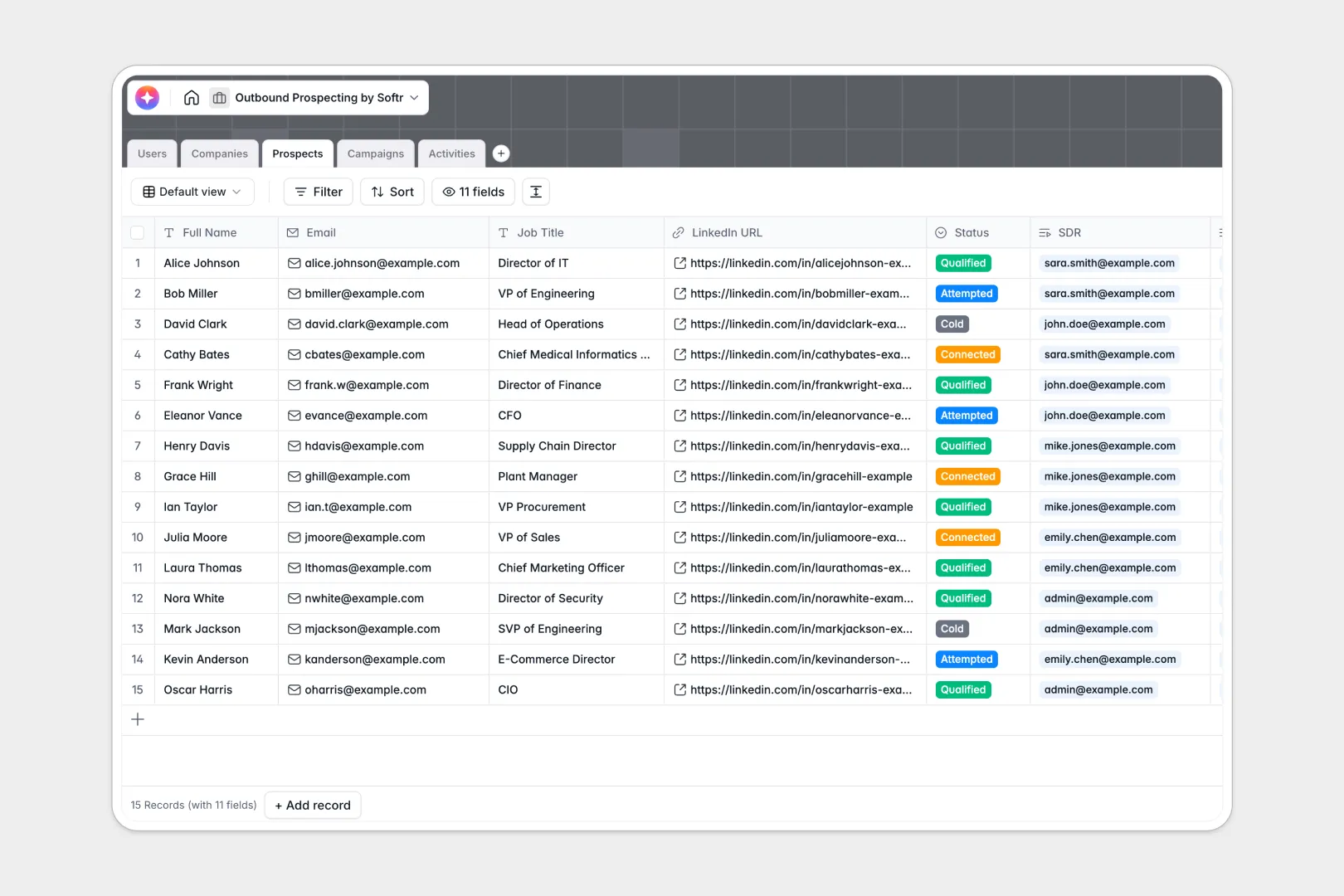
Your Outbound Prospecting Database at a glance
This template helps sales teams coordinate campaigns, map key accounts, and track personal interactions without overlapping. Keep all your SDRs, target companies, and communications organized in one centralized hub.
It connects five specialized tables: Users, Companies, Prospects, Campaigns, and Activities. This means every individual prospect is cleanly tied to a target business, an active marketing outreach sequence, and its historical logs.
Built-in database AI agents run in the background to automatically research industry profiles and draft high-conversion email formulas based on prospect job titles.
Why outbound prospecting gets messy in Excel
Keeping lead lists in spreadsheets eventually leads to broken formulas, outdated pipeline statuses, and multiple sales reps building duplicate lists. Tracking complex interactions inside a single row becomes highly inefficient and scales poorly.
What a structured database changes
A structured setup keeps your sales pipeline healthy by ensuring that emails stay emails, links remain active, and duplicate records never create friction. You can easily view the exact history of any contact without pasting rows back and forth.
By organizing data with structured relationships, reps can instantly link one user to multiple customer touchpoints. This is exactly what Softr Databases are designed for.
What you can do with this template
Launch organized campaigns where you enroll leads instantly and trace their exact responses. With AI automation, you can crawl websites to craft personalized opening hooks automatically.
Log call summaries and email history directly under target company files, keeping managers and SDRs in perfect sync.
-
Users
Manage sales team profiles, roles, and their assigned outreach targets
-
Companies
Store target accounts with web-powered AI summaries of their missions
-
Prospects
Manage individual leads with AI-generated personalized icebreakers
-
Campaigns
Track active outreach sequences and monitor prospect enrollment totals
-
Activities
Log sales interactions and generate AI summaries of call or email notes
Who is this Outbound Prospecting Database for
This database is built for sales teams looking to scale outreach campaigns without chaos.
- Sales Directors: Monitor team activity metrics, active pipeline stages, and overall campaign conversion performance in real time.
- SDRs and BDRs: Access personalized outreach hooks and manage daily lead outreach lists without manual scraping efforts.
- Growth Marketers: Coordinate clean campaign sequences, trace lead sources, and prevent list duplication errors.
How to take it further
Customize the database to match your existing sales process. Add targeted tag fields, edit pipeline steps, or change select-field parameters effortlessly.
Import your existing data in minutes by matching your outbound prospecting Excel files to the schema via standard CSV upload.
Build a full app around it to secure permissions and display custom dashboards. You can easily turn this database into an intuitive portal using the interface builder to hide complex details from individual reps.
This lets you configure robust role-based users and permissions to ensure that reps only view or edit their assigned leads.
-
1
-
2
-
3
-
4
Frequently asked questions
-
What is an outbound prospecting database?
-
Why use a no-code database to build an outbound prospecting tool?
-
How can AI help managing data for outbound prospecting?
-
Can I build an app with this outbound prospecting database?
-
Is this Outbound Prospecting Database template free?
-
How is an outbound prospecting database different from Excel?
Start building today. It's free!
Build and launch your first app in under 30 minutes.