


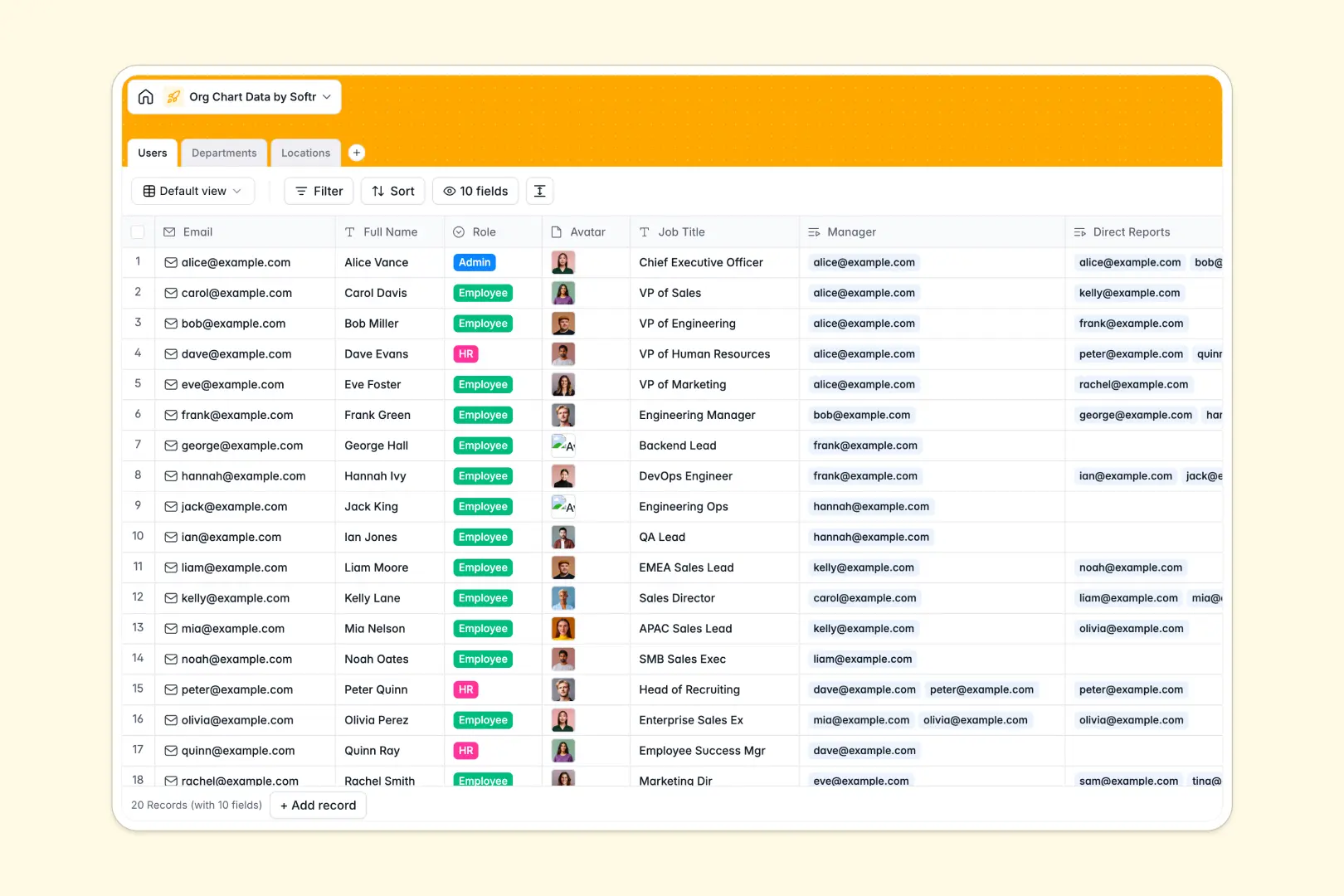
Your Org Chart Data database at a glance
This template gives you a single source of truth for your entire organizational structure. Keep employee directories, roles, and reporting lines perfectly aligned in one secure place.
It actively relies on securely connected tables that link Users, Departments, and Locations automatically. If you update an employee's department or manager, the system immediately reflects the change across all related records without manual intervention.
Database AI instantly handles routine writing by automatically drafting professional employee bios and standardizing department descriptions based on job titles. The database even leverages live web search to autonomously summarize area logistics for your physical office locations.
Why org chart data gets messy in Excel
Managing a rapidly growing company's hierarchy in a spreadsheet quickly becomes a massive nightmare. VLOOKUPs break whenever rows shift, and tracking who reports to whom across multiple duplicate tabs creates endless administrative confusion.
What a structured database changes
A structured setup guarantees that reporting lines actually connect exactly where they should between different tables. Every employee profile reliably links to their specific manager and direct reports without error-prone copy-pasting.
Instead of relying on fragile formulas, a relational structure scales entirely naturally as your headcount expands over time. This is exactly what Softr Databases are specifically designed for.
What you can do with this template
Instantly visualize who sits in which department and track total team sizes rapidly using built-in rollup columns. You can securely store employee roles, avatars, and official job titles in rigid fields that actually enforce clean formatting.
Configurable AI fields dramatically reduce your busywork by generating comprehensive company profiles and extracting city operations details naturally as you enter core data. It provides a production-ready, intuitive foundation that seamlessly handles your organizational management on day one.
-
Users
Manage employee profiles and hierarchy with AI-generated professional bios
-
Departments
Organize business units using AI to automate functional mission statements
-
Locations
Track office sites with AI and web-powered summaries of local logistics
Who is this Org Chart Data database for
This system works perfectly for business operators that need to cleanly organize their entire company structure:
- HR Managers: Maintain accurate personnel directories and easily update constantly shifting reporting lines.
- Operations Leaders: Keep strict track of overall department sizes, global office locations, and local logistics in a single view.
- Company Founders: Establish clear operational role types and solid hierarchical frameworks securely as the business grows.
How to take it further
You can effortlessly adjust standard choices for internal roles or add distinct text fields for complex job requirements. Editing columns and reorganizing structural logic takes just a few clicks to match your exact management style.
Drop your current administrative employee roster and raw department groupings directly via CSV to get populated instantly. The database actively maps your uploaded headers so you can immediately see your real hierarchy functioning properly.
When your organization naturally matures, you can transition this raw data into a fully isolated employee directory portal. By constructing a dedicated front-end interface, you let standard staff look up colleague contact details without exposing your backend structural tables completely.
Applying structured users and permissions ensures HR executives see comprehensive profiles while standard employees only view basic operational details. Starting with a clean, fully relational database makes publishing an internal management application completely effortless.
-
1
-
2
-
3
-
4
Frequently asked questions
-
What is an org chart data database?
-
Why use a no-code database to build an organization tool?
-
How can AI help managing data for company hierarchies?
-
Can I build an app with an org chart data database?
-
Is this Org Chart Data Database free?
-
How is an Org Chart Data database different from Excel?
Start building today. It's free!
Build and launch your first app in under 30 minutes.