


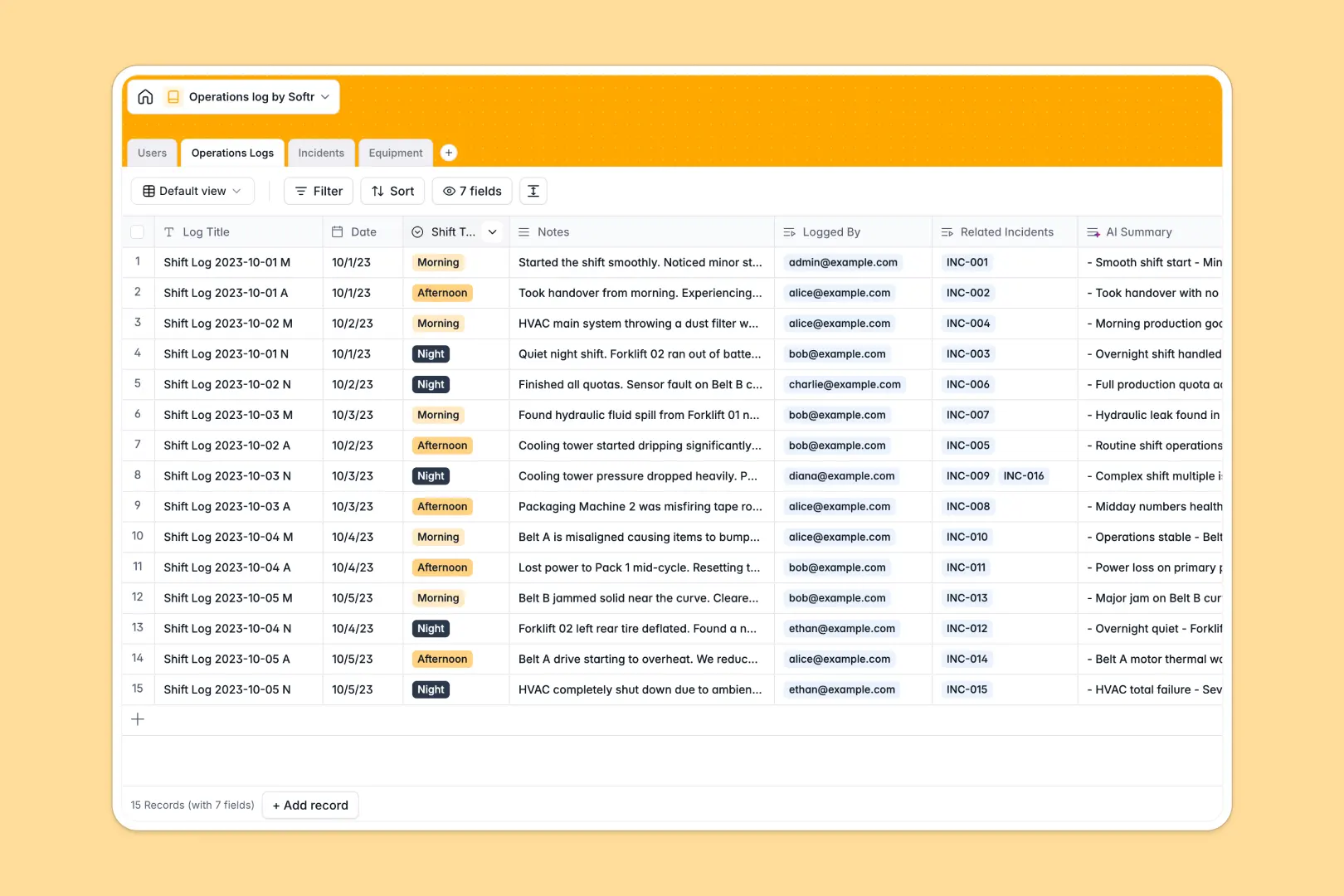
Your Operations Log Database at a glance
This Operations Log Database centralizes your daily shift handovers, incident reports, and equipment status in one clear system.
Records connect automatically across tables so nothing gets lost. When an operator logs an incident, it links directly to the tracked equipment and the active shift log to maintain perfect context.
Built-in AI features instantly summarize long shift notes into quick handover bullets. The system also automatically grades incident severity from text descriptions and pulls equipment manual highlights directly from manufacturer websites.
Why tracking operations gets messy in Excel
Managing daily operations and shift handovers in spreadsheets quickly turns into a disjointed mess of disconnected records and broken formulas.
What a structured database changes
Spreadsheets let anyone type anything anywhere, making it impossible to accurately track equipment failure rates without complicated logic. A simple deletion can instantly erase critical safety logs or shift contexts.
A structured model enforces clean data by locking shift types, statuses, and severities into pre-defined formats. You can link a reported incident directly to an offline machine without copying and pasting data across multiple tabs.
This reliable structure is exactly what Softr Databases are designed for. You get complete data integrity and automated relationships built right in.
What you can do with this template
Log daily handovers by shift and immediately see which physical assets or incidents are tied to that exact period. You never have to search through endless, disorganized spreadsheet rows again.
Leverage Database AI agents to automate operational heavy lifting. The system reads incident reports to automatically tag urgency levels, saving ops managers valuable triaging time.
-
Users
Manage staff profiles and shift roles while tracking reporting history
-
Operations Logs
Record shift activities using AI to generate concise handover summaries
-
Incidents
Track operational anomalies with AI-powered severity and urgency analysis
-
Equipment
Monitor asset health and use AI to fetch web-based manufacturer manuals
Who is this Operations Log database for
This template provides immediate, reliable structure for teams managing physical assets and daily shift rotations.
- Shift Managers: Ensure clear, summarized handovers between Morning, Afternoon, and Night teams without missing context.
- Facility Operators: Track malfunctioning equipment and document safety hazards precisely when they happen.
- Operations Directors: Monitor incident rollups and oversee equipment health metrics across all facilities in real time.
How to take it further
Easily adapt this database to match your specific facility constraints. Add custom statuses for your incident queues or introduce new shift types like "Weekend Relief" with just a few clicks.
Upload your existing asset lists or past Excel records via a fast CSV import. Your historical equipment breakdown data will populate instantly so you can get to work right away.
When your team is ready, you can use Softr's interface builder to turn this database into a secure, mobile-friendly operations app.
Configure users and permissions so floor operators only see a simple incident reporting form, while facility directors get full access to logs and analytics. A well-structured backend makes building these specialized operational tools incredibly fast.
-
1
-
2
-
3
-
4
Frequently asked questions
-
What is an operations log database?
-
Why use a no-code database to build an operations log?
-
How can AI help managing data for operations logs?
-
Can I build an app with an operations log database?
-
Is this Operations Log template free?
-
How is an operations database better than Excel?
Start building today. It's free!
Build and launch your first app in under 30 minutes.