


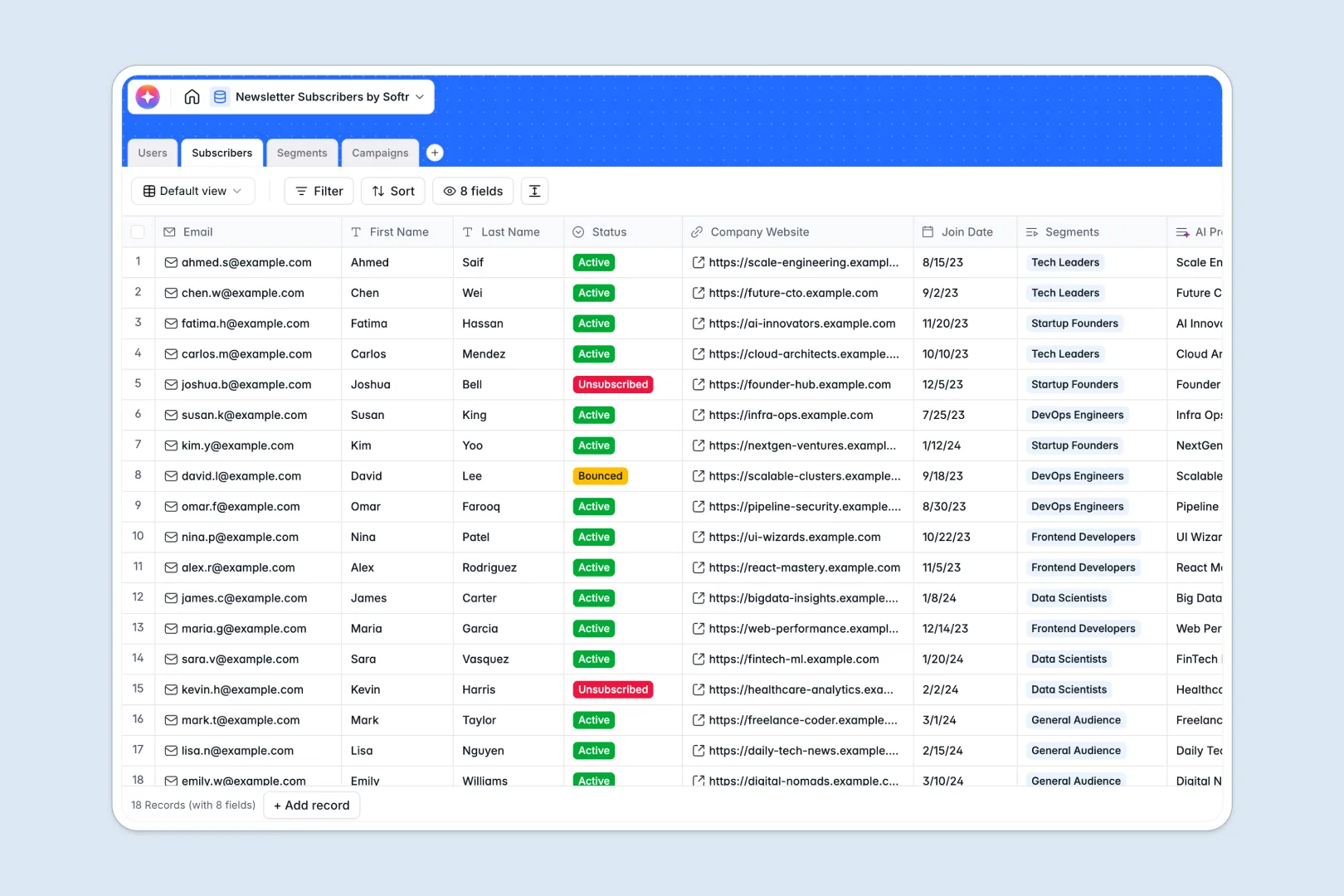
Your Newsletter Subscribers Database at a glance
This ready-to-use template helps you efficiently manage your newsletter subscribers, organize them into targeted segments, and track all your email campaigns in one structured system.
You get dedicated tables for Subscribers, Segments, Campaigns, and Users. You can easily link internal team members to the campaigns they write, and connect subscribers to specific segments without copy-pasting data.
The database also comes with built-in AI capabilities. When you add a subscriber's company website, the AI researches their business profile, and it can even generate catchy email subject lines for your draft campaigns automatically.
Why managing newsletter subscribers gets messy in Excel
Trying to manage growing subscriber lists in Excel quickly becomes a headache. Between tracking bouncing emails, manually updating active statuses, and trying to assign tags without breaking formulas, it is extremely hard to maintain a clean list.
What a structured database changes
In a true database, every column has a strict purpose—emails stay formatted correctly, statuses are restricted to valid options, and records connect intuitively. You can link a subscriber directly to multiple segments without duplicating their row.
This is exactly what Softr Databases are designed for. As your audience grows, your data stays organized, searchable, and instantly usable for your next rollout.
What you can do with this template
Instantly start tagging your audience into targeted segments, track which campaigns hit which groups, and monitor active versus unsubscribed contacts in real-time.
Thanks to native AI capabilities, you also get automatic company research the moment you input a subscriber's website. The template even drafts engaging subject lines based on your campaign content to speed up your marketing workflow.
-
Users
Manage internal staff profiles, access roles and linked newsletter campaigns
-
Subscribers
Store contact details with AI-powered business profiling and web research
-
Segments
Group subscribers into targeted lists for specialized marketing campaigns
-
Campaigns
Create newsletters with content drafting and AI generation of subject lines
Who is this Newsletter Subscribers database for
This template is a perfect starting point for any team looking to move beyond static spreadsheets and bring reliable order to their email operations.
- Marketing Managers: Group contacts into precise segments and oversee all upcoming campaign schedules effortlessly.
- Content Creators: Draft newsletters, track statuses from draft to sent, and generate AI-driven subject lines instantly.
- Founders & Operators: Keep a clean, central record of all audience members and easily review enriched company profiles.
How to take it further
You can easily modify the database to fit your exact workflow. Rename tables, add new segment criteria, or adjust the dropdown options for subscriber statuses with just a few clicks.
Moving from Excel is simple using a CSV file. You can bulk import all your existing subscribers and campaign history directly into your new setup to gain immediate value.
When your list grows and you need to collaborate more safely, you can build a custom portal around this data. Using Softr's app creation tools, you can create internal tooling for your marketing team to draft and approve campaigns securely.
You can easily implement different users and permissions to control who sees what. This ensures your editors can write drafts while administrators manage subscriber records, making apps incredibly easy to scale.
-
1
-
2
-
3
-
4
Frequently asked questions
-
What is a newsletter subscribers database?
-
Why use a no-code database to build a newsletter management system?
-
How can AI help managing data for newsletter subscribers?
-
Can I build an app with this newsletter database?
-
Is this Newsletter Subscribers database free?
-
How is a newsletter database different from Excel?
Start building today. It's free!
Build and launch your first app in under 30 minutes.