


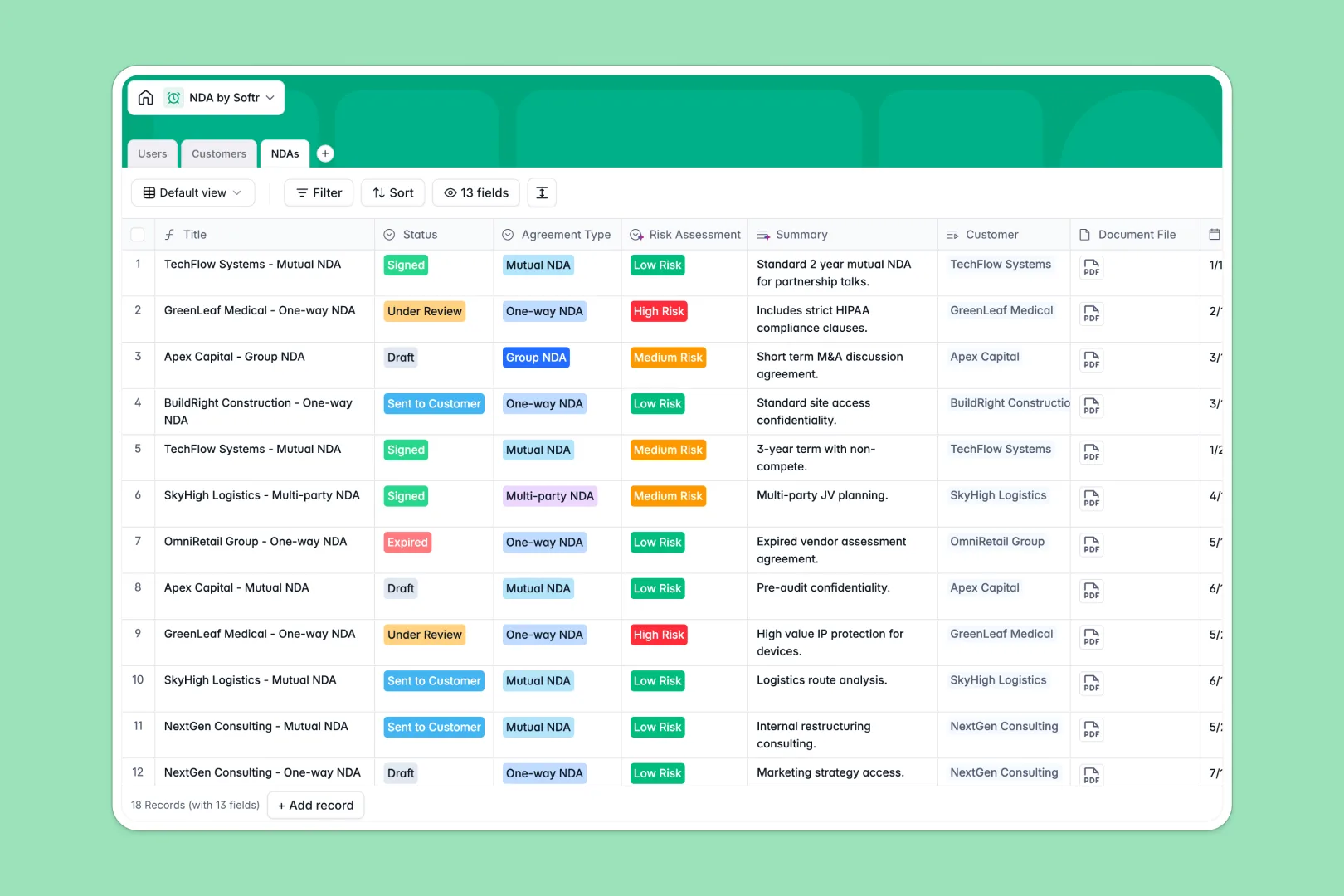
Your NDA Database at a glance
This NDA database centralizes all your confidentiality agreements, eliminating scattered spreadsheets and lost documents. It keeps track of contract statuses, upcoming expirations, and involved parties natively.
The system links your internal Users, external Customers, and active NDAs together seamlessly. Instead of typing redundant data, you simply link an agreement to a customer profile and upload the actual document directly to the record.
Built-in AI automatically researches customer websites to enrich company descriptions for you. It also reads the agreement's special terms to generate summaries and assess potential risk levels instantly.
Why tracking NDAs gets messy in Excel
Relying on Excel to manage sensitive legal documents quickly turns into an administrative liability.
What a structured database changes
Spreadsheets aren't built to house file attachments, making you juggle rows of data alongside a completely separate folder of messy PDFs. As contract volume grows, expiration dates get missed because Excel lacks native tracking and structured notification workflows.
A structured database gives every data point a dedicated home, meaning dates stay formatted as dates and files live exactly where they belong. You can link an NDA securely to a specific company without relying on easily broken VLOOKUPs.
This is exactly what Softr Databases are designed for, giving you a secure, scalable system that protects your data integrity.
What you can do with this template
Instantly see which agreements are under review, sent, or expiring through clean, grouped status views. You can safely store the physical document files within the exact same row as the contract details.
Thanks to native Database AI agents, the template automatically scans complex contract terms for you. It translates dense legal text into clear summaries and automatically flags the agreement as low, medium, or high risk.
-
Users
Manage internal staff members with roles, departments, and NDA assignments
-
Customers
Store client details with AI-powered industry classification and descriptions
-
NDAs
Track legal agreements with AI-driven risk assessments and summaries
Who is this NDA Database for
This template is designed for teams that need strict control and visibility over their legal agreements.
- Legal Teams: Track contract statuses, review special terms, and manage risk assessments in one secure hub.
- Sales Departments: Easily check if a prospect has an active NDA before sharing sensitive product pitches.
- HR Managers: Ensure all employee and contractor confidentiality agreements are signed and accurately filed.
- Operations Leads: Monitor overall contract volume and organize external vendor agreements effortlessly.
How to take it further
Customizing this template is as simple as adding a new column. You can easily adjust the NDA status dropdowns or add new agreement types to fit your company's unique legal processes.
Bring your existing contract logs over instantly by uploading a CSV. You can map your old spreadsheet columns directly to this clean, new structure and get organized immediately.
When your team needs self-serve access, you can connect this database to Softr's interface builder to create a robust contract management portal. You can build dashboards that allow employees to submit new NDA requests directly to the legal department.
By setting up proper users and permissions, you can ensure sales reps only see NDAs for their own clients, while the legal team maintains full visibility over the whole system. A well-structured database makes building this kind of secure, role-based portal entirely frictionless.
-
1
-
2
-
3
-
4
Frequently asked questions
-
What is an NDA database?
-
Why use a no-code database to manage NDAs?
-
How can AI help managing data for NDAs?
-
Can I build an app with this NDA database?
-
Is this NDA Database template free?
-
Why is an NDA database better than Excel?
Start building today. It's free!
Build and launch your first app in under 30 minutes.