


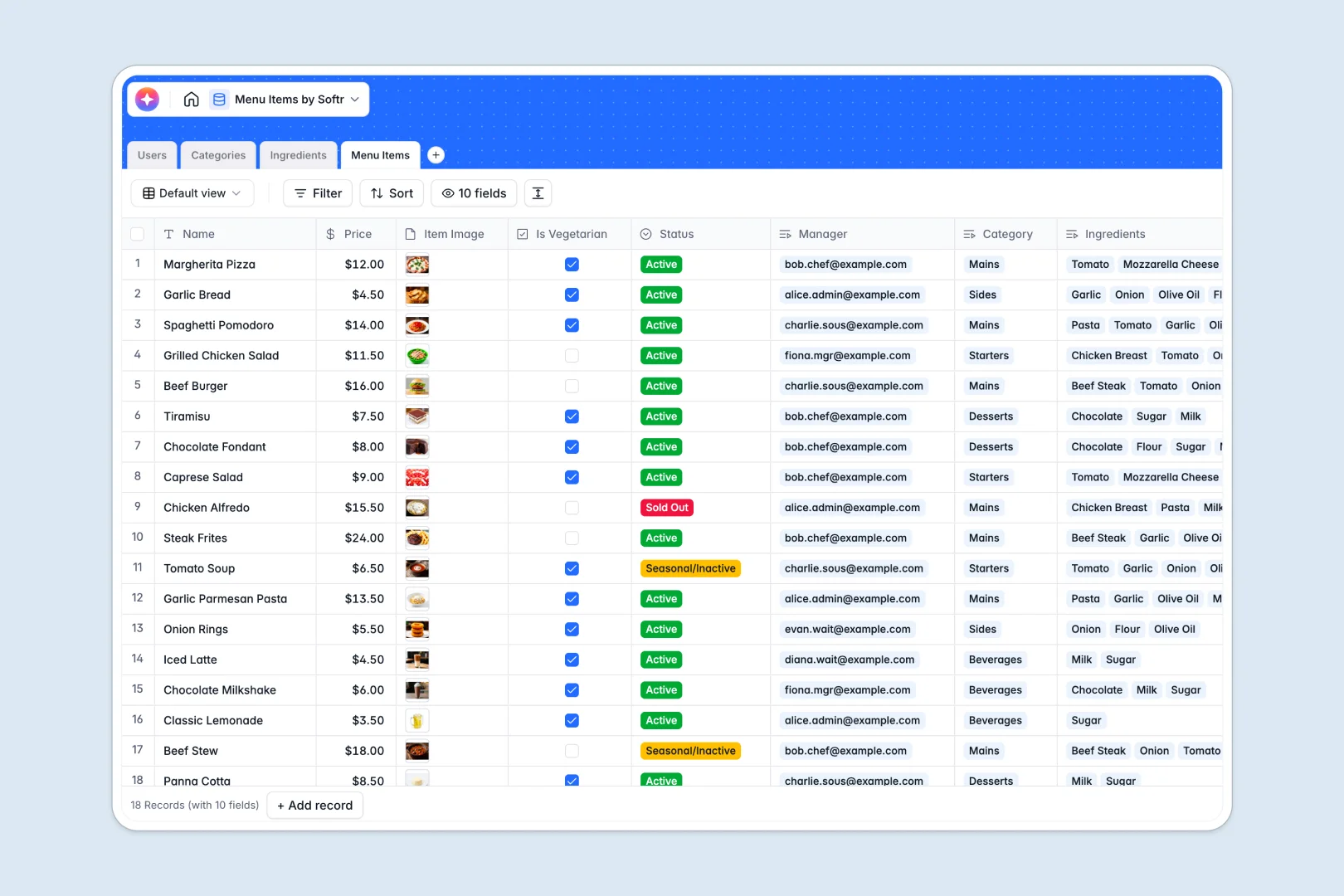
Your Menu Items Database at a glance
Manage your restaurant's dish catalog, track ingredients, and categorize menus in real time. This keeps everyone from house staff to kitchen leads perfectly aligned.
Dishes link directly to required ingredients and specific categories like Starters or Mains. No manual copy-pasting—everything stays securely connected.
The built-in AI automatically drafts appetizing dish descriptions and flags potential allergens by searching the live web.
Why menu management gets messy in Excel
Tracking dishes, prices, and complex recipes across multiple Excel tabs quickly turns into chaos. When ingredients change, safely updating every related menu item relies on fragile formulas that break easily.
What a structured database changes
Unlike flat spreadsheets, a structured system handles relational data perfectly. A single ingredient connects directly to every dish that uses it, instantly propagating changes without manual updates on every row.
Every detail receives a strict, clear format, from active status tags to high-resolution food images. This is exactly what Softr Databases are designed for—giving you complete data stability as your menu scales.
What you can do with this template
Categorize dishes dynamically, track live stock quantities, and easily identify which staff members manage specific specials.
You also get an immediate AI setup that automatically writes catchy marketing descriptions based on the dish's exact ingredient list.
-
Users
Manage restaurant staff profiles with contact info and system access levels
-
Categories
Organize different menu sections and track the total count of dishes in each
-
Ingredients
Track stock levels and use AI to research allergen data for raw materials
-
Menu Items
List restaurant offerings and use AI to generate appetizing dish descriptions
Who is this Menu Items database for
Whether you run a single café or a multi-location chain, this setup keeps your culinary data reliably organized.
- Head Chefs: Track ingredient availability and instantly update dish statuses when items are sold out.
- Waitstaff: Quickly look up active dishes, pricing, dietary flags, and vital allergen information.
- Restaurant Managers: Oversee the entire catalog, assign responsibilities, and ensure category counts match printed menus.
How to take it further
Modify the active statuses, add new dietary checkboxes like Vegan or Halal, or tweak category names. Because this is fully customizable, it adapts effortlessly to your unique service model.
Bring your existing menu catalog over immediately via a simple CSV bulk upload. You can also sync data using the API to get started without data entry delays.
When your team is ready, evolve from raw data to a fully branded staff portal. A well-tailored database establishes the perfect foundation for building custom apps.
Secure your operations by configuring users and permissions directly on top of your tables. This ensures waitstaff can view the menu safely, but only chefs can edit prices and ingredient lists.
-
1
-
2
-
3
-
4
Frequently asked questions
-
What is a menu items database?
-
Why use a no-code database to build a menu management tool?
-
How can AI help managing data for menu items?
-
Can I build an app with this menu items database?
-
Is this Menu Items database free?
-
How is a menu item database different from Excel?
Start building today. It's free!
Build and launch your first app in under 30 minutes.