


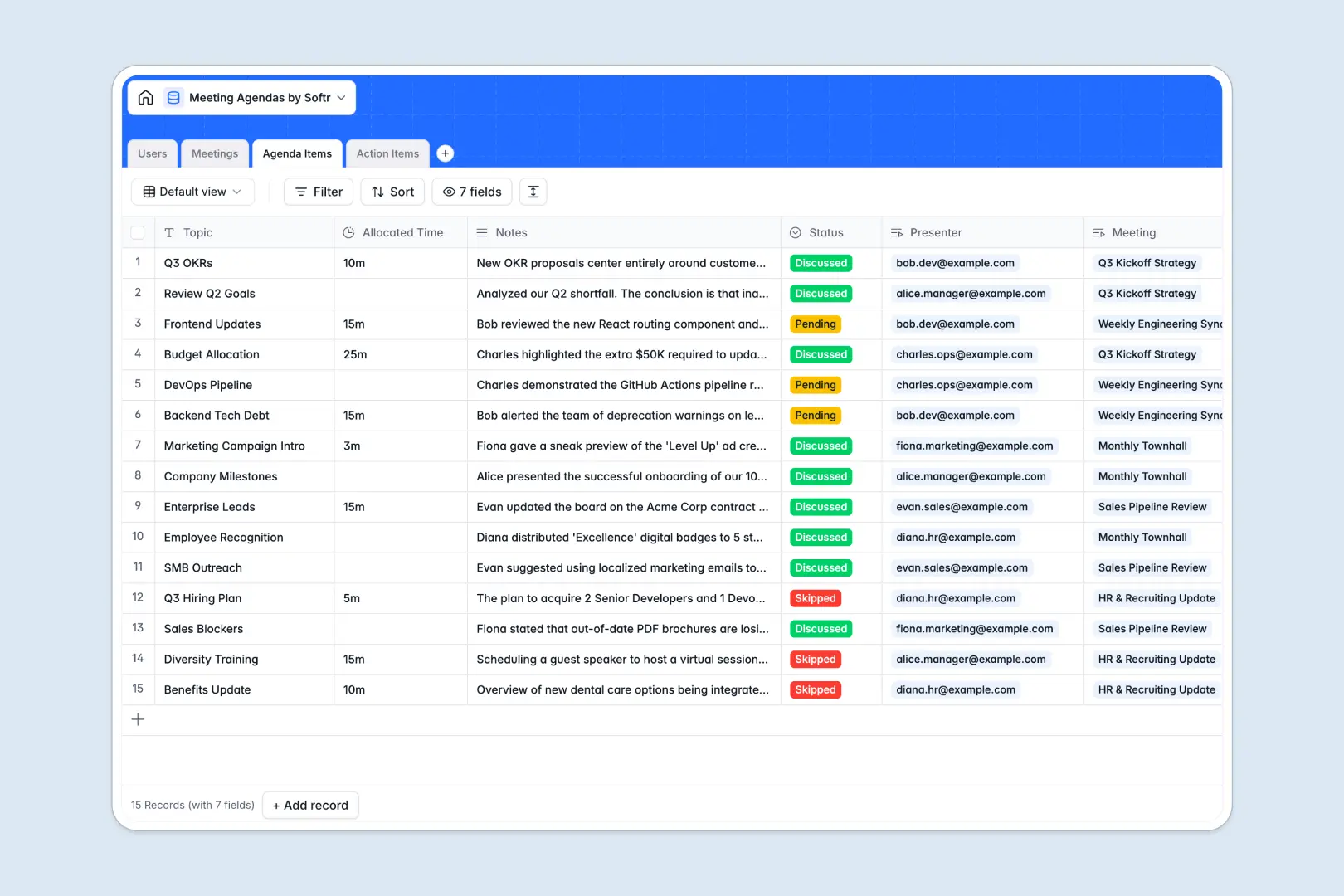
Your Meeting Agendas database at a glance
Track every meeting, speaker, and follow-up task without sifting through scattered files or lost chat threads. This template turns chaotic notes into a clear, unified system where nothing falls through the cracks.
Four connected tables—Users, Meetings, Agenda Items, and Action Items—work together seamlessly. When you assign a task or slot a topic, it automatically links back to the right person and meeting.
Built-in AI automatically generates meeting minutes from your raw notes and immediately assigns priority levels to action items, saving your team hours of manual cleanup.
Why meeting agendas get messy in Excel
Managing recurring schedules and task assignments in spreadsheets quickly turns into a copy-paste nightmare.
What a structured database changes
In an Excel spreadsheet, linking an action item to a past meeting or a specific team member means relying on easily broken formulas or duplicate rows. It becomes impossible to maintain a clean history of decisions as the document scales.
A relational approach enforces structure so every column has a clear purpose and tables connect naturally. This is exactly what Softr Databases are designed for.
What you can do with this template
Instantly connect clear action items to the original meeting context and confidently track whose plate they sit on.
Let Database AI agents automatically write meeting minutes and determine task priorities the moment a record is added to your workflow.
-
Users
Directory of members participating in meetings with role management
-
Meetings
Coordinate scheduled meetings and generate AI-powered minutes and outcomes
-
Agenda Items
Organize individual discussion topics with AI-generated core summaries
-
Action Items
Tracks tasks from meetings using AI to automatically assign priority levels
Who is this Meeting Agendas database for
This template gives clarity and structure to teams that rely on effective collaboration.
- Project Managers: Keep track of blockers, follow-ups, and sprint planning in a single, transparent view.
- Team Leads: Standardize 1:1s and departmental syncs while maintaining a clear history of team decisions.
- Operations Teams: Automate meeting minutes and ensure cross-functional alignment without tedious manual entry.
How to take it further
Customize this database to perfectly fit your company's rhythm. You can easily modify status options, add new duration metrics, or tweak the AI prompts to match your unique brand tone.
Bring in your existing calendar data and historical notes instantly. Import your previous meeting records via CSV to seed your database with everything your team needs right away.
When you are ready to scale, transform this database into a complete internal management tool. You can build an app that gives every team member a personalized dashboard to view their own assigned tasks and upcoming topics.
By setting up users and permissions, managers can edit full agendas while external guests or junior members only see what is relevant to them. A solid database foundation makes expanding from a simple tracker to a full team portal effortless.
-
1
-
2
-
3
-
4
Frequently asked questions
-
What is a meeting agendas database?
-
Why use a no-code database to build a meeting management system?
-
How can AI help managing data for meeting agendas?
-
Can I build an app with this meeting agendas database?
-
Is this Meeting Agendas template free?
-
How does managing agendas in a database compare to Excel?
Start building today. It's free!
Build and launch your first app in under 30 minutes.