


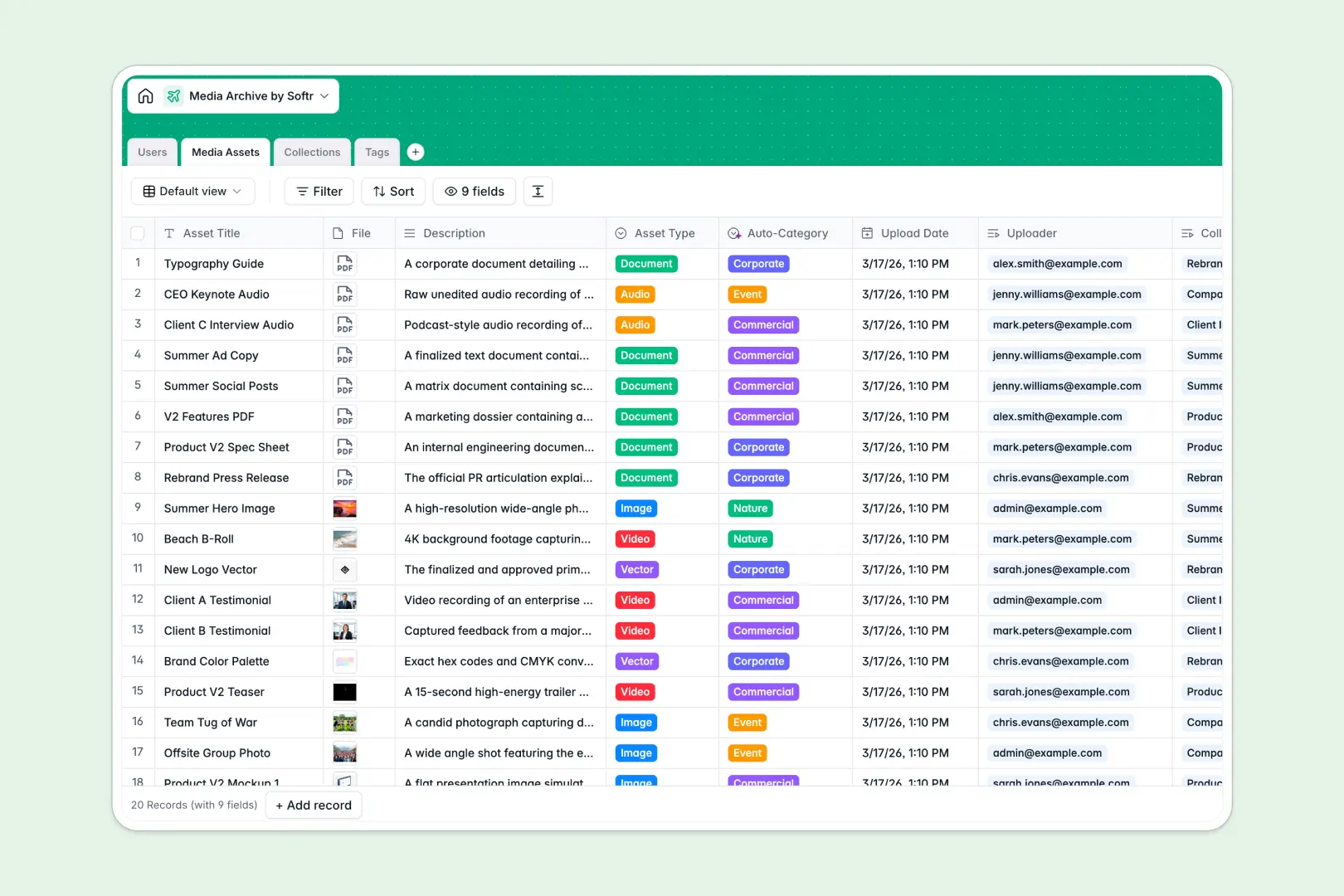
Your Media Archive database at a glance
This Media Archive database helps you catalog, store, and organize digital assets securely. It provides a central home for your team's images, videos, and documents without the chaos of scattered folders.
The system uses connected tables to link uploaded Media Assets directly to specific Collections and Tags. Because it relies on native relations, assigning an image to a campaign automatically rolls up the asset count and tracks usage without manual copying.
Built-in AI agents instantly categorize new uploads and generate text summaries for entire collections based on linked files. They even fetch context from the web to define metadata tags automatically.
Why expanding media archives gets messy in Excel
Tracking digital assets in spreadsheets quickly turns into a nightmare when you need to attach actual files, track versions, or group assets by campaign.
What a structured database changes
Spreadsheets aren't built to house heavy attachments or organize complex media relationships. Files get disconnected from their metadata, and linking the same image to multiple campaigns requires duplicating rows or using fragile formulas.
A structured database changes this by treating each asset as a distinct object with strict, connected properties. You can seamlessly link a video to both a collection and an uploader without ever repeating data.
This is exactly what Softr Databases are designed for. You get a clean, scalable architecture where file attachments actually live natively inside the records they belong to.
What you can do with this template
Start uploading images, videos, and documents instantly using a pre-configured architecture. Every file is automatically tied to an uploader, assigned an auto-captured timestamp, and categorized by asset type.
Leverage Database AI agents to systematically categorize your media based on file descriptions, summarize asset collections, and enrich your tags with web definitions. You completely bypass hours of manual tagging and data entry.
-
Users
Manage system members with contact details, access roles, and assigned media
-
Media Assets
Store digital files with AI-powered categorization to automate library tagging
-
Collections
Group media assets into sets and generate AI summaries of the curated content
-
Tags
Organize archives with taxonomy labels and AI-generated context for each tag
Who is this Media Archive database for
This template provides immediate structural relief for teams managing growing volumes of digital content.
- Marketing Teams: Categorize campaign assets instantly and track collection summaries without digging through shared drives.
- Content Creators: Maintain an easily searchable repository of raw footage, images, vector graphics, and audio files.
- Agency Managers: Centralize client deliverables and give editors clear visibility into approved brand material.
How to take it further
Customize the database: You can easily adjust the asset type choices, add custom fields for licensing expiration dates, or modify the pre-built auto-category tags. Because it's fully native, the schema is completely yours to shape.
Import your existing data: Map your current asset tracking rows into this database using a bulk CSV upload. You can also sync existing folder structures in the background using direct API endpoints.
Build a full app around it: When your archive grows, you can transform this foundational database into a fully functioning internal portal. Use the interface builder to create a beautiful visual gallery where users can search, filter, and download files directly.
By leveraging users and permissions, you can ensure external vendors only see approved public files, while internal admins manage the entire directory. A well-structured database makes building this secure, scalable front-end effortless.
-
1
-
2
-
3
-
4
Frequently asked questions
-
What is a media archive database?
-
Why use a no-code database to build a media archive?
-
How can AI help managing data for media archives?
-
Can I build an app with this media archive database?
-
Is this Media Archive template free?
-
How is a media archive database different from tracking assets in Excel?
Start building today. It's free!
Build and launch your first app in under 30 minutes.