


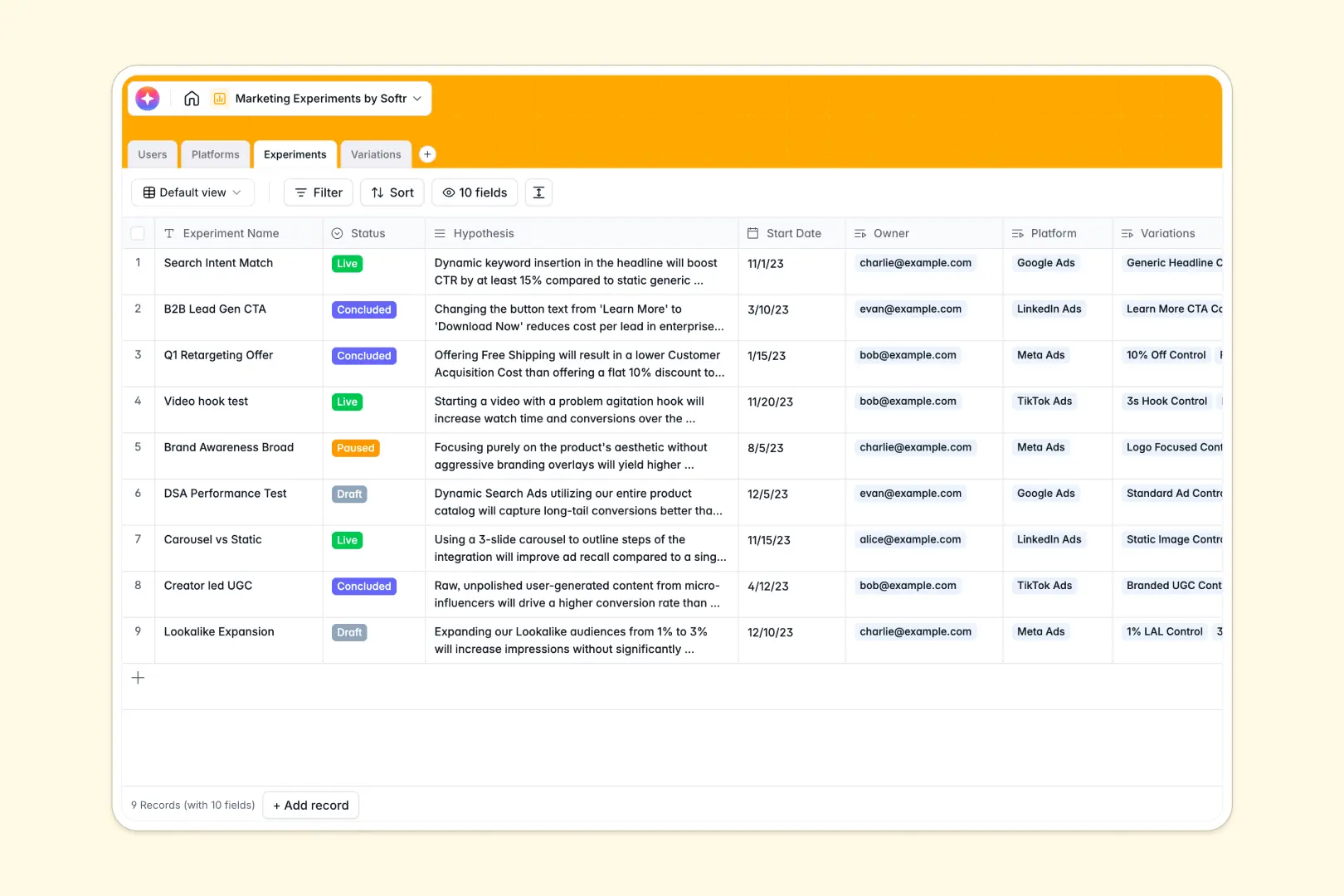
Your Marketing Experiments database at a glance
This template lets you log hypotheses, track testing variations, and manage marketing ROI systematically. It gives growth teams a single source of truth from campaign ideation to final performance analysis.
Manage everything across dedicated tables for your Platforms, Experiments, and Ad Variations. They link seamlessly together, meaning you can tie individual creative variations directly back to their parent experiment and channel.
Native AI agents automatically synthesize campaign conclusions based on live metrics. They instantly write detailed performance summaries analyzing exactly how your spend compares to conversions.
Why marketing experiments get messy in Excel
Tracking multi-step A/B tests and cross-platform campaigns across rows and columns quickly breaks down. Metrics get overwritten, files become sluggish, and it is impossible to clearly link variations to overarching experiments.
What a structured database changes
A structured database enforces strict rules on your data types, so spend fields remain currency and asset uploads stay neatly organized. It removes the need for fragile VLOOKUPs by natively linking ad variations to core experiments.
This is exactly what Softr Databases are designed for. As your testing velocity grows, your workspace scales reliably without deleted rows or broken formulas ruining your insights.
What you can do with this template
Launch your tracking system instantly with organized tables for tests, platforms, and team members. Roll up total spend and clicks from individual ad variations directly into your parent experiment dashboard.
Leverage Database AI agents to automatically research advertising platforms via the web. They can also auto-generate performance summaries based on CTR formulas and total conversions, saving you hours of reporting.
-
Users
Manage marketing team profiles with roles, contact info, and managed tests
-
Platforms
Catalog marketing channels with AI-generated profiles based on web research
-
Experiments
Track test campaigns using AI to synthesize metrics and finalize outcomes
-
Variations
Compare specific treatments using AI to analyze performance and ROI metrics
Who is this Marketing Experiments database for
This system is built for data-driven teams who need rigor in their testing process.
- Growth Marketers: Track ROI closely, organize variants, and let AI summarize your click-through rates.
- Paid Acquisition Teams: Centralize multi-channel platforms and standardize how you log test conclusions.
- Marketing Leads: Oversee testing velocity and track aggregate spend across the entire active pipeline.
How to take it further
Start by adjusting the native tables to perfectly fit your specific marketing strategies. You can easily add new testing parameters or adjust the AI prompts to format reporting summaries exactly how your team prefers.
If you already track tests manually, you can quickly import your historical data via CSV. This lets you populate your brand new system with past winning tactics instantly.
When your team is ready, you can transform this foundation into a complete internal portal by leveraging our interface builder. Create custom views where copywriters and media buyers log in to access only the active experiments they own.
By setting up proper users and permissions, you can confidently invite external agency partners to upload new assets without exposing broader budget data. A beautifully structured database makes building these connected collaborative portals completely effortless.
-
1
-
2
-
3
-
4
Frequently asked questions
-
What is a marketing experiments database?
-
Why use a no-code database to build a marketing experiments tool?
-
How can AI help managing data for marketing experiments?
-
Can I build an app with this marketing experiments database?
-
Is this Marketing Experiments template free?
-
How is a marketing experiments database different from Excel?
Start building today. It's free!
Build and launch your first app in under 30 minutes.