


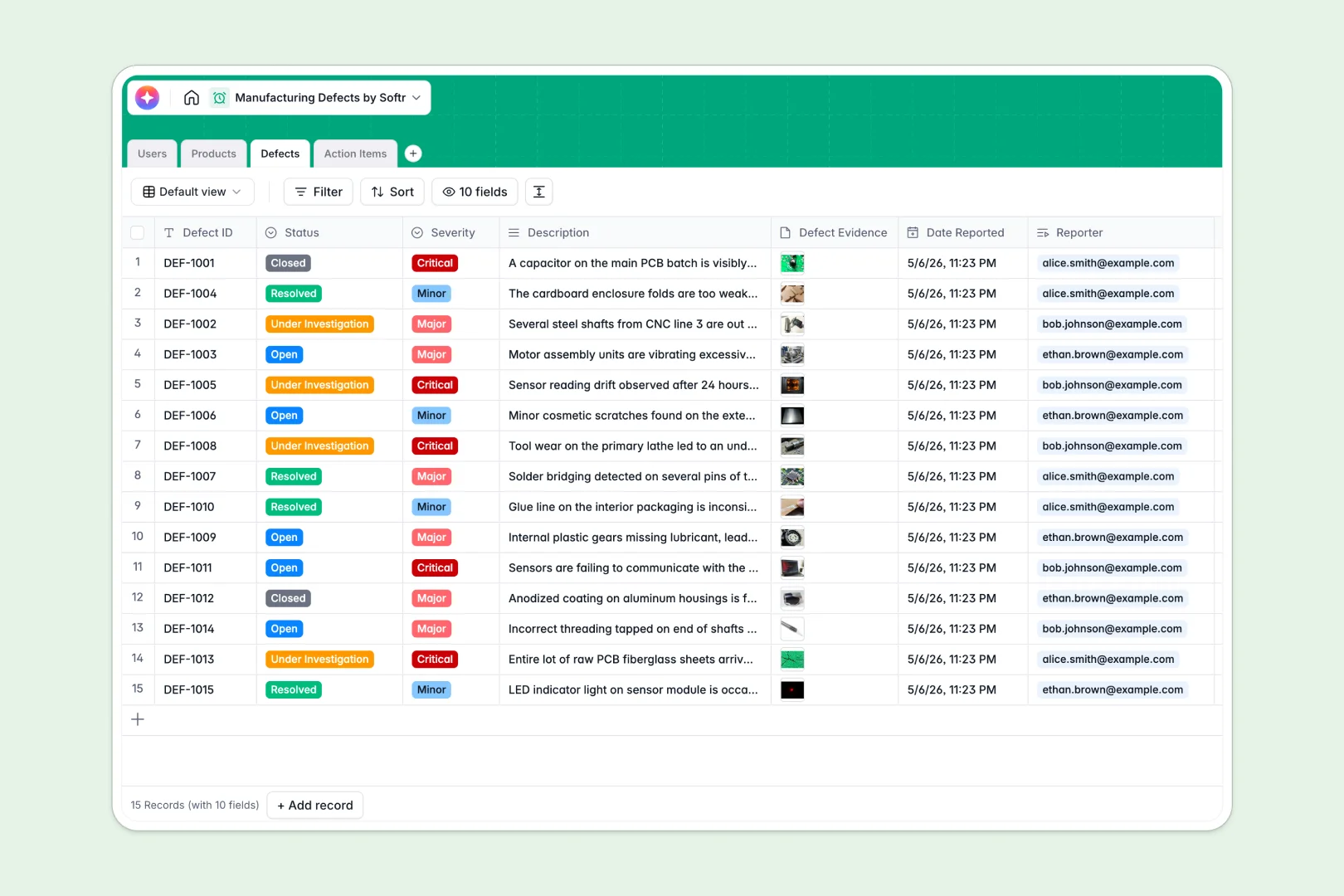
Your Manufacturing Defects Database at a glance
This template replaces scattered spreadsheets by tracking quality issues, product details, and corrective tasks in one connected system.
It seamlessly links your product catalog to incoming defect reports, so QC inspectors and floor managers can assign action items with clear ownership.
Built-in AI automatically drafts Root Cause Analyses (RCA) from defect descriptions and polishes your resolution notes to keep documentation professional.
Why tracking manufacturing defects gets messy in Excel
When you manage quality control in Excel, critical data gets lost as production scales. Rows get accidentally overwritten, photo evidence is hard to manage, and tracking which corrective task belongs to which defect becomes a nightmare of broken VLOOKUPs.
What a structured database changes
A structured database enforces strict organization from day one. Defect severity stays a standardized dropdown, related evidence attaches securely to the report, and product SKUs connect seamlessly without fragile formulas.
This ensures your data stays clean over time. You can link a critical defect accurately to an assigned inspector without copy-pasting across tabs, which is exactly why Softr Databases were built.
What you can do with this template
Log quality issues with photo evidence, categorize severity, and instantly attach corrective action items to your production managers.
You can also leverage Database AI agents to auto-generate structured root cause analyses the moment an inspector logs a new issue.
-
Users
Manage manufacturing personnel, tracking roles and linked task assignments
-
Products
Catalog items with AI-generated technical descriptions based on categories
-
Defects
Log quality issues with AI-powered root cause analysis for severity assessment
-
Action Items
Coordinate repair tasks using AI to professionalize resolution notes and logs
Who is this Manufacturing Defects database for
This database is built for production teams that need to standardize quality control and corrective actions faster.
- QC Inspectors: Quickly log defect evidence, categorize severity, and kick off corrective tasks without formatting rows.
- Production Managers: Track open issues, monitor automated root cause suggestions, and oversee resolution metrics.
- Operations Leads: Keep a centralized catalog of products and identify which SKUs produce the highest total defects.
How to take it further
Instantly customize this template to match your exact floor operations by tweaking defect severity categories or action item statuses. The native database interface makes column adjustments effortless.
Easily import your legacy inspection reports via CSV, or connect an API to pull active SKU data from your existing ERP systems.
When your team needs more than just a backend table, you can build an app directly on top of this data. You can give floor staff a mobile-friendly portal to log defects quickly without accessing the full database structure.
By configuring users and permissions, you ensure QC inspectors only see their assigned action items while admins monitor the entire production line. A well-structured backend makes this kind of scaling natural.
-
1
-
2
-
3
-
4
Frequently asked questions
-
What is a manufacturing defects database?
-
Why use a no-code database to build a quality control system?
-
How can AI help managing data for manufacturing defects?
-
Can I build an app with this manufacturing defects database?
-
How is a manufacturing defects database different from Excel?
-
Is this Manufacturing Defects template free?
Start building today. It's free!
Build and launch your first app in under 30 minutes.