


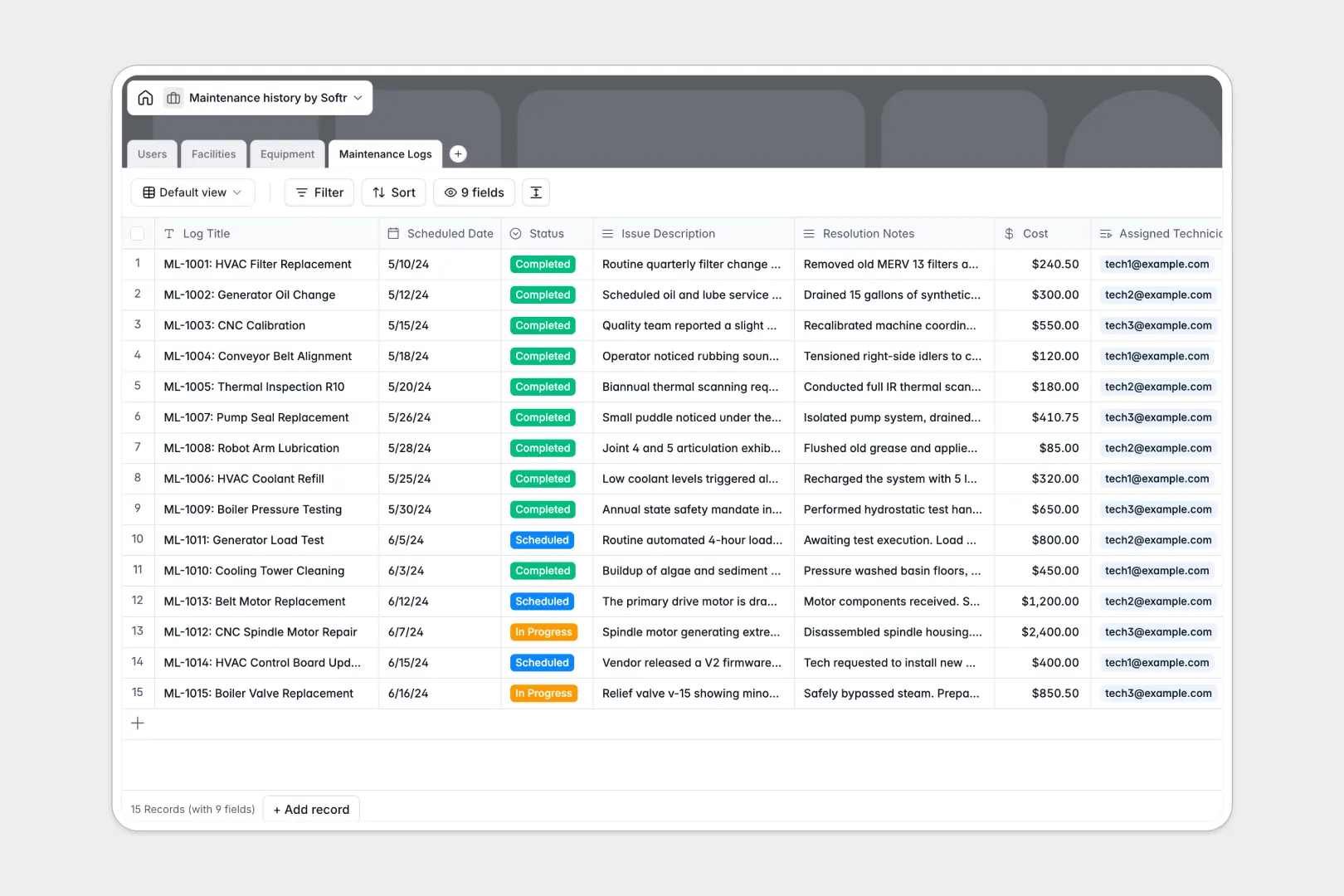
Your Maintenance History database at a glance
Track all your facilities, equipment statuses, and repair logs directly in one centralized place. It ensures your operations team never loses track of a maintenance schedule again.
The template uses a connected structure where work orders link directly to specific technicians and machines. This means you only enter facility details once, and they auto-populate across every related equipment log.
Built-in AI automatically pulls manufacturer manuals from the web and condenses lengthy repair notes into clean summaries. This keeps your asset records highly actionable without tedious manual data entry.
Why tracking maintenance history in Excel breaks down
Managing physical assets across multiple spreadsheet tabs quickly becomes a mess of broken VLOOKUPs and duplicated data. When a machine changes facilities or statuses, updating manual files usually causes costly tracking errors.
What a structured database changes
Instead of typing the same equipment details into a new row for every repair, a database stores each asset as a single, centralized record. Logs and scheduled work automatically tie back to that exact machine seamlessly.
This enforces clean structure where dates stay formatted and historical costs calculate perfectly as you scale your operations. This is exactly what Softr Databases are designed for.
What you can do with this template
You can maintain a live directory of all facilities that automatically calculates total equipment counts on site. Technician rosters instantly stay linked to their specific active work orders in real time.
You can also automate the tedious parts of asset management using built-in AI agents. As soon as a complex repair note is logged, the system instantly condenses it into quick bullet points for faster reviewing.
-
Users
Manage staff profiles, technician roles, and facility assignments effectively
-
Facilities
Track physical locations and buildings with linked equipment inventories
-
Equipment
Monitor machinery assets with AI-generated technical specs and manuals
-
Maintenance Logs
Record repairs and costs with AI-generated summaries of complex work orders
Who is this Maintenance History database for
This template provides a reliable, scalable foundation for any team managing physical assets and scheduled repairs.
- Facility Managers: Monitor equipment health across locations without hunting through disjointed files.
- Maintenance Technicians: Access accurate machine histories and upload resolution notes in real time.
- Operations Directors: Track historical repair costs and machine statuses to make better replacement decisions.
How to take it further
Customize the database in minutes. You can easily modify the status dropdown choices to match your specific workflow or add new columns for warranty expiration dates.
Import your existing data instantly to get value on day one. Ditch your old spreadsheets by uploading your current equipment lists and historical logs directly via CSV bulk import.
When your operations grow, you can build a full app around this data. Create a dedicated internal portal where technicians can securely update tickets and statuses from their mobile devices.
Because everything is connected, you can easily apply custom users and permissions to ensure managers only view the equipment they actually oversee. Starting with a structured database makes building these custom tools completely effortless.
-
1
-
2
-
3
-
4
Frequently asked questions
-
What is a maintenance history database?
-
Why use a no-code database to build a maintenance system?
-
How can AI help managing data for maintenance history?
-
Can I build an app with this maintenance history database?
-
Is this Maintenance History template free?
-
How is a maintenance database different from Excel?
Start building today. It's free!
Build and launch your first app in under 30 minutes.