


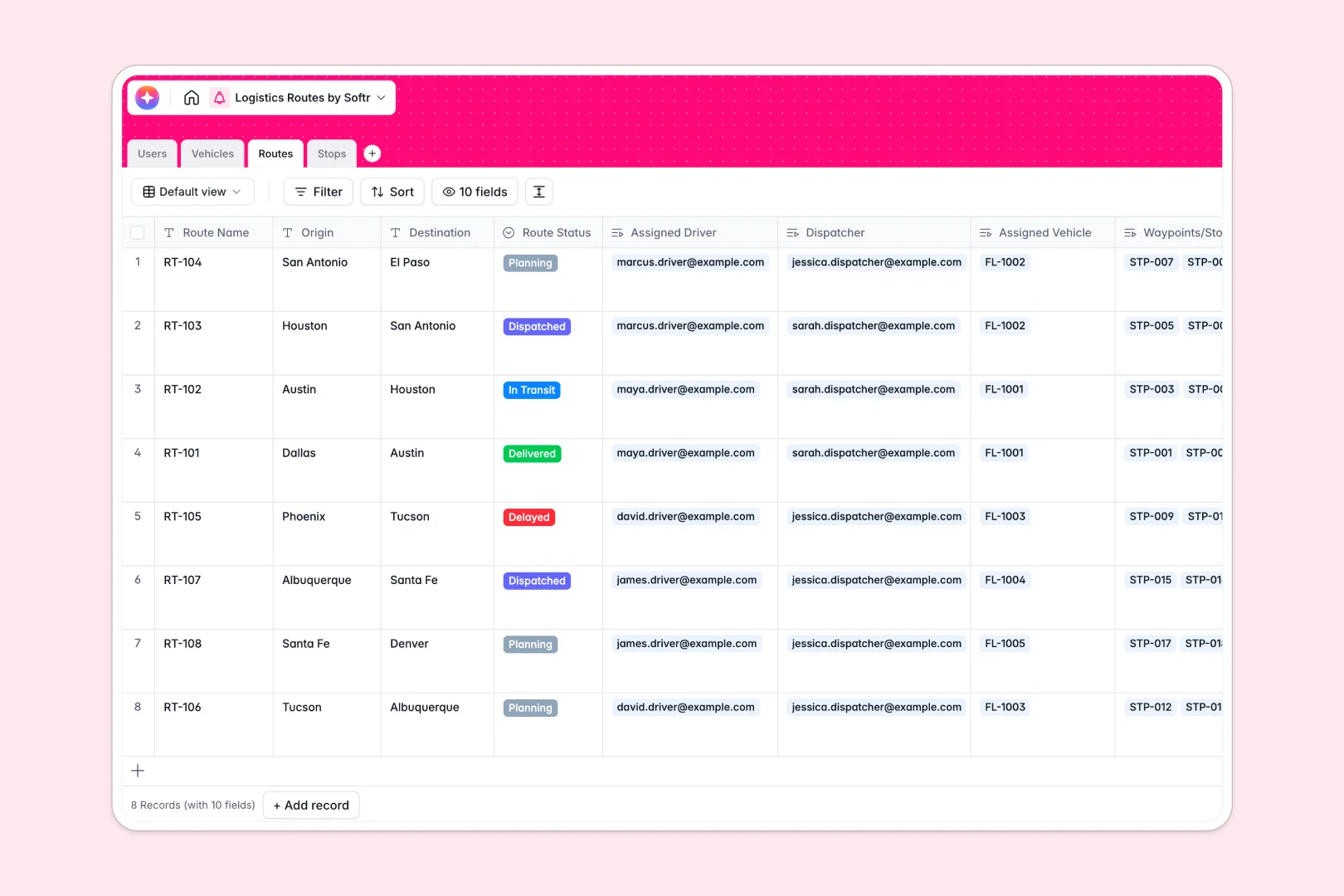
Your Logistics Routes database at a glance
This pre-built Logistics Routes Database replaces scattered spreadsheets with a clear, reliable system. It connects your drivers, fleet vehicles, and daily dispatch schedules in exactly one place.
The system tracks Users, Vehicles, Routes, and individual Stops using native linked tables. Assign a driver and a specific truck to a route, and watch as all related stop addresses automatically connect.
Built-in AI functionality automatically summarizes complete route briefs based on origin and destinations. It also classifies stop locations as urban, suburban, or rural, saving dispatchers valuable processing time.
Why logistics routes get messy in Excel
When you manage complex delivery schedules in Excel, you end up with duplicated driver names, disconnected stop lists, and fragile formulas that break easily when plans change.
What a structured database changes
A proper database enforces strict rules so your data stays clean and scalable. You can link a specific driver to a vehicle and a route without ever copy-pasting their details across rows.
Managing connected operations like this is exactly what Softr Databases are built for. If a truck goes out of service, your data structure handles the relationship cleanly without breaking your dispatch view.
What you can do with this template
You can track live route statuses moving from planning to dispatched while maintaining absolute clarity on fleet capacity.
The ready-to-use structure lets you instantly coordinate multiple destinations per route. You never have to worry about losing address updates in an unstructured grid again.
-
Users
Manage staff profiles, contact details, and assigned logistics roles
-
Vehicles
Track the logistics fleet with capacity data and maintenance statuses
-
Routes
Coordinate journeys using AI to generate concise route summaries and briefs
-
Stops
Manage delivery nodes with AI-powered geographic zone classification
Who is this Logistics Routes database for
This database provides reliable, immediate structure for teams moving goods and managing vehicle fleets.
- Dispatch Managers: Track which drivers and vehicles are assigned to active routes in real time.
- Fleet Directors: Monitor vehicle maintenance statuses and weight capacities to prevent overloading.
- Logistics Coordinators: Ensure every individual stop is completed or successfully rescheduled smoothly.
How to take it further
Customizing this logistics flow is incredibly simple. You can add new vehicle types, change route statuses, or modify the operational fields natively within the database.
You can also import your existing fleet and operations data instantly. Just upload a CSV to sync legacy vehicle assets or previous route plans and start optimizing immediately.
When your team is ready, you can scale this foundation into a full application. You can quickly deploy a mobile-friendly driver portal where delivery staff only see their own assigned stops and routes.
By applying strict users and permissions, dispatchers retain full visibility of operations while drivers interact safely with just their exact delivery instructions.
-
1
-
2
-
3
-
4
Frequently asked questions
-
What is a logistics routes database?
-
Why use a no-code database to build a logistics system?
-
How can AI help managing data for logistics routes?
-
Can I build an app with this logistics routes database?
-
Is this Logistics Routes database free?
-
How is a logistics database different from Excel?
Start building today. It's free!
Build and launch your first app in under 30 minutes.