


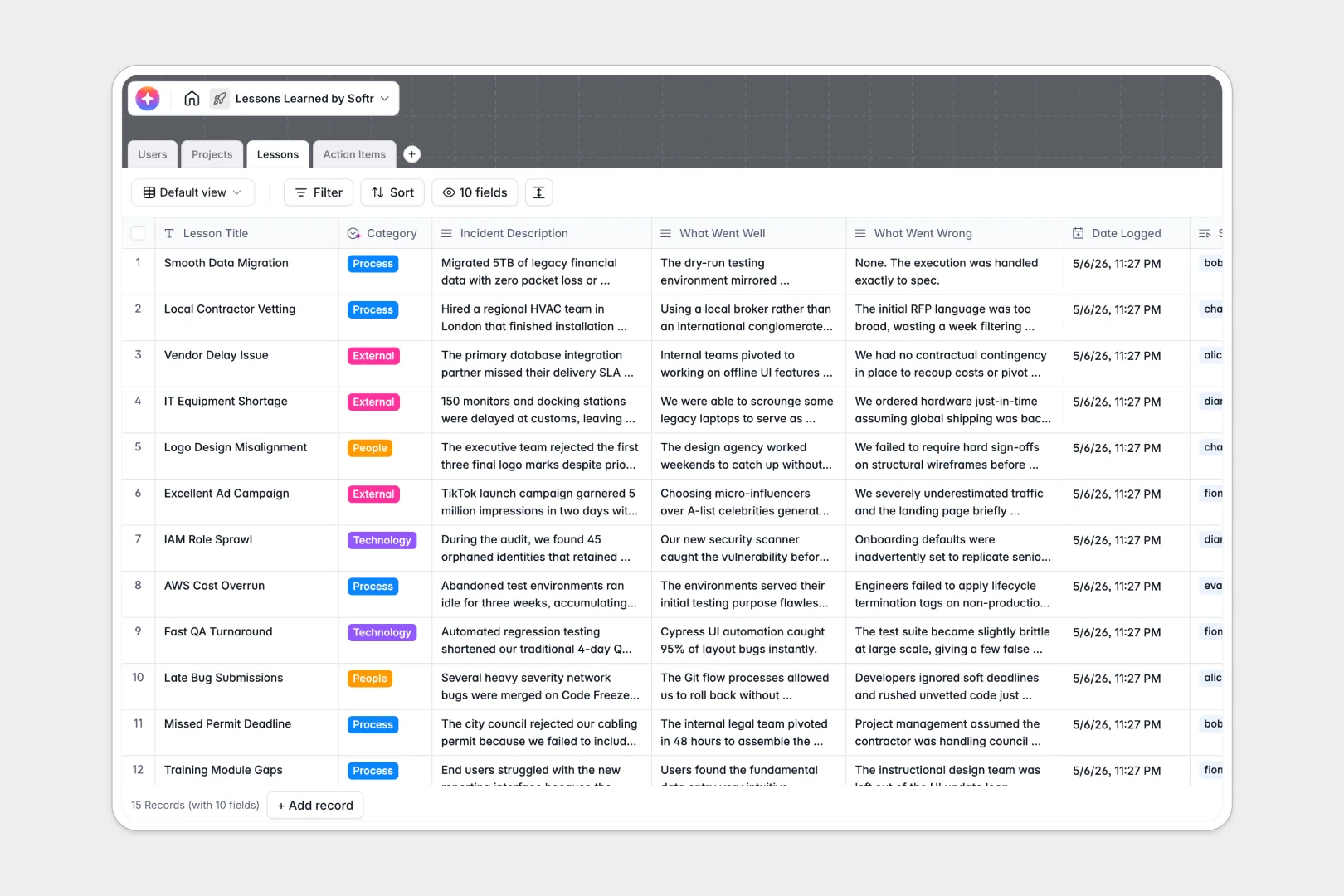
Your Lessons Learned database at a glance
This template replaces scattered Excel files with a centralized system to capture organizational knowledge. It helps your team document what went well, what went wrong, and turn insights into continuous improvement.
The database seamlessly connects four core tables: Projects, Lessons, Action Items, and Users. Instead of parsing through siloed rows, you can link specific failures directly to their source projects and assign corrective tasks cleanly.
Built-in AI automatically drafts executive summaries of past incidents, categorizes issues like process or technology, and writes implementation frameworks. This ensures lessons actually lead to operational change, not just forgotten notes.
Why lessons learned get messy in Excel
Capturing complex institutional knowledge in a flat grid inevitably turns into an unreadable mess of text-heavy cells and lost assignments.
What a structured database changes
Spreadsheets fail because they rely on isolated sheets and manual cross-referencing. When you type an improvement task in one column, there is no system tracking if it ever gets completed.
A structured database enforces rules and relationships inherently. You can automatically connect an ongoing task back to a specific past lesson, ensuring complete visibility across your operations.
This native connectivity is exactly what Softr Databases are designed for. Information scales cleanly as you grow, preventing your project retrospectives from becoming unreadable data graveyards.
What you can do with this template
Log incidents rapidly while ensuring all required context is properly documented. You can cleanly separate positive outcomes from operational failures for easier future review.
Use native Database AI agents to automatically analyze long project descriptions and extract valuable insights. The system effortlessly synthesizes dozens of individual lessons into one clear, high-level retrospective report.
Track every resulting action item by status, due date, and assigned owner. This ensures the business actually operationalizes its past mistakes instead of endlessly repeating them.
-
Users
Manage profiles, roles and assignments for contributors within the system
-
Projects
Track initiatives with AI-powered retrospectives synthesized from outcomes
-
Lessons
Log insights with AI executive summaries and automated category classification
-
Action Items
Execute site improvements with AI-generated step-by-step implementation plans
Who is this Lessons Learned database for
This system is built for any team tired of repeating the same structural mistakes across different initiatives.
- Project Managers: Automatically track and summarize the clear outcomes of active and completed initiatives.
- Operations Leads: Identify recurring failures in internal processes or technology through reliable AI categorization.
- Department Heads: Ensure internal retrospectives generate real, assigned action items rather than just empty conversations.
How to take it further
Start by customizing the default fields to match your company's exact internal language. You can easily adjust the native AI prompts or add new status choices to reflect your unique workflows.
Bring all your past learnings over by uploading your old Excel retrospectives directly via CSV. This immediately transforms unstructured historical data into a highly searchable, connected asset.
When your team is ready, you can build a full application on top of this data to serve as an internal knowledge portal. Rather than exposing the raw database, contributors get a clean interface tailored to their exact role.
By applying secure, custom permissions, you guarantee that managers can approve open tasks while contributors only see the action items strictly assigned to them. A remarkably structured database makes launching this advanced setup completely effortless.
-
1
-
2
-
3
-
4
Frequently asked questions
-
What is a lessons learned database?
-
Why use a no-code database to build a lessons learned tracker?
-
How can AI help managing data for lessons learned?
-
Can I build an app with this lessons learned database?
-
Is this Lessons Learned database free?
-
Why is this template a better alternative to Excel for lessons learned?
Start building today. It's free!
Build and launch your first app in under 30 minutes.