


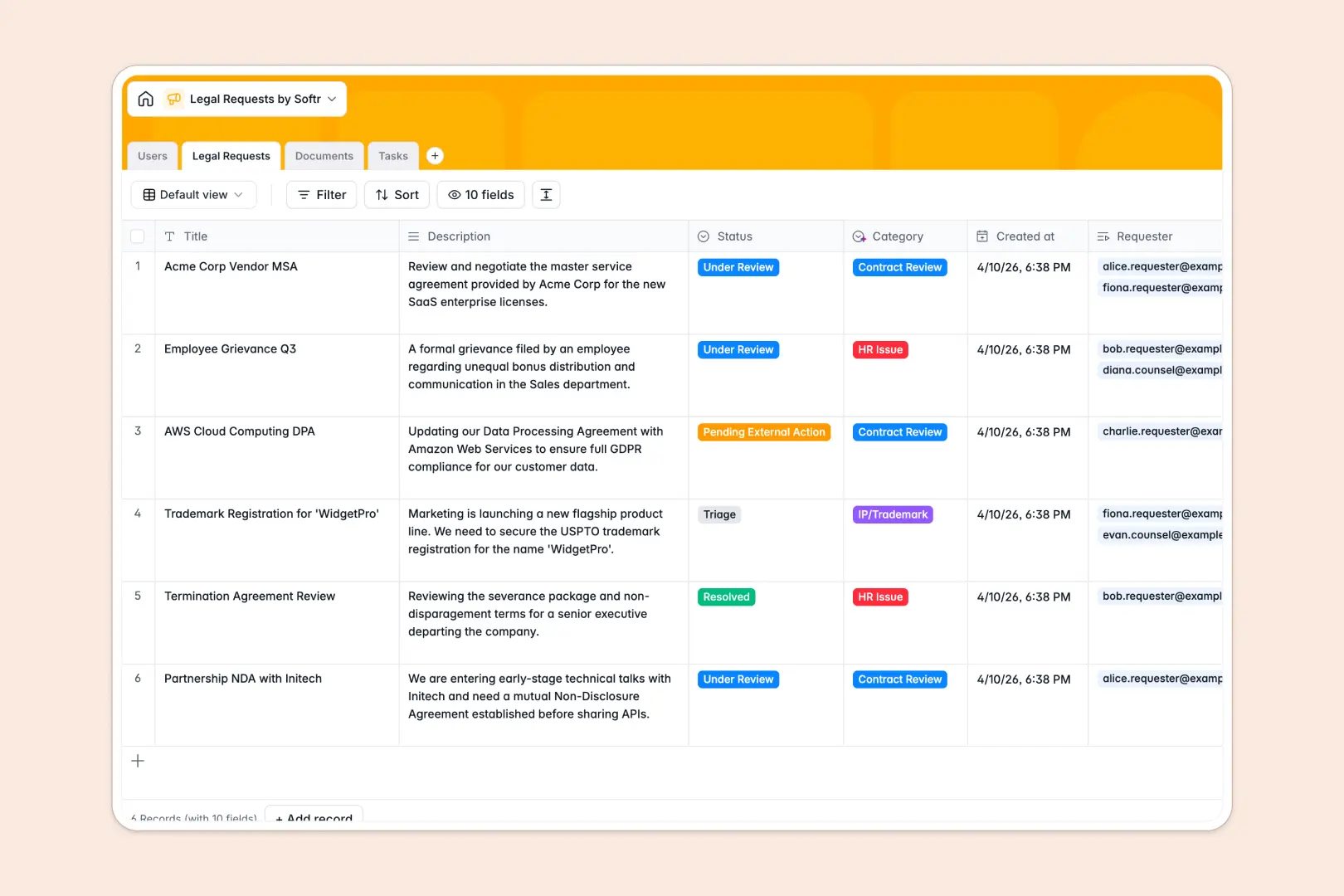
Your Legal Requests database at a glance
Leave slow spreadsheets behind with a system built to handle intake, triage, and task tracking natively. You can safely manage everything from initial policy inquiries to final NDA reviews in one reliable workspace.
This template automatically links Users, Legal Requests, Documents, and Tasks together. Linking a complex Master Service Agreement directly to assigned legal counsel happens in one click, without messy workarounds.
Built-in AI automatically categorizes incoming requests and summarizes complex issues into quick bullet points. It even translates heavy legal jargon into plain English instantly, saving your team hours of reading.
Why tracking legal requests in Excel breaks down
Managing sensitive NDAs and urgent contract reviews in messy spreadsheets leads to missed deadlines and confused stakeholders. Excel simply isn't built to handle files, secure communication, and layered statuses in one unified view.
What a structured database changes
A dedicated system enforces a clear structure where due dates stay dates, and documents stay cleanly attached to their specific case. You avoid the chaos of broken formulas when assigning legal counsel to diverse HR issues or litigation tasks.
This is exactly what Softr Databases are designed for. You can natively link a client's contract directly to their pending task without duplicating rows or relying on fragile VLOOKUPs.
What you can do with this template
Replace manual legal triage with a self-organizing system that tracks every pending external action. Keep every assigned counsel and upcoming deadline highly visible in an error-free view.
Powerful native Database AI agents instantly read complex contract clauses and translate them into non-legal terms. You get actionable summaries the second a request is logged, saving hours of preliminary reading.
-
Users
Manage system users, legal staff, and roles with linked request history
-
Legal Requests
Handle intake with AI classification and bulleted issue summarization
-
Documents
Store legal files with AI-powered simplification of complex clauses
-
Tasks
Track action items and deliverables to resolve pending legal requests
Who is this Legal Requests database for
This system is built for teams that need to handle legal inflow efficiently and securely.
- Legal Counsel: Instantly see triaged requests and auto-summarized clauses to prioritize high-risk contracts.
- HR Departments: Safely submit and track sensitive compliance inquiries or employee policy issues in one place.
- Sales Teams: Submit NDAs and MSAs for rapid review without wondering where the contract is stalled.
- Operations Managers: Monitor turnaround times and keep legal operations running without spreadsheet bottlenecks.
How to take it further
You can easily tweak this database to fit your unique internal processes. Add custom category fields for regional legal issues or adjust the status dropdowns to match your specific review stages.
Bring your existing open cases over immediately without missing a beat. A quick CSV upload maps your ongoing requests, historic contracts, and team directory straight into these structural tables.
When your team is ready to scale, you can build an app to serve as a custom intake portal for the wider company. Connected directly to your data, a front-end interface makes it easy for any department to submit requests securely.
By leveraging native users and permissions, you can ensure requesters only see their own submissions while legal counsel sees the entire pipeline. Utilizing a well-structured database makes scaling these secure access controls effortless.
-
1
-
2
-
3
-
4
Frequently asked questions
-
What is a legal requests database?
-
Why use a no-code database to build a legal intake system?
-
How can AI help managing data for legal requests?
-
Can I build an app with this legal requests database?
-
Is this Legal Requests database free?
-
How is a legal requests database different from Excel?
Start building today. It's free!
Build and launch your first app in under 30 minutes.