


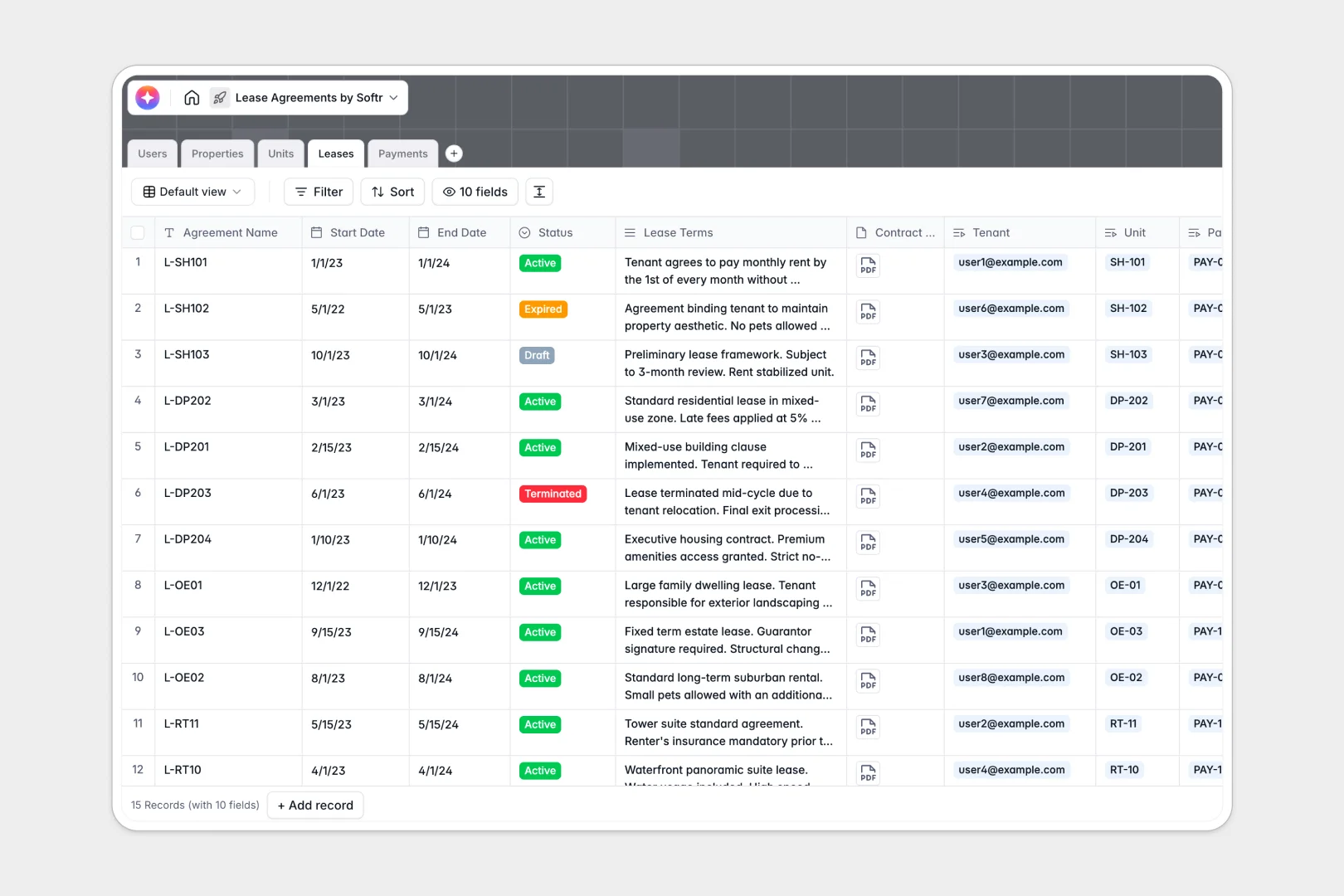
Your Lease Agreements Database at a glance
This template replaces scattered spreadsheets with a single truth for properties, units, leases, and payments. It helps property managers maintain full visibility over their portfolio without manual data entry.
The system connects every piece of information naturally. When you open a property, you see all its units, active leases, and specific tenant payments linked directly to that record.
AI works in the background to handle the heavy lifting automatically. It can draft property descriptions from the web, summarize dense lease terms into clear bullet points, and accurately categorize payment memos.
Why lease agreements get messy in Excel
Tracking complex lease statuses, dates, and tenant payments across spreadsheet tabs quickly leads to missing files and broken formulas. Excel simply isn't built to connect properties to people and payments reliably.
What a structured database changes
Instead of fragile VLOOKUPs, a database uses native connections to link one property to multiple units, leases, and tenants perfectly. Every column strictly enforces data types, ensuring dates stay dates and currency stays currency.
This is exactly what Softr Databases are built for. Your data stays organized and secure no matter how much your property portfolio grows.
What you can do with this template
You can track lease expirations, link tenant records to specific units, and log every rent payment with ease. It's ready to use out of the box, giving you immediate control over your daily real estate operations.
Plus, built-in Database AI agents act as your leasing assistant. They automatically generate marketing copy for empty units and seamlessly pull quick summaries from lengthy legal lease contracts.
-
Users
Control system access for admins, managers, and tenants with role assignments
-
Properties
Manage estate assets using AI to generate professional property overviews
-
Units
Track rentable spaces with AI-powered marketing copy for rental listings
-
Leases
Store binding contracts with AI bullet-point summaries of complex terms
-
Payments
Log rent transactions and use AI to classify payment memos automatically
Who is this Lease Agreements database for
This database is built for anyone managing real estate assets, tenants, and contracts.
- Property Managers: Track active leases, expirations, and incoming payments across all units centrally.
- Landlords: Keep a clear, secure history of tenants and legal agreements in one central hub.
- Real Estate Teams: Automatically generate property overviews and marketing copy to fill vacant units faster.
How to take it further
Customizing this database to fit your exact property types takes just seconds. You can easily add new lease status options, tweak the payment methods, or adjust the AI prompts to match your company's tone.
Bring your existing portfolio to life instantly. Just export your current rent roll as a CSV and upload it directly into the relevant tables to populate your properties and units.
When you're ready, you can move beyond a backend system by building an app directly on top of this data. You could create a secure portal where tenants log in to view their active leases and payment history.
With native users and permissions, you securely control exactly who sees which property details without exposing the rest of your database.
-
1
-
2
-
3
-
4
Frequently asked questions
-
What is a lease agreement database?
-
Why use a no-code database to manage lease agreements?
-
How can AI help with property and lease management?
-
Can I build a tenant portal with this lease database?
-
Is this Lease Agreements database free to use?
-
How does a database beat tracking leases in Excel?
Start building today. It's free!
Build and launch your first app in under 30 minutes.