


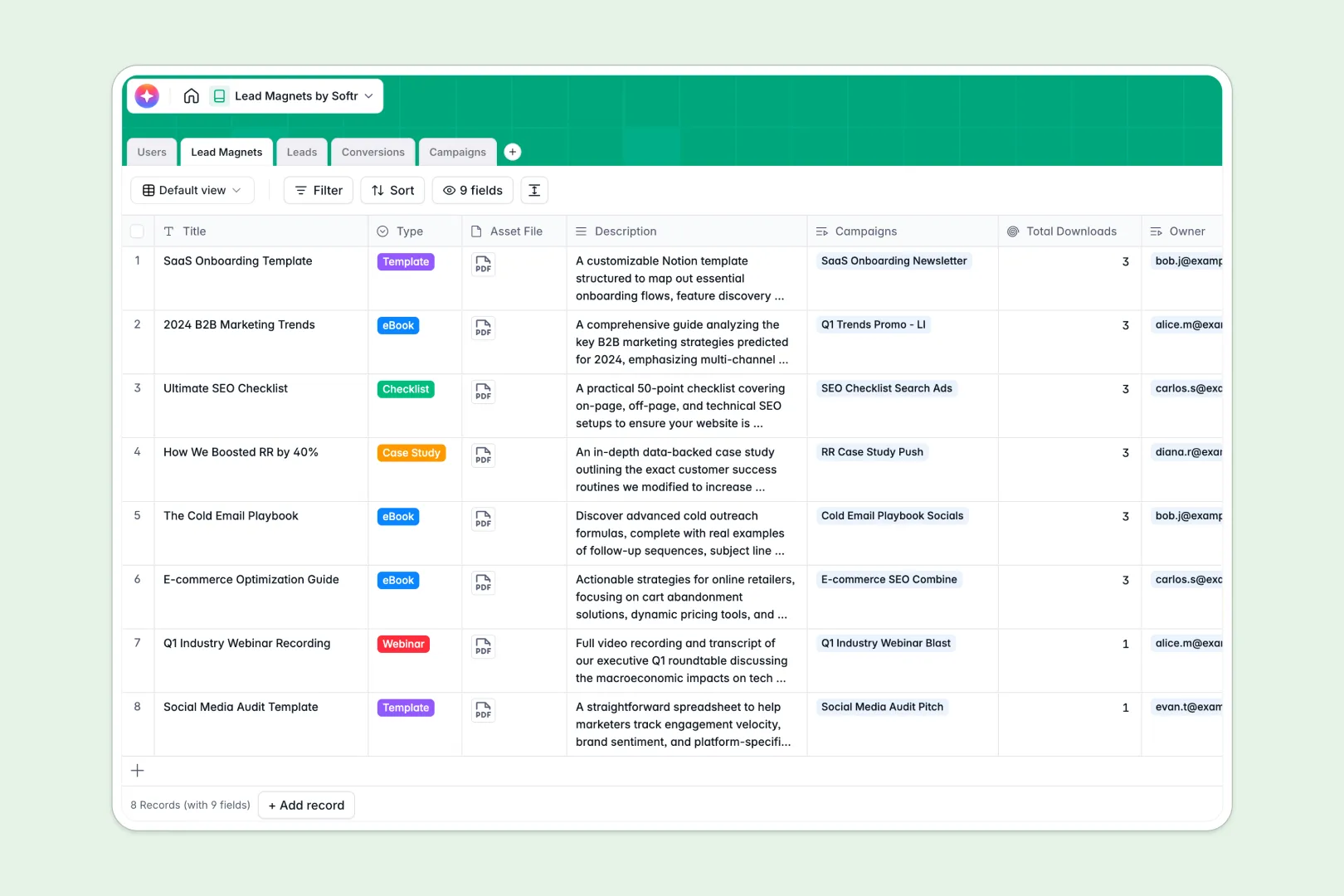
Your Lead Magnets database at a glance
This template replaces scattered sheets with a unified central system that automatically connects your digital assets to their corresponding marketing campaigns. It gives your team real-time visibility into exactly which resources are driving the most downloads.
The structure uses distinct but connected tables for Lead Magnets, Campaigns, Leads, and Conversions. Instead of manually updating counts across tabs, the system automatically pulls total downloads and tracks every individual interaction cleanly.
Best of all, native AI features instantly summarize your assets and draft tailored promotional copy for platforms like LinkedIn or Google Ads. It even runs live web searches to automatically enrich new lead profiles with valuable company insights.
Why lead magnet tracking gets messy in Excel
Tracking multiple assets, paid campaigns, and hundreds of incoming leads within a spreadsheet quickly becomes unmanageable. As your marketing efforts scale, static rows force you to rely on fragile formulas and messy data duplication.
What a structured database changes
A relational approach means your data stays perfectly organized, no matter how many leads you capture. When a prospect downloads an eBook, it links their profile directly to the specific asset and the source campaign generating the click.
This type of reliable connection is exactly what Softr Databases are built to handle. You eliminate broken VLOOKUPs entirely because information flows automatically between related tables.
What you can do with this template
You can instantly monitor campaign ROI by tracking real-time budgets against actual conversion numbers. Every time a new initiative launches, you will know exactly which specific asset delivers the highest quality traffic.
With integrated Database AI agents, your workflow goes on autopilot. The system actively researches the companies downloading your assets, giving your sales team immediate context for faster, smarter follow-ups.
-
Users
Manage internal team members, their roles, and their assigned lead magnets
-
Lead Magnets
Store digital assets and use AI to generate concise pitches for offerings
-
Leads
Track contact information and utilize AI to research company industry insights
-
Conversions
Link specific lead magnet downloads to individual leads and campaigns
-
Campaigns
Track marketing goals and leverage AI to build platform-specific promo copy
Who is this Lead Magnets database for
This system is built for growth-focused marketing and sales teams who need better visibility into asset performance.
- Content Marketers: Easily organize eBooks and webinars while automatically generating asset summaries.
- Demand Generation Managers: Track campaign budgets and status alongside precise conversion metrics.
- Sales Representatives: Access rich, auto-researched company profiles the moment a new lead converts.
How to take it further
You can easily modify the template to match your specific marketing strategy directly within the table. Add new asset types to the select menus, or adjust the AI prompts to better match your brand voice.
If your current lead data is stuck in scattered files, just import your existing records via CSV. You can also connect the database to your website forms via API to sync new leads instantly.
When your campaigns scale, you can easily build an app to transform this database into a fully custom marketing dashboard. This makes it effortless to share specific campaign results with external agencies or internal stakeholders without exposing full database access.
By configuring granular permissions, you decide exactly what each person sees. Marketers can manage daily operations, while executives only view automated high-level performance metrics.
-
1
-
2
-
3
-
4
Frequently asked questions
-
What is a lead magnets database?
-
Why use a no-code database to build a lead magnet tracker?
-
How can AI help managing data for lead magnets?
-
Can I build an app with this database?
-
Is this Lead Magnets template free?
-
How is this database different from managing leads in Excel?
Start building today. It's free!
Build and launch your first app in under 30 minutes.