


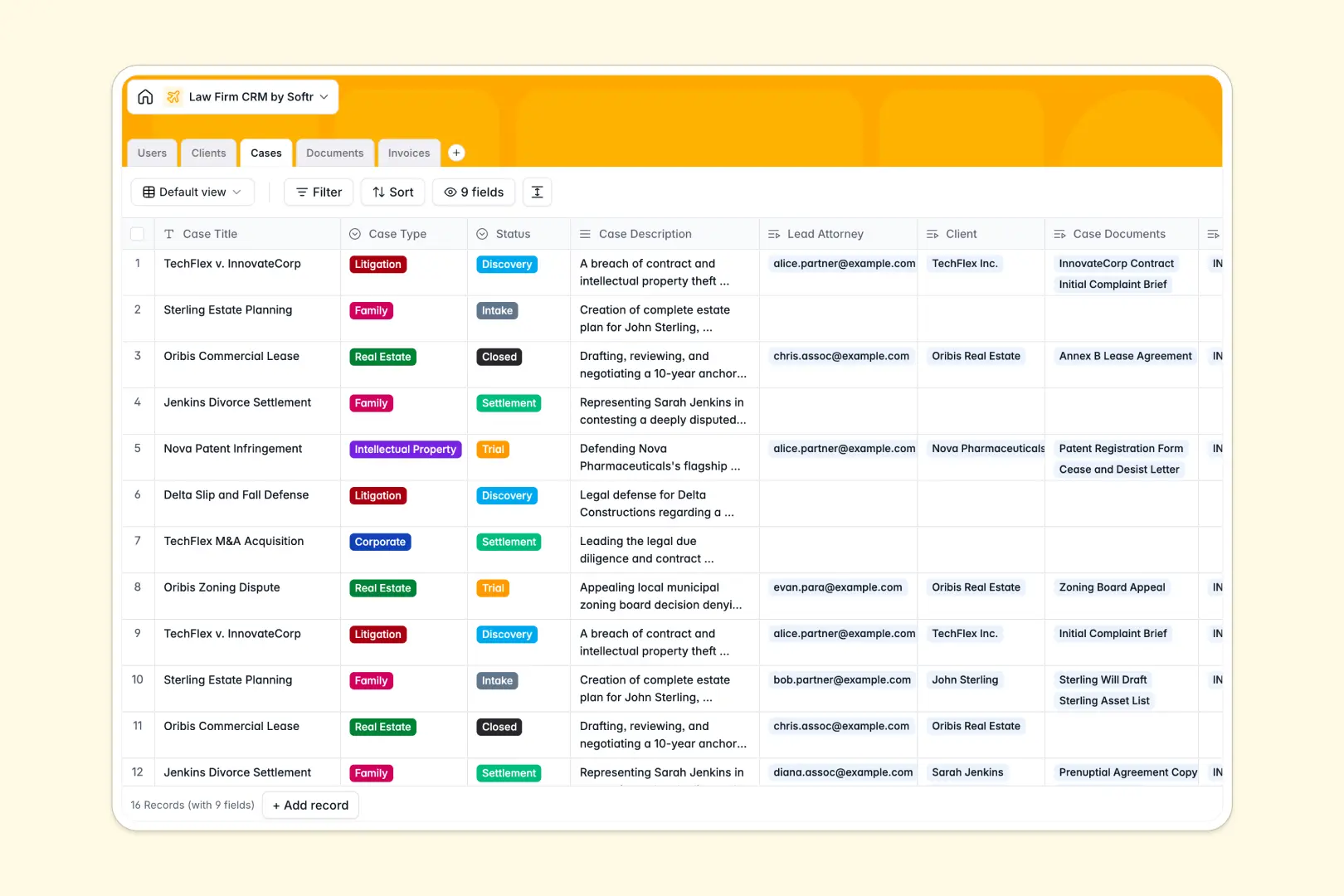
Your Law Firm CRM database at a glance
This ready-to-use structural layer gives your legal practice a centralized home for clients, case files, and billing. It replaces messy workarounds with a clean, fully interconnected system.
Out of the box, it connects your Clients directly to their Cases, Documents, and Invoices. When a paralegal pulls up a client profile, they instantly see every active litigation and unpaid bill grouped together perfectly.
Plus, built-in AI agents pull client background information directly from the web and summarize dense case descriptions automatically. Your team spends less time digging for context and more time advising clients.
Why law firm CRMs get messy in Excel
Trying to run a legal practice on spreadsheets usually results in lost files, broken formulas, and embarrassing billing mistakes. Excel simply isn't built to connect dozens of moving parts efficiently as your caseload inevitably scales up.
What a structured database changes
In a proper system, every piece of data has strict rules so your operational structure never breaks. Case statuses stay consistent, and invoices are logically linked to clients without relying on fragile formulas.
You can upload legal briefs and evidence attachments natively into specific records instead of pasting long file path links into tiny spreadsheet cells.
This is exactly what Softr Databases are designed for. They give you the easy familiarity of a simple grid, but deliver the rock-solid reliability of a real business application.
What you can do with this template
Instantly view every document, draft invoice, and assigned attorney related to a specific legal matter in one clean workspace.
Thanks to native Database AI agents built into the tables, you can automatically summarize dense case descriptions or classify the risk level of uploaded contracts instantly.
Track billable amounts perfectly aligned with the correct client cases to prevent missed revenues and eliminate delayed client invoicing.
-
Users
Manage law firm personnel profiles, including roles and case assignments
-
Clients
Store client records including AI-generated background summaries from web data
-
Cases
Track legal matters using AI to generate concise status summaries and briefs
-
Documents
Secure case files with AI-powered legal risk analysis of extracted document text
-
Invoices
Manage billing cycles and payment statuses for active and closed legal cases
Who is this Law Firm CRM database for
This foundational system is built for legal professionals looking to centralize their firm's daily operations securely.
- Partners: Gain instant visibility into active cases, assigned attorneys, and firm-wide billing performance effortlessly.
- Associates: Keep track of trial statuses, discovery documents, and client background information in one organized view.
- Paralegals: Upload evidence, classify court filings, and manage critical documentation securely without hunting through shared folders.
How to take it further
You can easily customize this database to perfectly match your specific practice areas. Modify the case type dropdowns to fit your firm's specialties, rename columns, or add new fields for upcoming court dates seamlessly.
If your firm relies on spreadsheets today, you can easily pull in your existing client lists and past invoices via a bulk CSV import. The native API also allows you to automatically sync historical records to get immediate value without disruption.
When your team is ready, you can transform this data into a secure client portal or collaborative workspace. Softr's interface builder connects seamlessly to this structure to build full-stack frontends.
You can effortlessly configure custom users and permissions to control exactly who sees what information. This well-structured database makes it incredibly easy to launch a polished portal where clients securely view their own case status and pay invoices, while staff safely manage internal operations.
-
1
-
2
-
3
-
4
Frequently asked questions
-
What is a Law Firm CRM database?
-
Why use a no-code database to build a legal management system?
-
How can AI help managing data for a law firm?
-
Can I build an app with this Law Firm CRM database?
-
Is this Law Firm CRM template free?
-
How is a legal database different from Excel?
Start building today. It's free!
Build and launch your first app in under 30 minutes.