


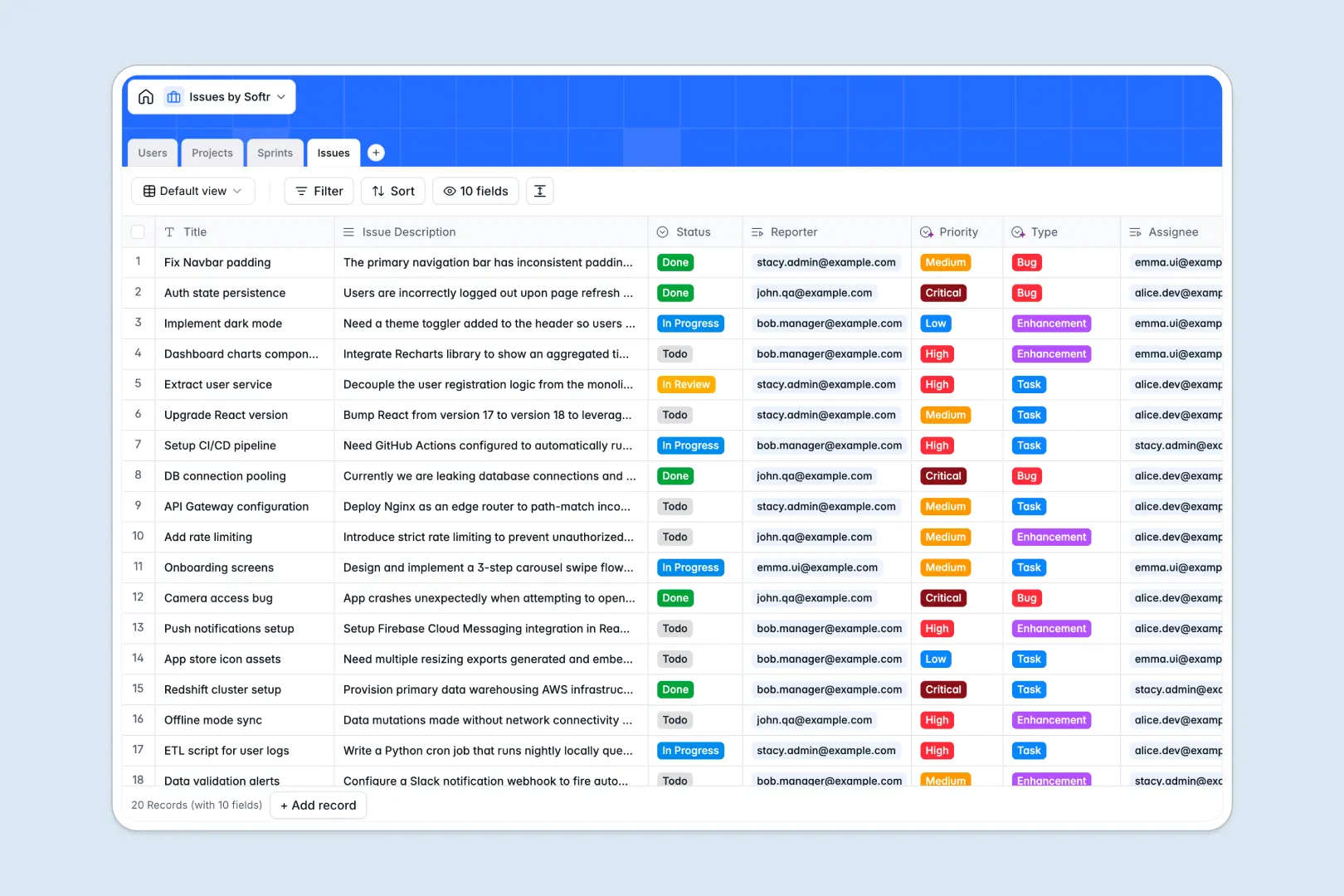
Your Issues Database at a glance
Track bugs, enhancements, and tasks in one unified workspace, ensuring teams stay aligned on deliverables. It connects projects, sprints, and owners directly to the work being done without the chaos of scattered spreadsheets.
The setup uses interconnected tables to organize your entire workflow smoothly. Assign `Issues` to specific `Sprints` and link them to macro `Projects`, while tracking exactly which `Users` are leading or reporting the work.
Built-in AI automatically categorizes issue types, assesses priority levels, and summarizes lengthy descriptions into quick bullet points. It can even research external tech frameworks instantly when setting up a new project scope.
Why tracking issues in Excel gets messy
Managing bugs and feature requests in Excel might start out fine, but it quickly spirals into a mess of deleted rows and outdated statuses. You end up copy-pasting assignee names manually and completely losing track of what belongs to which sprint.
What a structured database changes
A structured database enforces strict column types so data stays completely reliable as your team scales. Statuses remain exact, dates don't break, and every ticket links directly to a parent project without fragile formulas.
This is exactly what Softr Databases are designed for. When you map one table to one object—like separating distinct sprints from individual tasks—your issue tracking naturally becomes error-proof and app-ready.
What you can do with this template
You can instantly assign bug reports to active sprints and track real-time resolution statuses across your entire development cycle. The clean relational structure ensures project leads always know exactly who is working on what.
Thanks to native Database AI agents, the template auto-classifies ticket urgency and extracts concise summaries from long bug descriptions. It transforms static ticket logging into an active, self-organizing workflow system.
-
Users
Manage internal team profiles, organizational roles and issue assignments
-
Projects
Oversee high-level project scopes with AI-powered framework insights
-
Sprints
Track time-boxed agile cycles and goals for delivered development sets
-
Issues
Handle tickets using AI to summarize tasks and auto-classify priority
Who is this Issues database for
This structured template is designed for teams that need to ship work reliably without getting bogged down by administrative overhead.
- Product Managers: Group tasks into logical sprints and monitor total project progress automatically.
- Engineering Leads: Assign bugs safely and let AI classify the urgency of incoming requests instantly.
- QA Testers: Log detailed ticket descriptions and link them directly to the exact project scope.
- Operations Teams: Track routine development chores and ensure nothing slips through the cracks.
How to take it further
You can easily customize this template by adding new ticket statuses or adjusting the priority dropdowns to match your internal language. Because it operates as a native database, restructuring fields takes just seconds without breaking existing links.
Connect your existing backlog seamlessly to get immediate value right out of the box. You can bulk upload historical Excel data via CSV or sync live issues automatically through the API.
When your team is ready, you can transform this raw data into a fully functional internal portal where stakeholders only see their assigned tickets. This is possible using a visual interface builder that connects directly to your newly structured backend.
By setting up precise users and permissions, managers can oversee all projects while standard members only edit specific bugs. A well-organized database serves as the perfect foundation, making the process of building this tailored front-end completely effortless.
-
1
-
2
-
3
-
4
Frequently asked questions
-
What is an issues database?
-
Why use a no-code database to build an issue tracker?
-
How is an issues database different from Excel?
-
How can AI help managing data for issues?
-
Can I build an app with this issues database?
-
Is this Issues database free?
Start building today. It's free!
Build and launch your first app in under 30 minutes.