


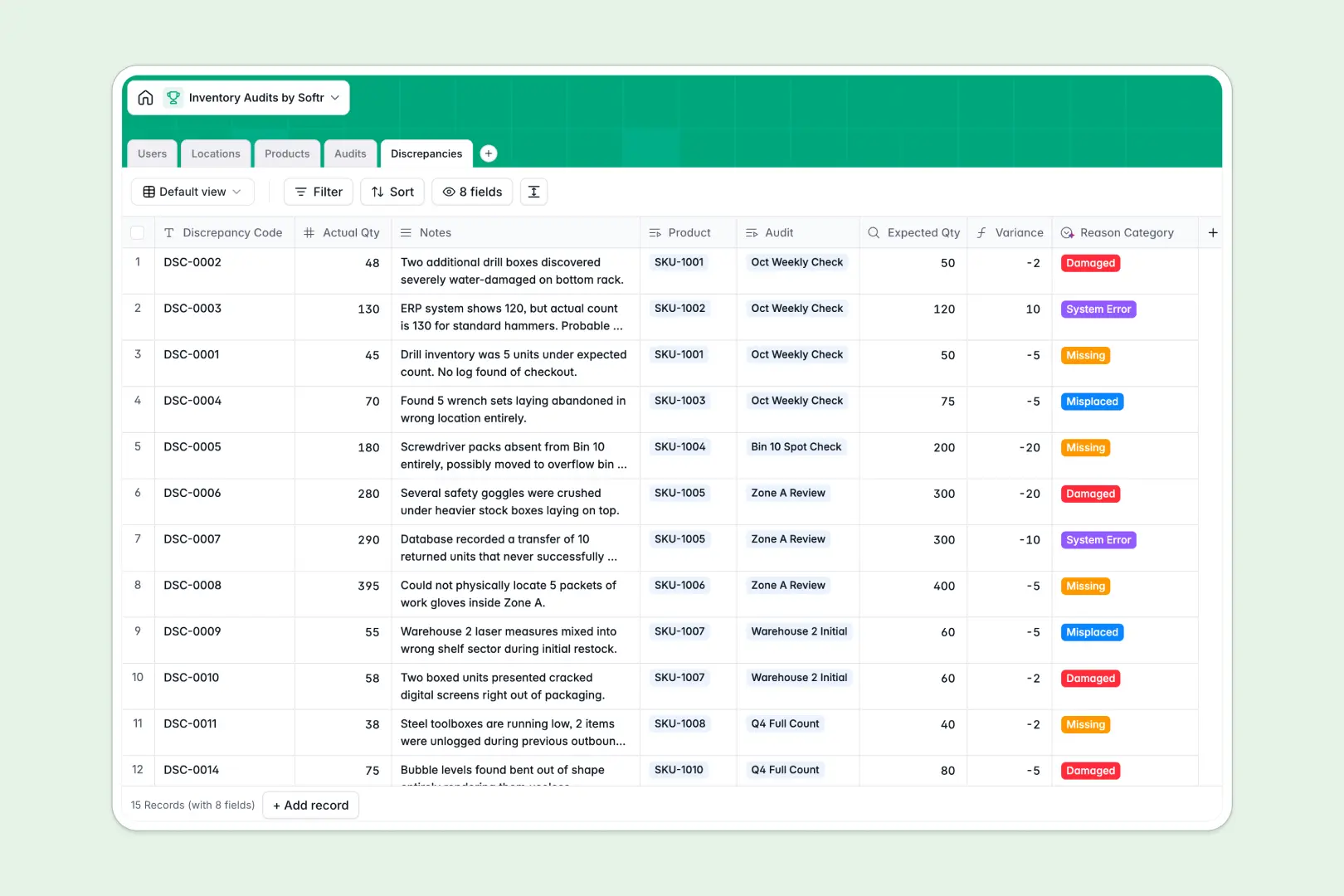
Your Inventory Audits Database at a glance
This template tracks physical stock counts, logs exact discrepancies, and manages floor workflows efficiently.
Products connect directly to distinct warehouse locations and specific variance logs without manual data entry.
Built-in AI automatically condenses long auditor notes, categorizes reasons for missing stock, and can even write missing catalog descriptions automatically.
Why inventory audits get messy in Excel
Tracking complex stock checks across multiple tabs quickly leads to misaligned rows, duplicated data, and outdated counts.
What a structured database changes
Instead of relying on fragile VLOOKUPs, every individual product record links natively to its specific warehouse zone and underlying audit log.
This structural integrity is exactly what Softr Databases are designed for.
Auditors log precise variances against actual quantities natively, ensuring your master inventory catalog stays perfectly clean as you scale.
What you can do with this template
Instantly schedule stock checks and monitor overall counting progress by zone in real time.
Use built-in automation to instantly classify an inventory variance as damaged, missing, or a system error based purely on brief floor notes.
-
Users
Manage staff profiles, roles, and warehouse audit assignments
-
Locations
Organize physical warehouse zones, aisles, and bins for auditing
-
Products
Catalog items with expected stock and AI-generated product descriptions
-
Audits
Schedule inventory counts and generate AI summaries from audit notes
-
Discrepancies
Track stock variances with AI-categorized reasons for inventory gaps
Who is this Inventory Audits database for
This system is built for operations teams who need reliable, scalable physical stock tracking.
- Warehouse Managers: Schedule regular counts and monitor overarching auditing progress across specific zones.
- Inventory Auditors: Log actual quantities and cleanly flag missing items directly on the warehouse floor.
- Operations Leads: Review automated variance summaries to swiftly spot systemic logistical errors.
How to take it further
Customizing your setup is quick and intuitive. You can easily adjust the predefined status options or modify the warehouse layout zones to match your exact floor plan.
Importing your existing catalog takes seconds. Upload your master product list via CSV to instantly populate SKUs, expected stock numbers, and unit values.
When your team is ready, transform this backend into a custom mobile application for floor workers. Set up strict users and permissions so individual auditors only view and edit the specific aisles assigned to them.
-
1
-
2
-
3
-
4
Frequently asked questions
-
What is an inventory audits database?
-
Why use a no-code database to build an inventory tracking tool?
-
How can AI help managing data for inventory audits?
-
Can I build an app with an inventory audits database?
-
Is this Inventory Audits tracker free?
-
How is an inventory audit database different from Excel?
Start building today. It's free!
Build and launch your first app in under 30 minutes.