


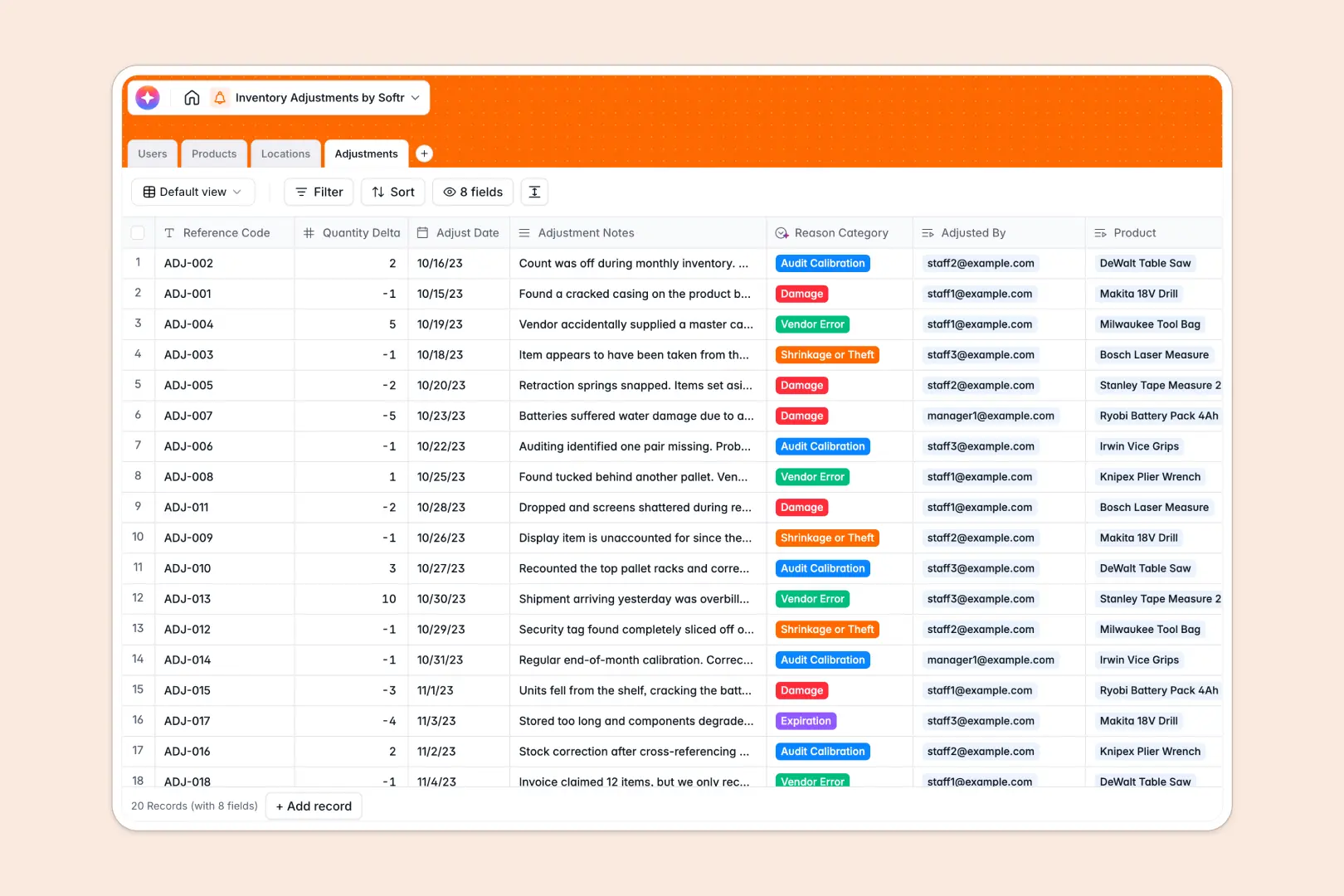
Your Inventory Adjustments database at a glance
This template makes it simple to log stock changes, identify discrepancies, and maintain accurate inventory levels. It keeps your warehouse staff and managers aligned in one organized system naturally.
The database connects Products, Locations, and transactional Adjustments automatically. When staff log a quantity change, it links directly to the specific product and warehouse zone without any manual copying.
Built-in AI agents automatically read your adjustment notes and categorize the reason—like damage or shrinkage—saving you time. They can even search the live web to draft detailed product descriptions for your main catalog.
Why inventory adjustments get messy in Excel
Tracking every damaged item, audit calibration, or vendor error in spreadsheets eventually leads to chaos. Rows get deleted casually, VLOOKUPs break quietly, and pinpointing exact warehouse locations becomes a nightmare.
What a structured database changes
A structured system naturally enforces data rules. Numbers stay numbers, dates stay dates, and every adjustment links perfectly to your product catalog natively.
You can instantly see net adjusted quantities rolling up across multiple locations accurately. This is exactly what Softr Databases are designed for—eliminating the mess as your daily operations scale.
What you can do with this template
You can accurately track exactly who made a change, when it happened, and in which warehouse zone seamlessly. The template acts as a completely reliable ledger for all inventory movements.
You can also leverage native Database AI agents to automatically categorize logs. Simply type "box crushed during transit," and the AI correctly tags it as "Damage" without manual sorting.
-
Users
Manage warehouse staff and managers with roles and access permissions
-
Products
Track inventory items with AI-generated technical product descriptions
-
Locations
Organize warehouse zones and facilities where stock items are stored
-
Adjustments
Log stock changes using AI to categorize reasons based on staff notes
Who is this Inventory Adjustments database for
This ready-to-use template is built for teams that need strict control over physical stock tracking.
- Warehouse Managers: Track net adjusted quantities and maintain an accurate ledger of all stock movements.
- Inventory Analysts: Identify patterns in shrinkage, expiration, or vendor errors to improve supply chain operations.
- Store Supervisors: Monitor zone-specific adjustments like backroom or front-store discrepancies in real time.
- Accounting Teams: Access reliable audit trails linking every stock delta to a specific staff member and exact date.
How to take it further
You can easily customize this database to fit your exact warehouse layout immediately. Tweak the location zone types or add a new column to track purchase order numbers instantly.
Bring in your current stock counts quickly by uploading a CSV file. If you use external ERP tools, you can dynamically connect them via API to sync product catalogs seamlessly.
When your team is ready, you can use the interface builder to create a custom internal portal. Your warehouse staff can log adjustments natively from their phones, while managers review comprehensive dashboards remotely.
By setting up proper users and permissions, staff only see the aisles they are working on, while admins maintain full administrative control naturally. Starting with a structured ledger makes building these apps incredibly straightforward.
-
1
-
2
-
3
-
4
Frequently asked questions
-
What is an inventory adjustments database?
-
Why use a no-code database to build an inventory adjustments tool?
-
How can AI help managing data for inventory adjustments?
-
Can I build an app with this inventory adjustments database?
-
Is this Inventory Adjustments template free?
-
How is an inventory database different from Excel or Google Sheets?
Start building today. It's free!
Build and launch your first app in under 30 minutes.