


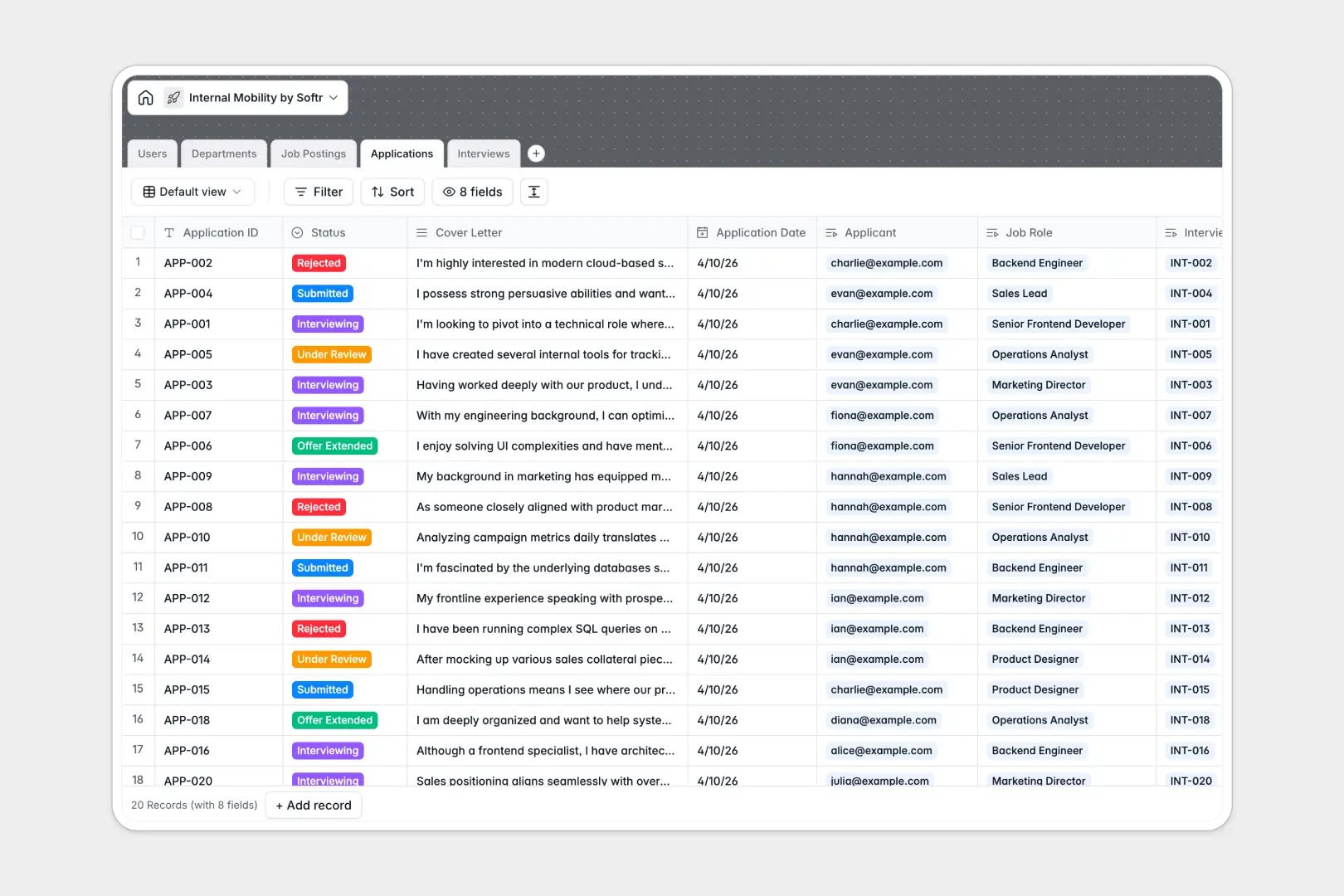
Your Internal Mobility database at a glance
This template lets you organize internal job listings, track applications, and coordinate interviews effortlessly. It keeps your hiring pipeline transparent and moves internal candidates through the process without friction.
Everything is connected automatically without complex setup. When an employee applies, their application links instantly to the specific job posting, their current department, and the hiring manager—no manual data entry required.
Built-in AI features do the heavy lifting for your HR team automatically. They can generate engaging internal job descriptions from basic requirements and summarize candidate cover letters into quick bullet points for fast screening.
Why managing internal mobility gets messy in Excel
Tracking internal candidates across spreadsheets quickly becomes chaotic. Rows get accidentally overwritten, files easily end up in the wrong hands, and keeping job statuses constantly updated across multiple departments is nearly impossible as your company grows.
What a structured database changes
Unlike a static spreadsheet, a relational system keeps your data clean and properly assigned. Every role, applicant, and interview note exists as clearly defined records that connect directly to each other without fragile tracking formulas.
Instead of copying and pasting employee details across multiple tabs, applications are linked perfectly to the right person and job. This is exactly what Softr Databases are designed for.
What you can do with this template
You can instantly view every open role by department, track which stage every applicant is in, and review standardized interview feedback from your team. Everything stays organized natively, ensuring a smooth transition for employees.
Plus, native Database AI agents instantly read and summarize submitted cover letters for you. Hiring managers get the exact context they need in seconds, making the internal movement process faster than ever.
-
Users
Manage employee profiles, including roles, contact info, and current departments
-
Departments
Organize business units and track their current headcounts and job openings
-
Job Postings
List internal openings and utilize AI to generate engaging job descriptions
-
Applications
Track recruitment steps with AI-powered summaries of employee cover letters
-
Interviews
Schedule interview rounds and centralize evaluator feedback and hiring outcomes
Who is this Internal Mobility database for
This system is built for teams looking to streamline internal career growth without complex software setups.
- HR & People Teams: Track every internal application and ensure fair, consistent interview processes across departments.
- Hiring Managers: Quickly overview applicants for your open roles and review AI-summarized cover letters in seconds.
- Department Leads: Monitor open headcount and track how team members are progressing through various internal interview stages.
How to take it further
You can easily modify this starting point to match your precise hiring process. Add new select options for interview outcomes, or create custom fields to track specific department budgets directly within the table.
Moving off your old tracker is simple and fast. You can upload a CSV file to instantly populate your existing departments, users, and historical job postings without missing a beat.
Once your records are organized, you might want to share this data safely with the broader company. You can seamlessly build an app on top of this foundation to create a branded internal job board for employees. By applying custom users and permissions, you ensure that employees only see open roles to apply for, while hiring managers get exact access to private interview notes.
-
1
-
2
-
3
-
4
Frequently asked questions
-
What is an internal mobility database?
-
Why use a no-code database to build an internal hiring tool?
-
How can AI help managing data for internal mobility?
-
Can I build an app with this internal mobility database?
-
Is this Internal Mobility template free?
-
How is an internal mobility database better than Excel?
Start building today. It's free!
Build and launch your first app in under 30 minutes.