


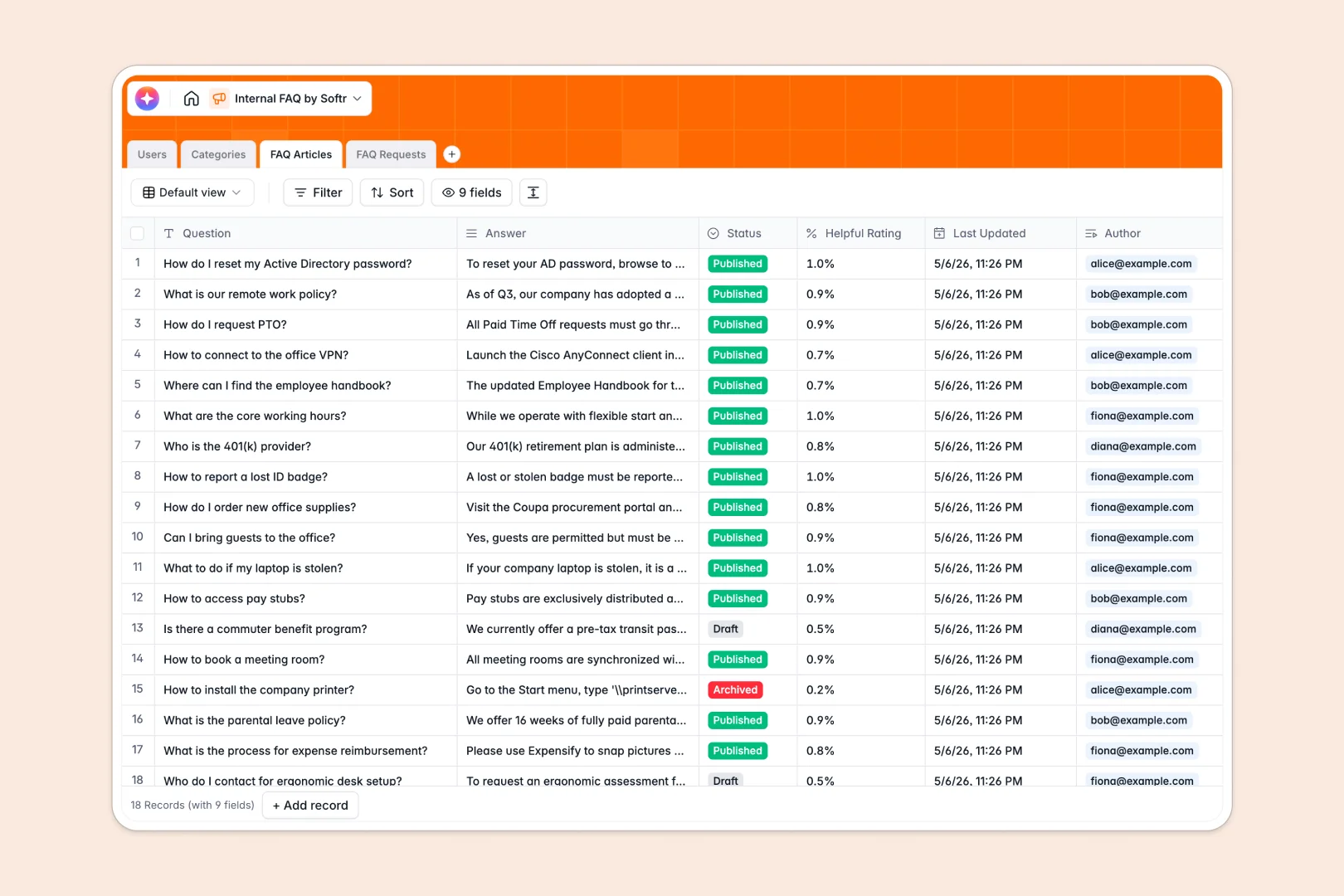
Your Internal FAQ Database at a glance
Stop answering the same questions repeatedly and give your team a centralized, reliable source of truth.
This template links everything seamlessly—connecting common questions directly to specific topics like HR or IT policies without you cross-referencing tabs. You can track employee help requests, manage drafted answers, and organize articles by category in one concise view.
Plus, AI works right inside your tables to automatically summarize long answers and instantly categorize incoming employee requests for faster resolution.
Why tracking internal FAQs in Excel breaks down
Managing company knowledge in spreadsheets quickly turns into a disorganized mess of outdated tabs and hidden answers.
What a structured database changes
Instead of scrolling through infinite rows looking for a specific HR policy, a database enforces clear boundaries between data types. Your knowledge base stays clean because structured fields treat statuses like 'Draft' or 'Published' properly.
You can securely connect an employee's profile to every question they submit or article they write without relying on fragile VLOOKUPs. This is exactly what Softr Databases are designed for.
What you can do with this template
You can capture every employee request for new information and group your Q&A into dedicated categories with automated article counts.
It also harnesses Database AI agents that auto-classify new help requests based on their description. This means incoming IT issues or HR policy queries get routed and tagged completely hands-free.
-
Users
Manage employee identities with roles and link their knowledge contributions
-
Categories
Group knowledge topics including HR and IT with calculated article counts
-
FAQ Articles
Store Q&A data with AI-powered summaries for quick information digestion
-
FAQ Requests
Handle knowledge gaps via feedback and AI auto-classification of topics
Who is this Internal FAQ Database for
This template provides a clean foundation for any team that needs to distribute knowledge clearly and efficiently.
- HR Departments: Standardize onboarding materials and employee benefits answers in an engaging, accessible format.
- IT Teams: Resolve common technical issues faster with easily searchable troubleshooting guides.
- Operations Managers: Keep process documentation up-to-date and standardized across the entire company.
- Department Leads: Track incoming queries to identify what training modules your team is missing.
How to take it further
You can easily customize this template to fit your company's unique operational needs. Add new urgency levels to employee requests or tweak the FAQ categories to mirror your internal departments.
Moving away from Excel is straightforward for your entire team. Just upload a CSV containing your existing Q&A, and your data will populate instantly with its full relational structure intact.
When you are ready, you can transform this database into a modern employee portal using Softr's interface builder. Teams can securely look up answers or submit new documentation requests through a polished frontend.
By implementing robust users and permissions, you can strictly restrict who edits articles while allowing the whole company to browse them safely. Creating tools that employees actually want to use starts effortlessly when your data is structured properly.
-
1
-
2
-
3
-
4
Frequently asked questions
-
What is an Internal FAQ database?
-
Why use a no-code database to build an internal knowledge base?
-
How can AI help managing data for internal FAQs?
-
Can I build an app with this internal FAQ database?
-
Is this Internal FAQ Database free?
-
Why do internal FAQs get messy in Excel?
Start building today. It's free!
Build and launch your first app in under 30 minutes.